Skip to content
Grav 2.0 is officially stable. Read the announcement →

Community guidelines

Please keep discussions civil and on-topic. Repeated violations may lead to a temporary ban.

Content & Markdown

Inserting two line breaks in Markdown

first-time

Started by Philippe Levy 9 years ago · 13 replies · 7078 views
9 years ago

After an hour of searching I still can't figure out how to put two carriage returns ie line breaks ie blank lines ie <br /><br /> between two bits of content. Kind of blows my mind this is out of reach. Am I daft? Everything suggested just breaks the page.

Cheers.
.: pl
9 years ago

Hi, inside markdown it is always possible to insert html tags, so you could put how many <br/> you need

9 years ago

Hmm. I tried using HTML but it breaks the page with a 500 - failed to read message.issue-line-break|689x366

<!--
Using the Boxify skeleton editing the following:
public_html/user/pages/01.home/_featureslist/featureslist.md

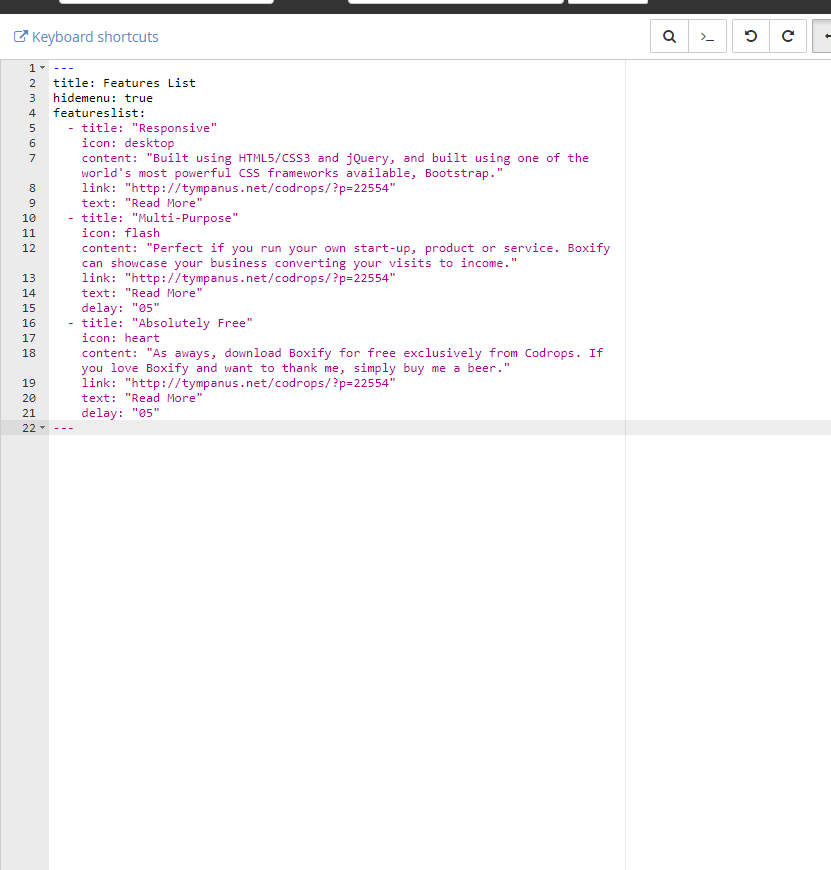
The original file looks like this:


title: Features List
hidemenu: true
featureslist:

  • title: "Responsive"
    icon: desktop
    content: "Built using HTML5/CSS3 and jQuery, and built using one of the world's most powerful CSS frameworks available, Bootstrap."
    link: "http://tympanus.net/codrops/?p=22554"
    text: "Read More"
  • title: "Multi-Purpose"
    icon: flash
    content: "Perfect if you run your own start-up, product or service. Boxify can showcase your business converting your visits to income."
    link: "http://tympanus.net/codrops/?p=22554"
    text: "Read More"
    delay: "05"
  • title: "Absolutely Free"
    icon: heart
    content: "As aways, download Boxify for free exclusively from Codrops. If you love Boxify and want to thank me, simply buy me a beer."
    link: "http://tympanus.net/codrops/?p=22554"
    text: "Read More"
    delay: "05"

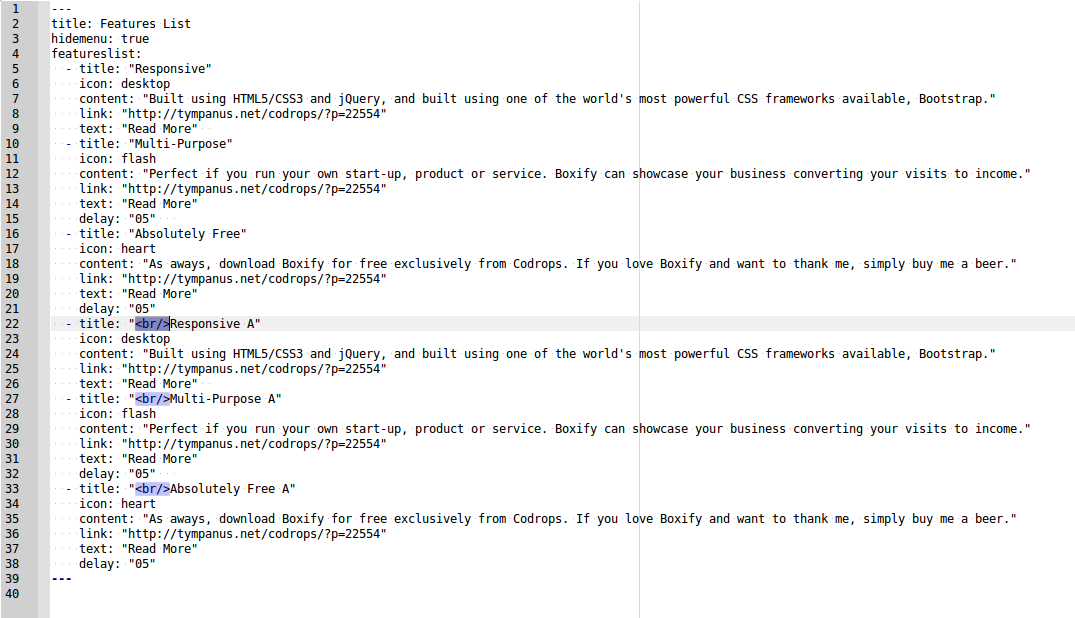
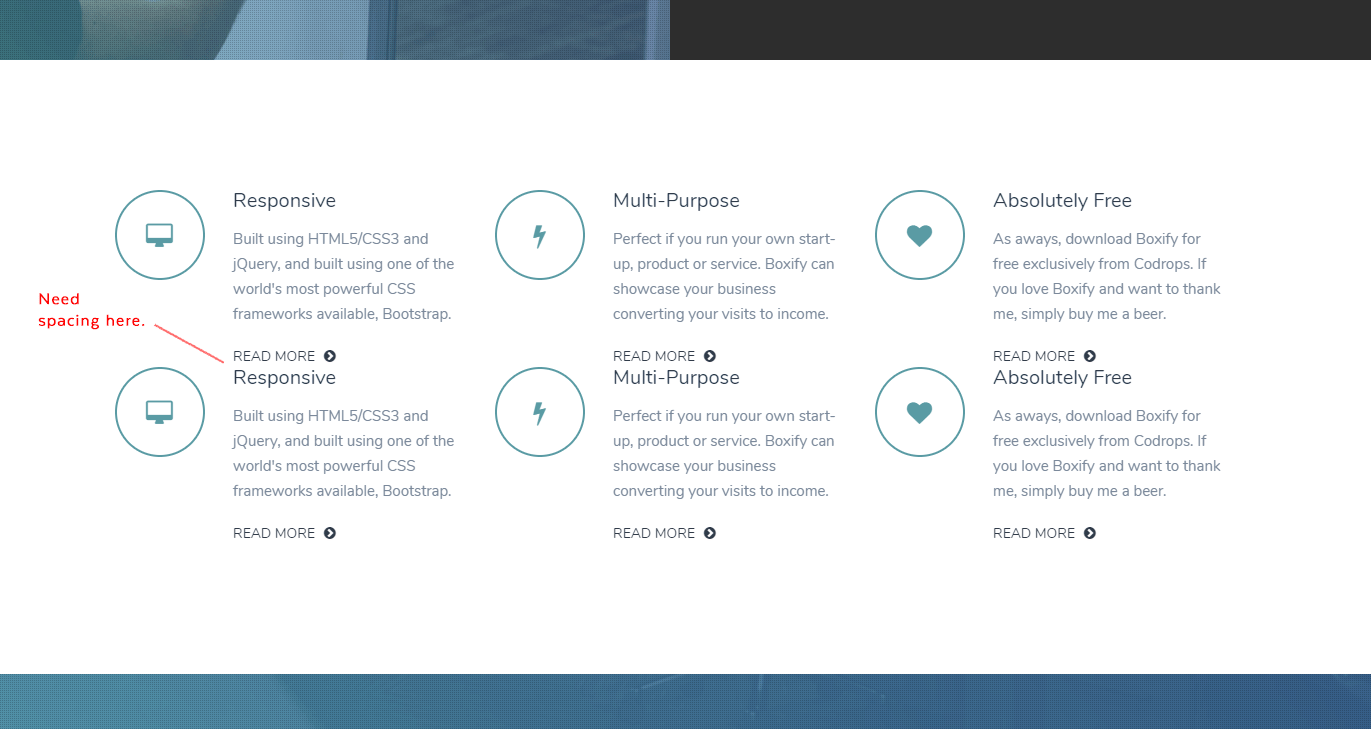
I want to add three more "features" to the existing three. When I simply copy these features there's very little space between the first three and the next three. I'd like to put a black line between the two sets of features on each line.

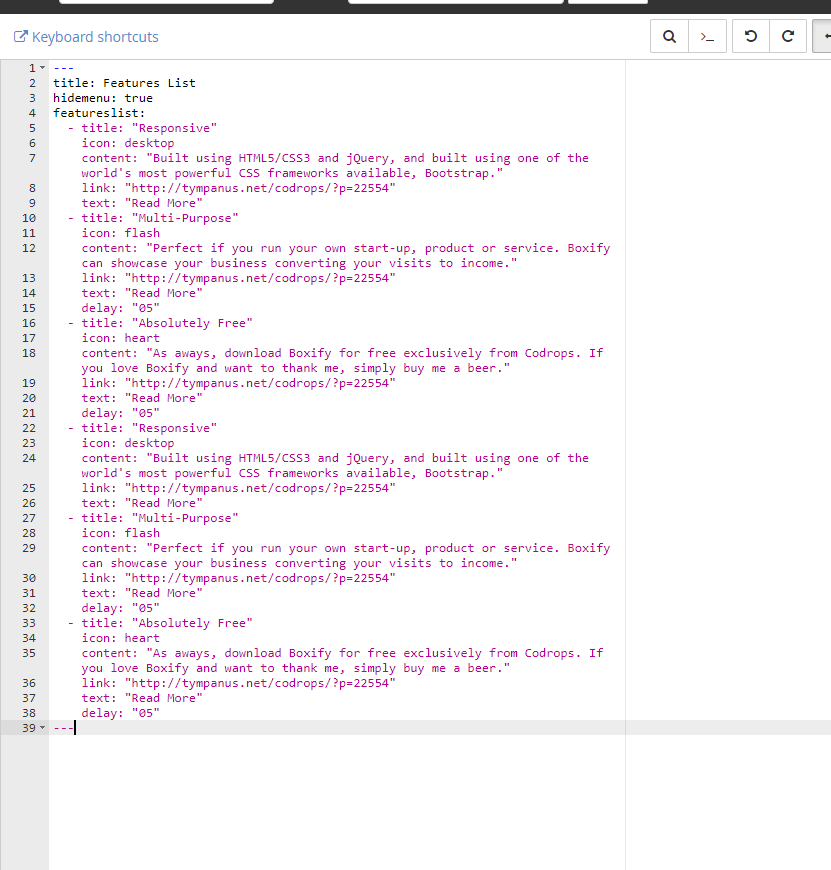
What I did:


title: Features List
hidemenu: true
featureslist:

  • title: "Responsive"
    icon: desktop
    content: "Built using HTML5/CSS3 and jQuery, and built using one of the world's most powerful CSS frameworks available, Bootstrap."
    link: "http://tympanus.net/codrops/?p=22554"
    text: "Read More"
  • title: "Multi-Purpose"
    icon: flash
    content: "Perfect if you run your own start-up, product or service. Boxify can showcase your business converting your visits to income."
    link: "http://tympanus.net/codrops/?p=22554"
    text: "Read More"
    delay: "05"
  • title: "Absolutely Free"
    icon: heart
    content: "As aways, download Boxify for free exclusively from Codrops. If you love Boxify and want to thank me, simply buy me a beer."
    link: "http://tympanus.net/codrops/?p=22554"
    text: "Read More"
    delay: "05"
  • title: "Responsive"
    icon: desktop
    content: "Built using HTML5/CSS3 and jQuery, and built using one of the world's most powerful CSS frameworks available, Bootstrap."
    link: "http://tympanus.net/codrops/?p=22554"
    text: "Read More"
  • title: "Multi-Purpose"
    icon: flash
    content: "Perfect if you run your own start-up, product or service. Boxify can showcase your business converting your visits to income."
    link: "http://tympanus.net/codrops/?p=22554"
    text: "Read More"
    delay: "05"
  • title: "Absolutely Free"
    icon: heart
    content: "As aways, download Boxify for free exclusively from Codrops. If you love Boxify and want to thank me, simply buy me a beer."
    link: "http://tympanus.net/codrops/?p=22554"
    text: "Read More"
    delay: "05"

If I put in a <BR /> or a few carriage it returns the a 500 error. I experimented and it either goes back to only showing three features or shows all six with the cramped spacing between each set of three.

Any thoughts?

-->

9 years ago

That's unusual, what theme are you using? For what you describe I use the <br> tag within Markdown.

9 years ago

The file I'm editing is:

public_html/user/pages/01.home/_featureslist/featureslist.md

I attached a screenshot of the default contents of the above file.

I also attached the edited file after simply copy and pasting three more features.

No matter what I try, whether it's adding a < BR > (minus spaces so it doesn't render) which breaks the page with an error or carriage returns, blank linkes, three dashes, nothing inserts more space between the first set of three features and the second three.

9 years ago

OH! Well, I do not think you could do that via frontmatter (I was assuming you meant in Markdown, but now that I see the theme I know otherwise🙂).

One possible alternative is to add the <br> tags in the Features template twig file, as shown here:

TWIG
<section class="features-list" id="features">
<div class="container">
    <div class="row">
        <div class="col-md-12">
            {% for item in page.header.featureslist %}
                <div class="col-md-4 feature-{{ loop.index }} wp2 {% if item.delay %}delay-{{ item.delay }}s{% endif %}">
                    <div class="feature-icon">
                        <i class="fa fa-{{ item.icon }}"></i>
                    </div>
                    <div class="feature-content">
                        <h1>{{ item.title }}</h1>
                        <p>{{ item.content }}</p>
                        <a href="{{ item.link }}" class="read-more-btn">{{ item.text }} <i class="fa fa-chevron-circle-right"></i></a>
                        <br><br>
                  </div>
                </div>
            {% endfor %}
        </div>
    </div>
</div>

</section>

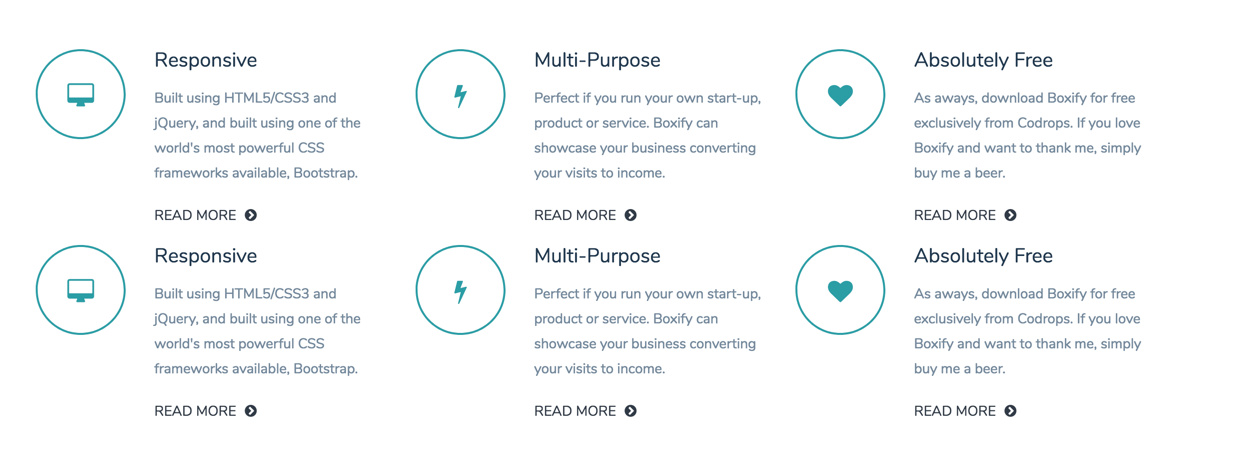
This would produce this:
2017-12-20_14-25-27|690x261

Note: to keep this change when the theme is updated you need to configure an inherited theme (quite easy), as described here: https://learn.getgrav.org/themes/customization#theme-inheritance

9 years ago

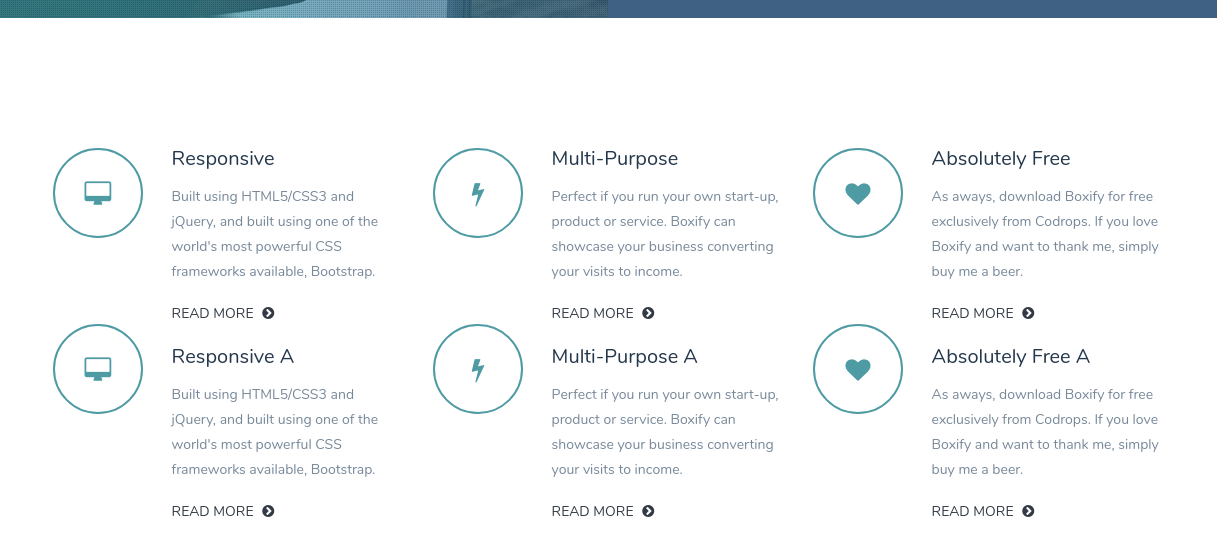
Without touching the twig template, if you want to put only one line break, then again, you can do it in the markdown.

I say this only for other situations, in this case the result is not nice because of the obvious failure to move the icons ... 😄

screen1|690x316
screen2|690x396

👍 1
8 years ago

Thanks for this awesome suggestion Paul. Followed the instructions for creating an inherited theme, made the edit to the twig file you suggested, and added another edit to the queries.css file to manage bottom padding for each feature and it all looks fab.

Many Thanks,
.: pl

👍 1
8 years ago

Iusvar,

Both of these suggestions are great. I had no idea I needed to put the markup in the variable. Makes perfect sense now. Thanks for helping me think outside the box.

Happy Holidays :)
.: pl

8 years ago

That is a really great tip @iusvar, I did not know you could do that!

8 years ago

Happy to have been useful.

Happy holidays to both!

👍 1

Suggested topics

Topic Participants Replies Views Activity
Content & Markdown · by Jochen, 8 months ago
6 96 8 months ago
Content & Markdown · by Ton Haarmans, 1 year ago
10 184 1 year ago
Content & Markdown · by Jan L'Am, 1 year ago
4 147 1 year ago
Content & Markdown · by Leonardo, 1 year ago
3 61 1 year ago
Content & Markdown · by belthasar, 1 year ago
4 255 1 year ago