Hello, my photographer website with Grav CMS is online for a while and I think it's time for a brief showcase here:
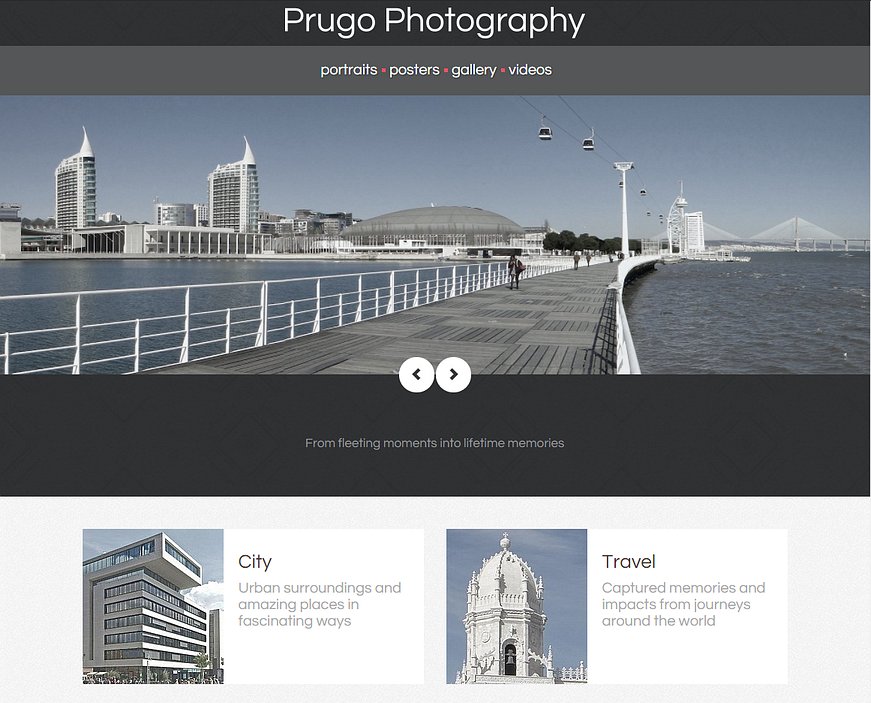
Last year I had the time to put some efforts into my photography hobby and decided to make a small website for it for documentation and presentation purposes.
Content strategy was to emphasize the photographs so the priority was showing many photographs and only little usage of text. Moreover, there should not be many pages.
Just a small website that shows some work from me and links to social media profiles with more content.
I had some experiences with Wordpress but I found it to overloaded and complicated for a small website like mine.
So I searched the web for 'open source lightweight CMS' and actually found some that used PHP which I know a little bit and even didn't use a database.
After some test installations and trials on a local webserver I found Grav CMS with the photographer template the most suitable one for my needs.
Without the harassment of creating databases and running installation procedures I just downloaded the photographer skeleton and started working with admin, plugins and customizations of theme and templates to my needs.
The plugins I use:
- Admin Panel
- Error
- Form
- Login
- Markdown Notices
- Minify Html
- Problems
- Social & SEO Meta Tags
- Unitegallery
Soon I moved with my page templates from standard to modular pages step-by-step.
I had some repetitive content structure within single pages and found modular pages more flexible than using standard pages and fixed header and footer templates. So I moved some parts of the footer to modular pages.
I can use different footers and decide which footer appears on which page with just copying a certain footer to a modular page.
Unfortunately I finished the theme customizations before I understood 'theme inheritance', so I just edited the photographer theme to my needs.
But I don't think I will invest time in migrating my customizations out of the original theme unless it won't work with a newer version of Grav CMS.
With the 'Social & SEO Meta Tags' I did some basic SEO and optimizations for sharing links to my website on social media and messengers and was able to implement the 'Unitegallery' on modular pages.
After almost half a year with Grav I'm very happy with this choice and definitely would recommend it:
- Due to the simple file-based architecture deployments and backups are easy.
- I can create new instances for developing and maintenance as many as I want.
- After understanding the twig template system I can easily make new templates using HTML and inserting placeholders.
- Creating new pages is done by just creating folders with a file manager and copying markdown files. For me this is much easier than learning individual GUI-concepts from a CMS because handling files and folders is general knowledge when working with computers.
Comments are welcome and thanks for reading that far ;)