Skip to content
Grav 2.0 is officially stable. Read the announcement →

Community guidelines

Please keep discussions civil and on-topic. Repeated violations may lead to a temporary ban.

Themes & Styling

Three issues with Learn2 theme

Solved by Robbert Luit View solution

Started by Xavier Marichal 8 years ago · 7 replies · 744 views
8 years ago

Hi,

I did install the latest release of the learn2 theme for my site, but the menu leftside menu is not behaving as expected:

  • menu scroll is not present/active
  • checks on the sections/subsections already read is not present/active
    I looked through the config files but found no way to activate them. Is there something special to be done ?

Also, in several of my docs.md, I want to ingrate <input> fields. It works great, but the system systematically places these inputs on separate lines, which is not what I want.

For instance, this code in docs.md:

TXT
This is an example of a texte with an input <input type="number" style="color:#20b030; width: 80px" value="10"> to be manipulated by the user.

results in this:

57|690x104

I'd like/need for the text and the inut to remain on a single line... How can I enforce that ?

Thanks,
Xavier
8 years ago

Menu scrolls and checks were due to me including a newer version of jquery in base.html.twig. It does obviously break something.

8 years ago

For your 'input' problem, try adding <span> </span> elements around them and see if they stay in the same line or not :) (they should)

8 years ago

Thanks, RobLui. But isn't it what I do when writing all the text on a single MD line.

E.g. this is the full docs.md of my section:

YAML
---
title: Explanation
taxonomy:
    category: docs
---

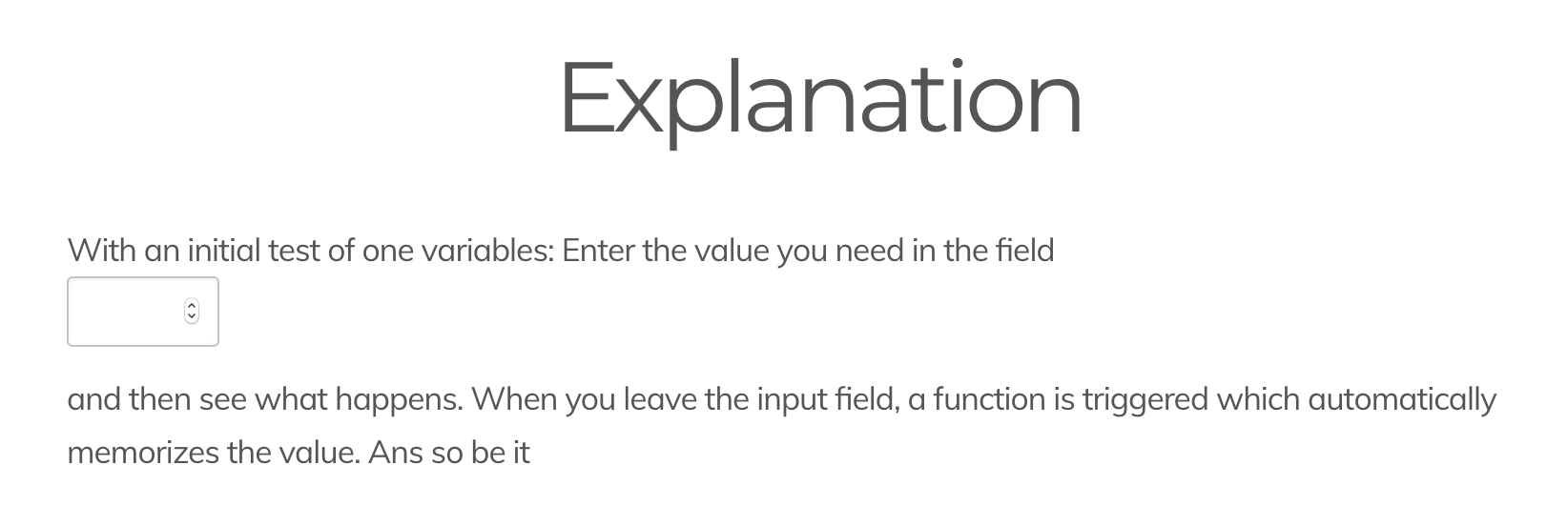
With an initial test of one variables:
Enter the value you need in the field <input style="width: 80px" type="number" id="amount" onchange="valueUpdate('amount')"> and then see what happens.
When you leave the input field, a function is triggered which automatically memorizes the value.
And so be it

It results in:
59|690x231

So, what else should I put around ? Thanks for any hint...
Xavier

8 years ago

01|690x126
This is how it renders out for me, is your class around it too small for it to fully display on the same line?

This is my own code: (didn't make a difference tho with or without the span element)

With an initial test of one variables:
Enter the value you need in the field <span><input style="width: 80px" type="number" id="amount" onchange="valueUpdate('amount')"> </span> and then see what happens.
When you leave the input field, a function is triggered which automatically memorizes the value.
And so be it

8 years ago

How weird. With or without span, me it keeps making it on a separate line.
And I've not defined any specific class, I simply use the Learn2 theme.

I just tried on another site I have with the Tessellate theme, and there is no problem there.

The example you showed me, is it also within a Learn2 theme ? If yes, this is puzzling. If not, then it could mean that it is an issue with some classes defined by the theme...
Thanks for your help,
Xavier

8 years ago Solution

Tested it with the learn2 theme wich seems to give style elements from within the the itself, a way to surpass this is with just adding the 'inline-block' style to your element 🙂

Tested & working bypass:

With an initial test of one variables:
Enter the value you need in the field <input style="width: 80px; display:inline-block;" type="number" id="amount" onchange="valueUpdate('amount')"> and then see what happens.
When you leave the input field, a function is triggered which automatically memorizes the value.
And so be it

8 years ago

Thanks a lot.
It does indeed solve the issue and keep the input field in the text. It creates a larger line space before and after the line though, but I'm sure this is a matter of also playing with other style parameters.
Thanks again, @RobLui

👍 1

Suggested topics

Topic Participants Replies Views Activity
Themes & Styling · by Pedro M, 2 months ago
4 195 2 months ago
Themes & Styling · by Ian, 2 months ago
3 91 2 months ago
Themes & Styling · by Norbert, 2 years ago
11 451 3 months ago
Themes & Styling · by Lukáš Findeis, 3 months ago
0 45 3 months ago
Themes & Styling · by Sebadamus, 4 months ago
5 125 3 months ago
