Skip to content
● Meet Grav Guard: keep every Grav site you run secure and up to date, all from one place. Free for up to 3 sites. Read more →

Modular Page Background Image Display

Started by TomW 3 weeks ago · 2 replies · 243 views
3 weeks ago

Hello,

I'm using the Hadron v3 theme, which is based on the Quark2 theme.

I've created a modular page and am using the “Hero” class to embed an image in the background.

However, the image isn't displaying correctly; even with the “hero-fullscreen” class, I can only see part of the image.
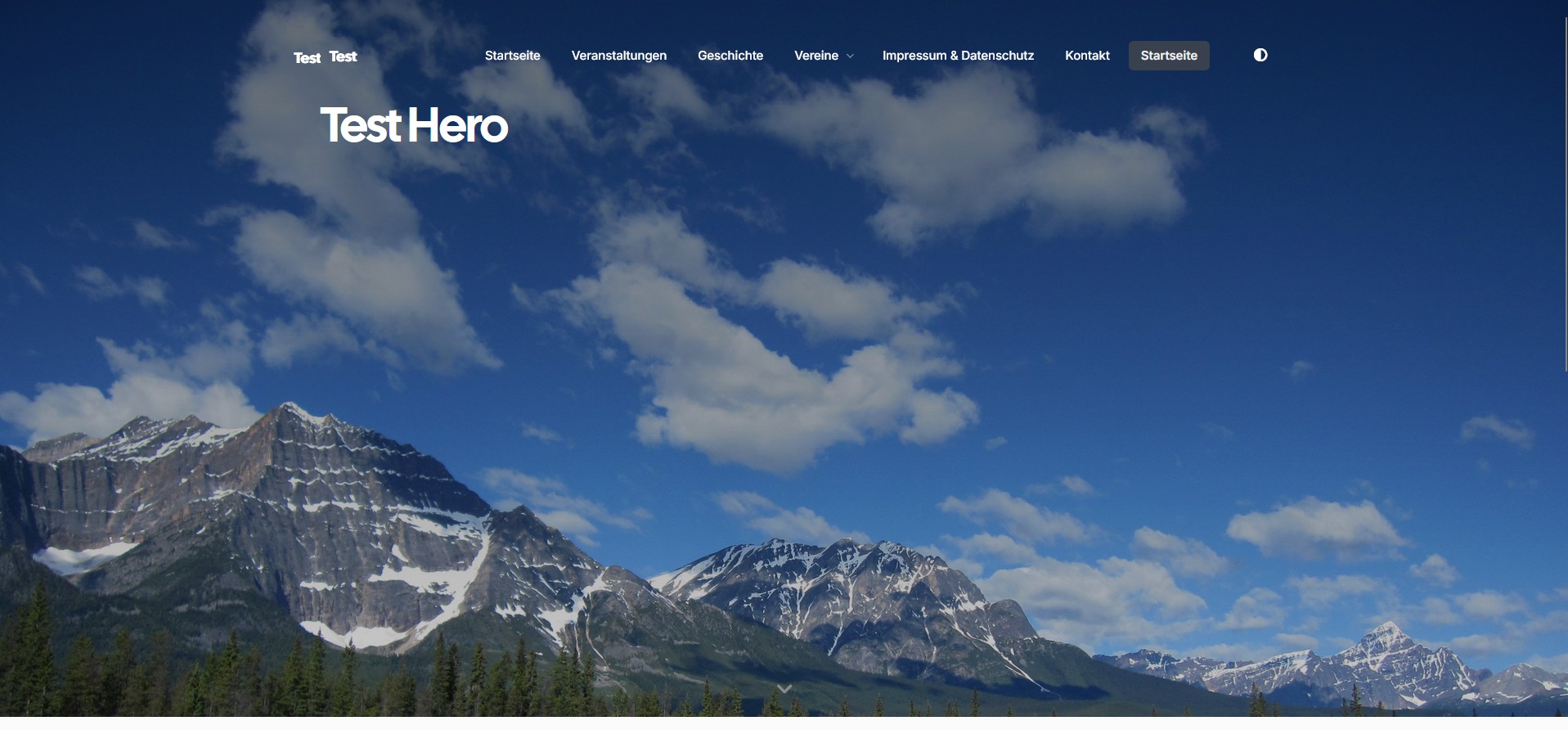
Screenshot 2026-10-27 161145.jpg

How can I make the image align flush at the bottom and fade out at the top?

Here is the original image

Screenshot 2026-10-27 161221.jpg

last edited 10/27/26 by TomW
2 weeks ago

i would absolute position a div at the bottom over the top of the image and have a semi transparent gradient on that.

1 week ago

My main problem is that the image wasn't aligned flush with the bottom.

I've now solved that by doing this

body.hero-bottom-image #hero.section.modular-hero.hero {

background-position: center bottom !important;

background-position-y: bottom !important;

}

Suggested topics

Topic Participants Replies Views Activity
Themes & Styling · by TomW, 29 minutes ago
0 1 29 minutes ago
Themes & Styling · by MarkP, 14 hours ago
0 29 14 hours ago
Themes & Styling · by themetman, 1 week ago
1 124 4 days ago
Themes & Styling · by AH, 3 weeks ago
1 241 5 days ago
Themes & Styling · by Bruno, 4 years ago
6 1412 5 days ago