@gobs, Some themes (not Afterburner2 though) have a build in property that points to the logo file.
This property is then exposed in the Admin panel. When using theme Quark it will look as follows:
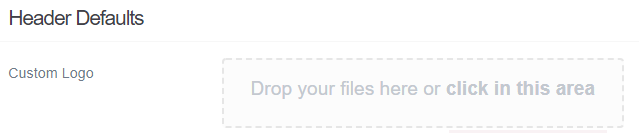
Yes. it may seem a burden to search through the files, but Grav is quite structured and themes and plugins follow that same structure. That makes them all quite similar. You will soon know where 'stuff' happens.
Ok, how to change the logo in Afterburner2?
If you open the developer tools of the browser, you will see that the logo is defined in '_header.scss' with the following css:
   #header #logo {
       background: url(../images/logo.png);
       ...etc.
What we need to do is to override that css in our own theme.
We need the following steps:
- In your childtheme, create the file 'user/theme/mytheme/css/custom.css', with the following content:
#header #logo {
background: url(../images/logo.png);
}
Because 'custom.css' resides in your theme, the url '../images/logo.png' will now point to the logo inside your theme.
- Add your own logo.png to folder 'user/themes/mytheme/images/'
-
The 'custom.css file' needs to be added to the page. Stylesheets are mostly added to a page by template 'base.html.twig'. In your case, that will be 'user/themes/afterburner2/templates/partials/base.html.twig'.
Copy that template into the 'templates/partials' folder of your own theme.
- To add 'custom.css' to the page, add the following line to line 18:
{% do assets.add('theme://css/custom.css') %}
Your folder structure should now look like:
/user/themes/mytheme/
├── ...
├── css
│   └── custom.css
├── images
│   └── logo.png
├── templates
    └── partials
        └── base.html.twig
If all went well, you will now have your own logo in the header of the page.
Hope this helps...