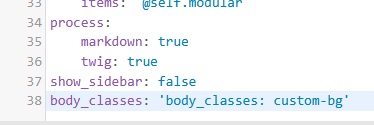
This might be a stupid question as I am no geek in this world, in fact a total novice. As such I find the Grav doc quite daunting as it quickly plunges into vocabulary and notions that I can't follow.
Any way getting started with my site and theme Future2021 I just wanted to change the background colour of one of the pages.
I read how to insert html into the markdown file for the page and tried it by adding html into the the portfolio.md but it fails every time and lists the markdown as text on my webpage."
I'm using

inserted in my .md file
Is there something I'm missing?
is there a list of what Grav keywords should be used in the markdown files?
Thanks
Ian
last edited 04/20/26 by Ian