Skip to content
Grav 2.0 is officially stable. Read the announcement →

Community guidelines

Please keep discussions civil and on-topic. Repeated violations may lead to a temporary ban.

Plugins

Lightslider: cannot reach make it working

Started by Nicola Gelmini 7 years ago · 9 replies · 1251 views
7 years ago

Hello, I'm trying to create a slider, first tryed with owl-carousel, now with lighslider plugin, but it don't works. I tried also the sample on the readme, but nothing works fine.
I tried 3 differents md files, one with the standard
# Shop Geek Stuff
## We have all your **geek** needs covered..
___
# SnipCart Powered
## **Grav** plus **SnipCart** equals easy shopping

then two using directly html with the <hr /> separator,
but in any case the slider don't works.
Here you can see what's happens:
http://www.aiutiamoli-bergamo.it/grav/test

I'm using the Quark standard theme, I hope this isn't the problem!
7 years ago

Your images have to be in your lightslider.md folder!
Looking in your sourcecode tells me you put them in the /grav/images folder.

7 years ago

@arank I think you're looking at the thumbnails automatically created by the javascript. I have two jpeg images image-1.jpg and image-2.jpg in "test" folder

7 years ago

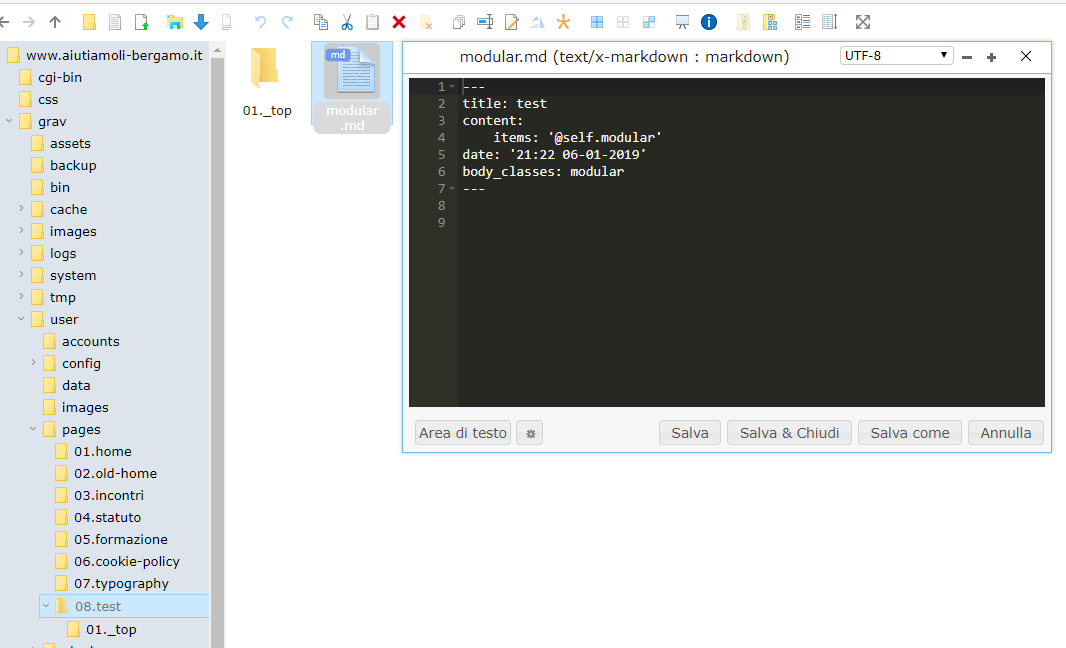
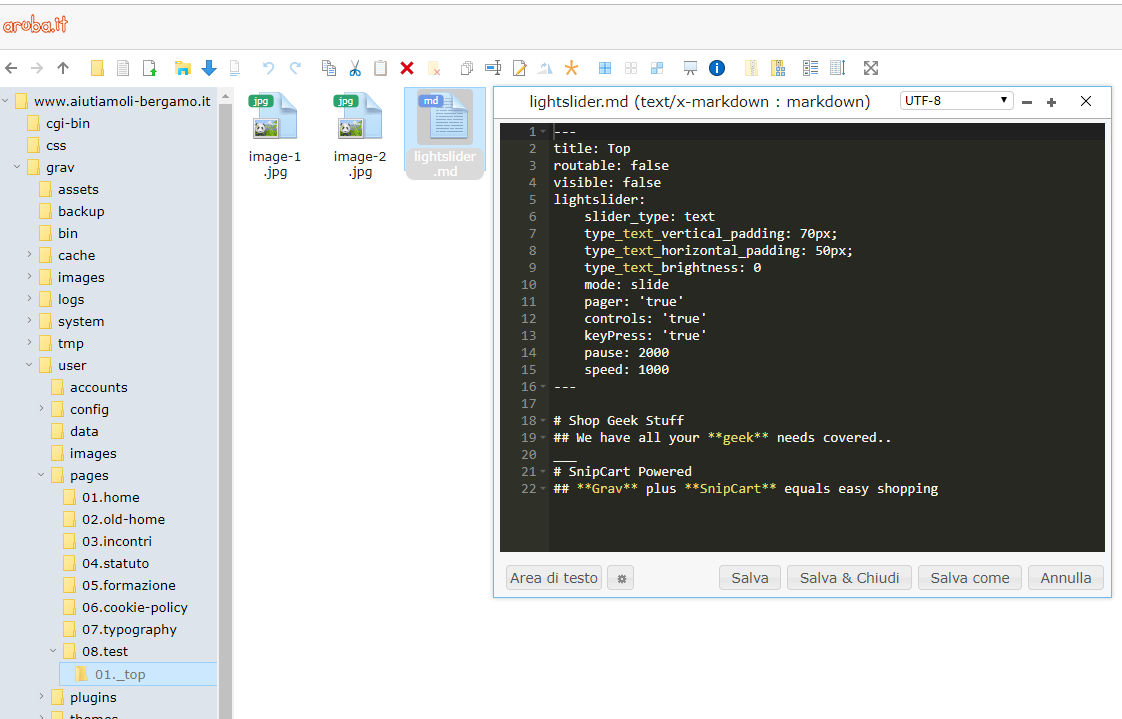
@arank this is a screen of my space on Top page:
image|690x442
As you can see if set the md file to lightslider and the values inside are the standard values ( I've only used 2 images and text parts instead of 3)
this is the screen of the parent page:
image|690x419

Thank you for your help, I'm really trying to understand which is my error :(

7 years ago

Try out:

  1. In your test folder: Just use _top as folder name, don't use 01.
  2. In your modular md:
    YAML
    
    content:
    items: '@self.modular'
    order:
        by: default
        dir: asc
        custom:
            - _top
    

TXT
Leave out date and body classes.

3. In your markdown:

Shop Geek Stuff

We have all your geek needs covered..


SnipCart Powered

Grav plus SnipCart equals easy shopping


TXT

7 years ago

no changes 😦
what I can see is that in the page shown is the entire text of the lightslider.md page, also the --- lines, like if the raw content of the page isn't processed

7 years ago

Is the plugin enabled?
Did you check another theme? Might be theme related...

7 years ago

plugin is enabled, elsewhere I cannot see the first image, I tried also with antimatter, maybe I have to set to process markdown first? ( at the moment I've setted "process twig first" at yes in system.yaml

7 years ago

@arank EUREKA! I found the problem:
making a compare between the yaml files in config folder of my grav and which of the shop site skeleton I found that in the shop skeleton the processing of twig is disabled!
It's a normal configuration? Because setting the processing of twig false, some other plugins seems not to works fine.
If I set in the frontmatter of the lightslider page
process:
twig: false

All works fine!

👍 1

Suggested topics

Topic Participants Replies Views Activity
Plugins · by Rene, 1 week ago
2 43 1 week ago
Plugins · by Xavier, 4 weeks ago
2 53 4 weeks ago
Plugins · by Luka Prinčič, 7 years ago
3 1179 1 month ago
Plugins · by Sebastian van de Meer, 1 month ago
1 48 1 month ago
Plugins · by PIERROT Alain, 2 months ago
3 72 2 months ago