Skip to content
Grav 2.0 is officially stable. Read the announcement →

Community guidelines

Please keep discussions civil and on-topic. Repeated violations may lead to a temporary ban.

Plugins

Image insert button in TinyMCE editor

Started by adrian edelmann 9 years ago · 2 replies · 2102 views
9 years ago

I really want work with the Markdown built-in editor.
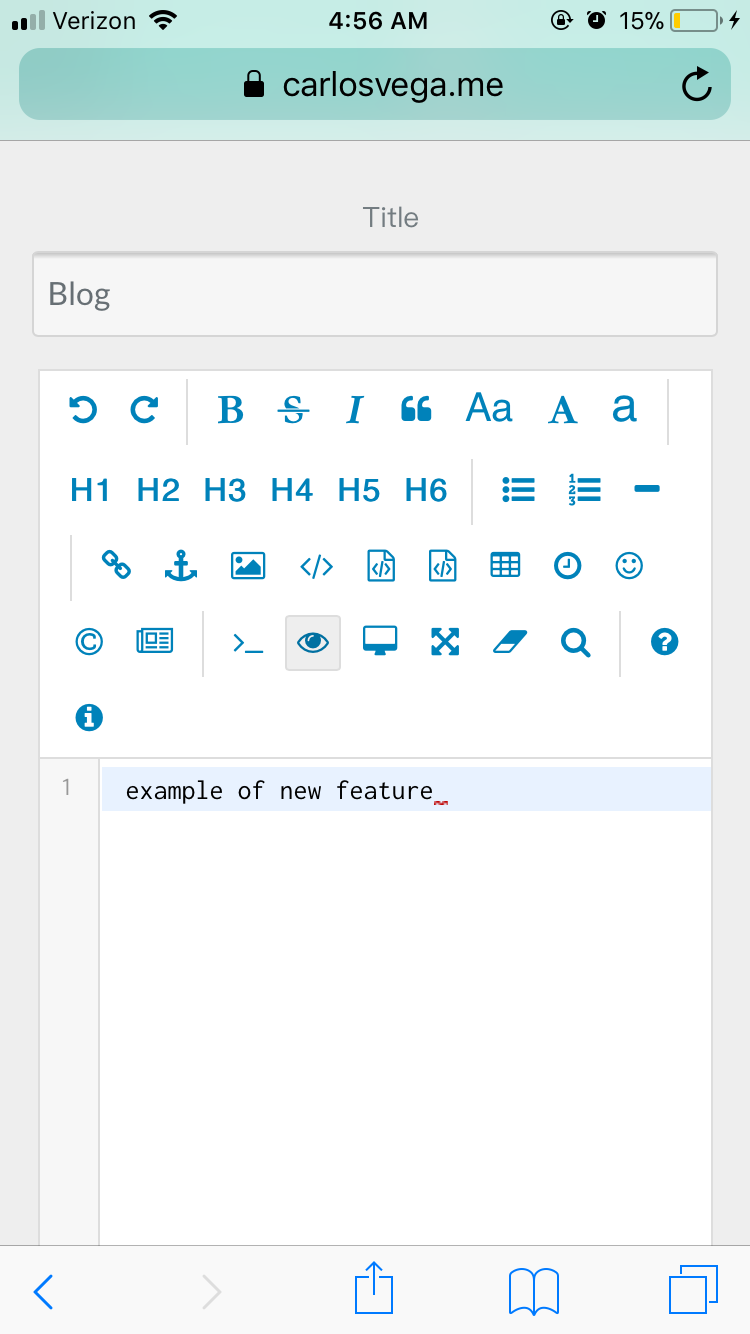
I like the html based TinyMCE plugin, but I have problems to easy insert images. I use the insert/edit image button. Normally in TinyMCE Editos is a "folder botton" to choose an image from somewhere in the insert image botton. But it isn't in this plugin. Also the plugin by drag and drop from the media section is not possible it always make markdown image links.

How can I do this easily with the TinyCME Editor?

Thank you

👍 1
9 years ago

From personal experience.. .

I’ve gotten this far ... somehow DropdownJS is connected to all of it. This gets processed through MirrorCode. If you use mirror code - the drop js will still work. With SimpeMade I believe mirror code is changed to their own files?

I’ve tried about everything to make this work - it’s the last part to my own code editor.

based the other two text editors out there, it seems like there is a form to make the add

109DAFCC-02B1-4443-B1E9-A2A781531DBC|281x499B0F4BEF8-D5EA-4780-B8FB-2A3609BE558A|281x499

Suggested topics

Topic Participants Replies Views Activity
Plugins · by Rene, 1 week ago
2 44 1 week ago
Plugins · by Xavier, 4 weeks ago
2 54 4 weeks ago
Plugins · by Luka Prinčič, 7 years ago
3 1181 1 month ago
Plugins · by Sebastian van de Meer, 1 month ago
1 48 1 month ago
Plugins · by PIERROT Alain, 2 months ago
3 73 2 months ago