Skip to content
Grav 2.0 is officially stable. Read the announcement →

Community guidelines

Please keep discussions civil and on-topic. Repeated violations may lead to a temporary ban.

Plugins

How to put two sliders on a page

first-time

Solved by pamtbaau View solution

Started by jean-françois 5 years ago · 2 replies · 961 views
5 years ago

Hello, on the basis of the skelette Shop de grav I'm trying to put two "sliders" type text one below the other, I succeeded halfway by modifying the file "lightslider.html.twig", but the problem is that I do not find where to adjust, not to have the same images in both sliders.Capture du 2021-11-02 00-44-16|666x500, 50%
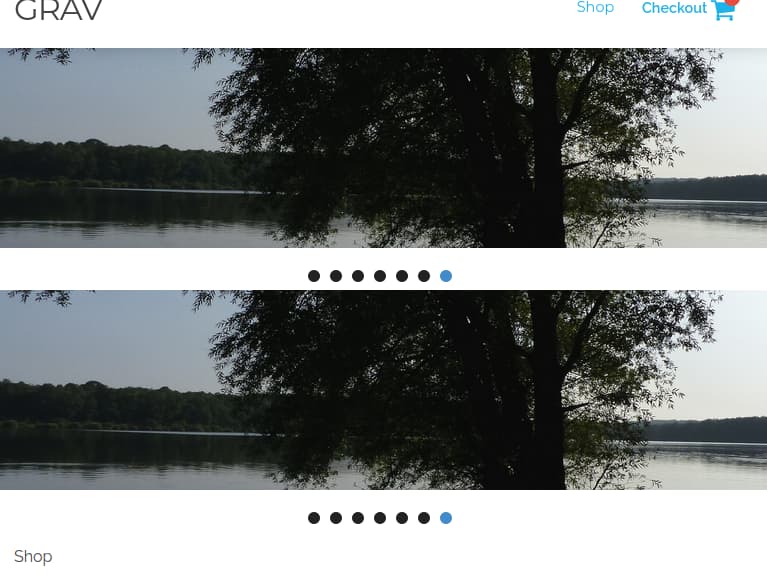
I guess I need to change something on the line about "img src= image url"
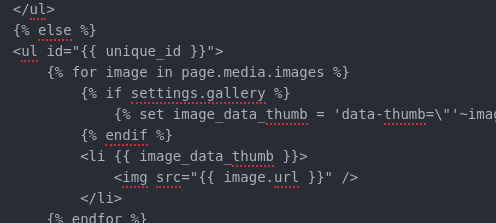
Capture du 2021-11-02 00-45-55|496x223, 50%

but i would love some help, thank you in advance.jef

last edited 11/01/21 by jean-françois

5 years ago Solution

@jefrey, One could try two approaches to show multiple galleries on a single page:

  • Refactor Lightslider to make it show two different galleries. I have no idea how to do that...
  • Or placing two Lightsliders on the same page and select a different source for each Lightslider. I would know how to do that...

Step 1:
Add second slider on the page by altering the template for the page:
/user/plugins/snipcart/templates/snipcart.html.twig

TWIG
{% include 'modular/lightslider.html.twig' ignore missing with {'page': page.find('/slider', true)} %}
{% include 'modular/lightslider.html.twig' ignore missing with {'page': page.find('/slider2', true)} %}

Step 2:
Create folder /user/pages/slider2, add images and lightslider.md. Both galleries can now have different images, different text and different configurations.

TXT
user/pages
├── 01.shop
├── slider
│   ├── image-1.jpg
│   ├── image-2.jpg
│   ├── image-3.jpg
│   └── lightslider.md
└── slider2
    ├── image-1.jpg
    ├── image-2.jpg
    ├── image-3.jpg
    └── lightslider.md

Result:
Untitled|600x408

Note: Don't alter the original template, but use an inherited theme. If not, you will lose all changes when a new version of the theme arrives.

Tip: To improve legibility of code, it is better to show the code snippet in block quotes instead of a screenshot.

5 years ago

Hello Pambau, thank you very much for the quick help on the slider, it works and I can continue my explorations.jef

Suggested topics

Topic Participants Replies Views Activity
Plugins · by Rene, 1 week ago
2 47 1 week ago
Plugins · by Xavier, 4 weeks ago
2 56 4 weeks ago
Plugins · by Luka Prinčič, 7 years ago
3 1182 1 month ago
Plugins · by Sebastian van de Meer, 1 month ago
1 50 1 month ago
Plugins · by PIERROT Alain, 2 months ago
3 74 2 months ago