The Notifications and News Feed information in my local development Grav instance (using MAMP on my MacBook Pro) have never updated despite being on the latest version of Grav.
How can I fix this? Please note the stale data in the screenshot below:
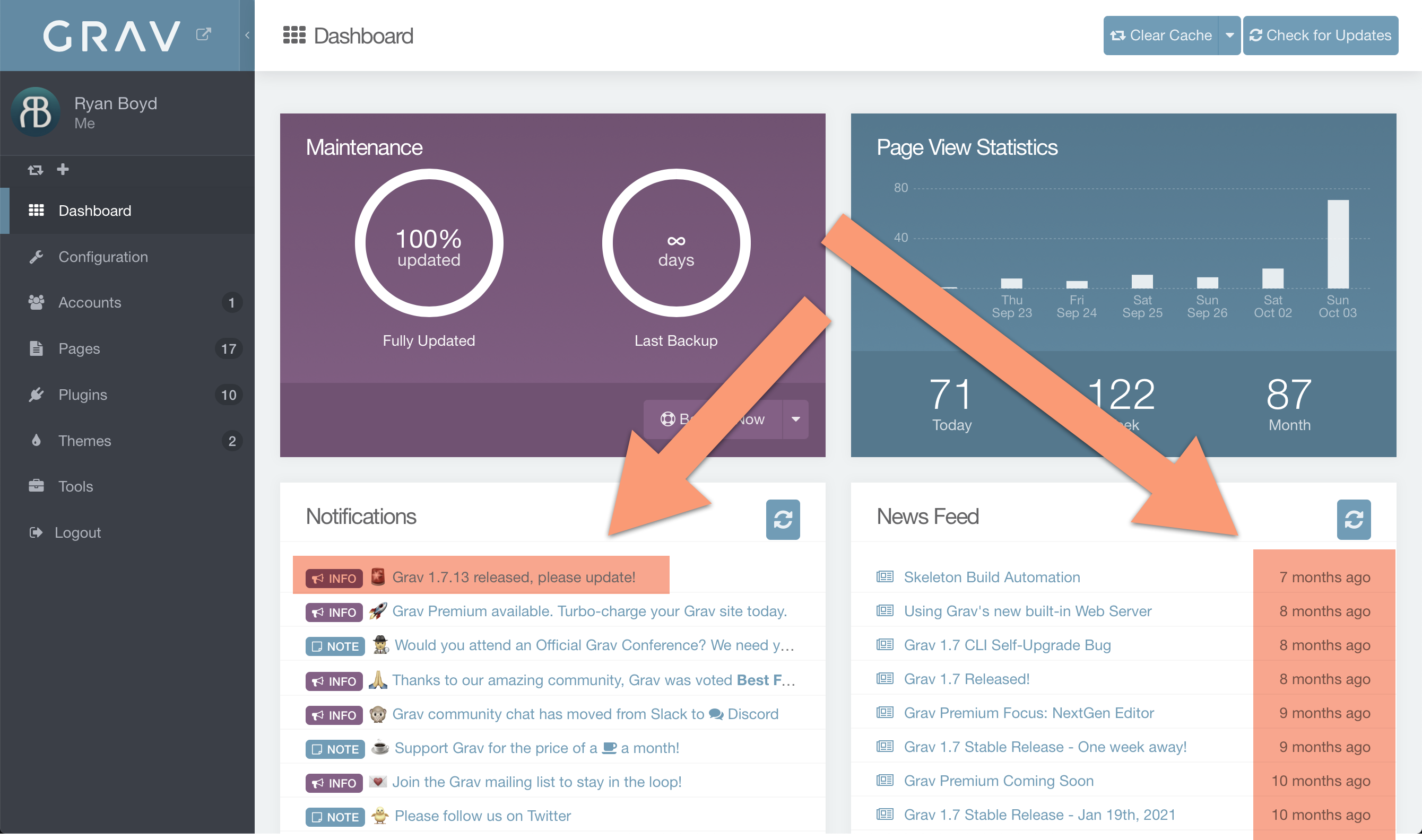
The Notifications and News Feed information in my local development Grav instance (using MAMP on my MacBook Pro) have never updated despite being on the latest version of Grav.
How can I fix this? Please note the stale data in the screenshot below:
I have the same issue.
Does it mean that there are no new notifications and nothing new in the news feed since about 8 months?
@ryanboyd/@mkocon,
Try:
NB. Apart from 2 forum members, it doesn't seem to bother many... ;-)
@pamtbaau Thanks for the reply.
The notifications and news feed properly loads, folders are created on the filesystem successfully. But.... there are still no new notifications/news on the feed ;)
It looks that the API for that components simply does not report anything newer than:
So, why these channels are no longer updated?
@mkocon,
So, why these channels are no longer updated?
That's something only the devs can answer...
Ok, thanks for the info.
For me it just gives the bad look - that the Grav is no longer in active development for 8 months. So, is there any place to pinpoint this issue to the devs?
@mkocon Contacting the dev team can be done by creating an issue at the repo: https://github.com/getgrav/grav-plugin-admin/issues
Alternatively:
You already get a notification of new Grav releases in a banner in the dashboard and updates for Plugins/Themes in the sidebar. So, if it is only a matter of "bad look", you could also opt to remove the feed/notification areas.
[update]
Copy file /user/plugins/admin/admin.yaml into user/config/plugins and edit the copied file:
widgets_display:
  dashboard-notifications: false
  dashboard-feed: false
The previous comment was handy for intentionally removing those feeds.
It seems the path may have changed, as my fresh Grav install has the file at /user/plugins/admin/admin.yaml But, sure enough, there was the widgets_display section which can be modified from true to false, in order to turn off those feeds in the admin Dashboard.
Super helpful!
@Numpty, Funny, you made the same typo as I did... Updated my post.
Log in to reply.
| Topic | Participants | Replies | Views | Activity |
|---|---|---|---|---|
| 2 | 81 | 3 hours ago | ||
| 1 | 135 | 3 days ago | ||
| 1 | 144 | 5 days ago | ||
| 6 | 471 | 3 weeks ago | ||
| 1 | 295 | 3 weeks ago |