Skip to content
Grav 2.1 is out: every page speaks Markdown. Read the announcement →

How to set language of UI of Admin Panel

Solved by pamtbaau View solution

Started by Iñigo 7 years ago · 3 replies · 3359 views
7 years ago

Hello people!

I really like Grav. Great discovery!

I've already set up a couple of sites 😊

I know this is an obvious question, but I've been trying for 1 hour to change the language from English to Spanish of the UI of Grav's Admin Panel...

With the latest Grav Update, I can't put my language in Spanish

And I can't change it, after cleaning cache, cookies, etc.

What do I do wrong with the image?
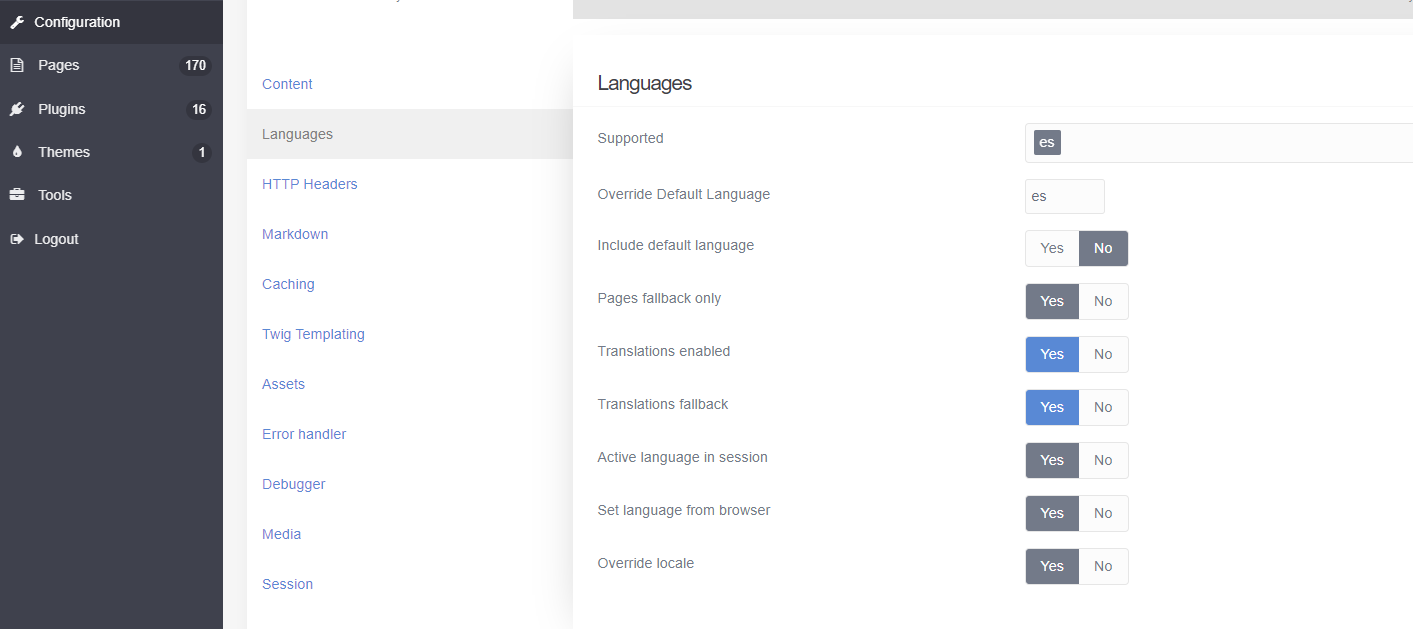
language|690x307

I appreciate your help! 😉

Thank you very much!

last edited 01/25/20 by pamtbaau
7 years ago Solution

@montty, There are 2 settings for language(s):

  • Language of the content of the site.
    You set these settings in section 'configuration/system/languages`. That's what your image displays.
  • The language of the UI of Admin Panel.
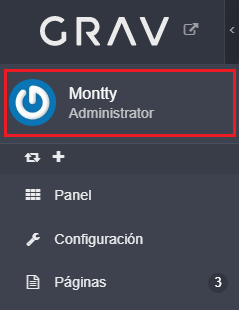
    This is set in the configuration section of the current user, which can be found at the top of the menu.
    image|239x310
👍 1
4 years ago

Note, you have to sign out and sign back in again for the user language change to take effect!

Suggested topics

Topic Participants Replies Views Activity
Installation & Hosting · by jeremycherfas, 21 hours ago
1 46 17 hours ago
Installation & Hosting · by motorambler, 2 weeks ago
8 359 6 days ago
Installation & Hosting · by antoinep, 3 months ago
8 937 3 months ago
Installation & Hosting · by Jürgen Dietrich, 9 months ago
0 601 9 months ago
Installation & Hosting · by rappluk, 11 months ago
0 646 11 months ago