Hello.
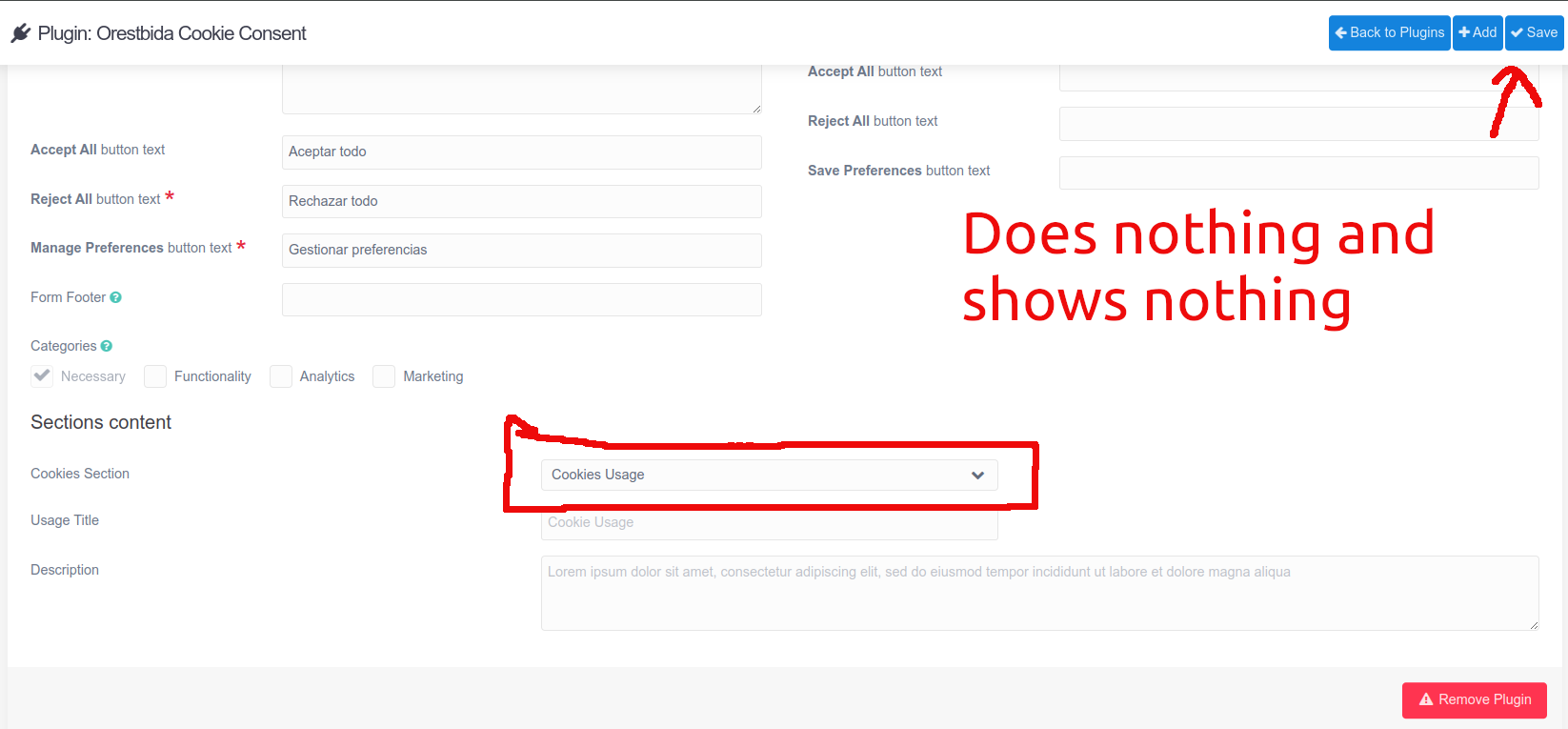
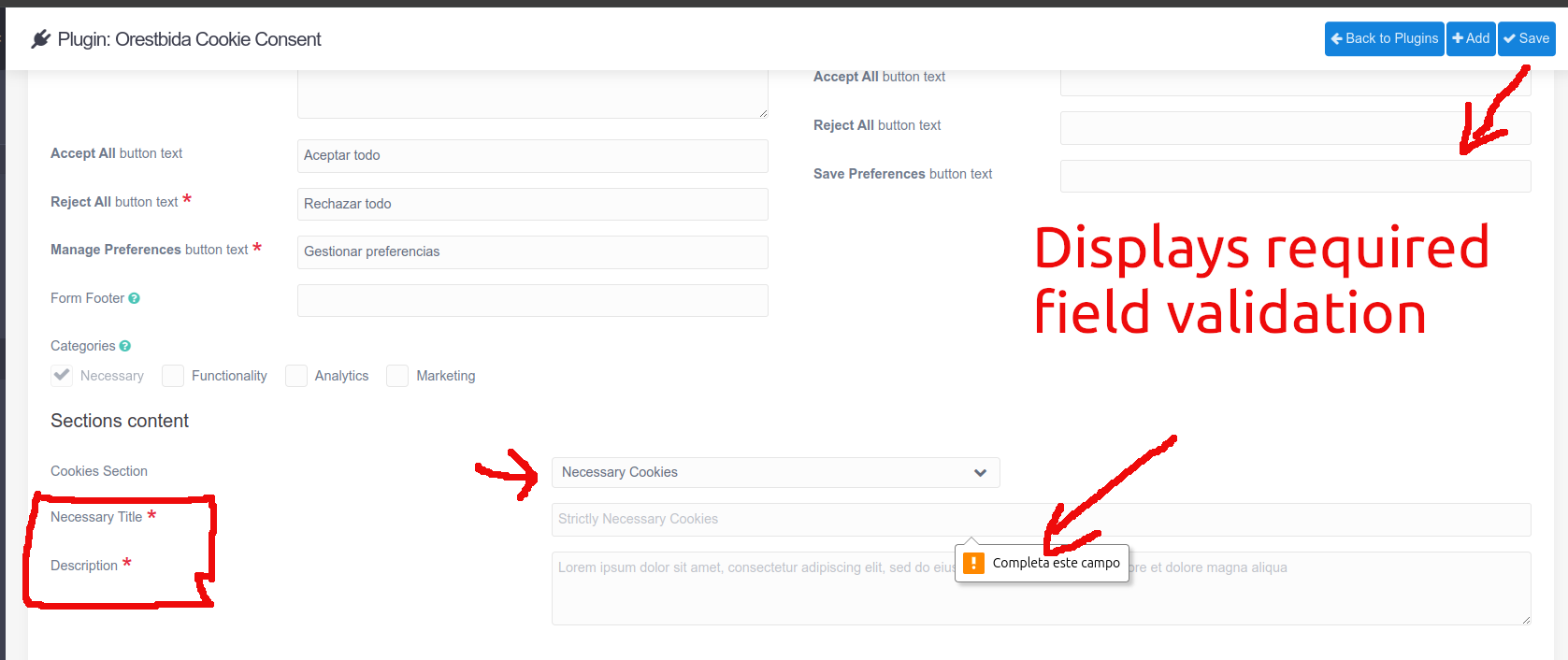
I have a situation I don't know how to solve. In the Orestbida Cookie Consent plugin, in the content section of the admin panel, I have an Elements field, which has several subfields, each with two options: Usage Title and Description. The issue is that in one of the elements (Necessary Cookies), these fields are required in the plugin's blueprints.yaml, but since the Necessary Cookies section isn't visible by default (it's the second one in the elements combobox), saving the plugin configuration doesn't show any errors, and I'd like it to show an error at the top, just like when saving the content of a plugin or theme. Otherwise, the only way to know if these fields are required is to select the Necessary Cookies item in the elements combobox, and then if I click Save, it indicates that they are required in the text boxes for that element.
I've tried something with onAdminSave, but I don't think it's the right approach, as form field validation is performed before the configuration is saved.
Could you provide me with a solution to this issue?
Here are some screenshots:
fields:
            usage:
              type: element
              fields:
                cookies_sections.usage.title:
                  type: text
                  size: large
                  label: PLUGIN_ORESTBIDA_COOKIE_CONSENT.USAGE_TITLE
                  placeholder: PLUGIN_ORESTBIDA_COOKIE_CONSENT.USAGE_PLACEHOLDER
                cookies_sections.usage.description:
                  type: textarea
                  rows: 3
                  markdown: true
                  label: PLUGIN_ORESTBIDA_COOKIE_CONSENT.DESCRIPTION_LABEL
                  placeholder: PLUGIN_ORESTBIDA_COOKIE_CONSENT.DESCRIPTION_PLACEHOLDER
            necessary:
              type: element
              fields:
                cookies_sections.necessary.title:
                  type: text
                  label: PLUGIN_ORESTBIDA_COOKIE_CONSENT.NECESSARY_TITLE
                  placeholder: PLUGIN_ORESTBIDA_COOKIE_CONSENT.NECESSARY_PLACEHOLDER
                  validate:
                    type: text
                    required: true
                cookies_sections.necessary.description:
                  type: textarea
                  rows: 3
                  markdown: true
                  label: PLUGIN_ORESTBIDA_COOKIE_CONSENT.DESCRIPTION_LABEL
                  placeholder: PLUGIN_ORESTBIDA_COOKIE_CONSENT.DESCRIPTION_PLACEHOLDER
                  validate:
                    type: text
                    required: true