Hi.
I'm testing the shortcode-core notices in a modular page and it doesn't work. It shows only the plain text, without notice styles.
I attach some screenshots:
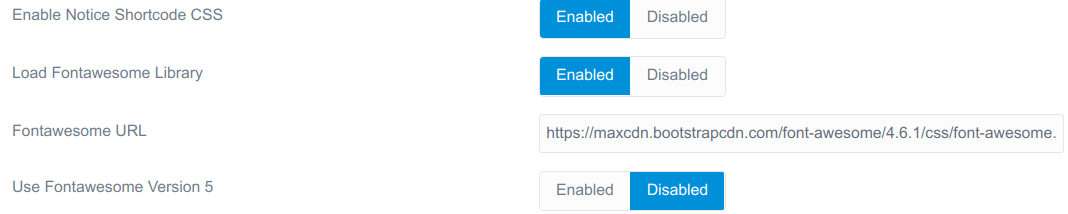

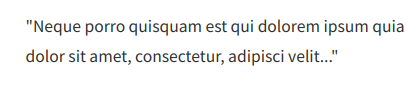
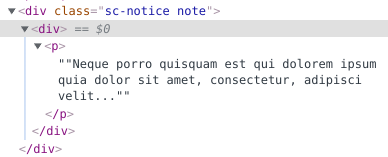
What's happening?
Thanks a lot.
Hi.
I'm testing the shortcode-core notices in a modular page and it doesn't work. It shows only the plain text, without notice styles.
I attach some screenshots:
What's happening?
Thanks a lot.
What theme are you using? I just tested this with Quark and Bootstrap and it works fine for me. All I can see is that you are getting two sets of quotes generated in your html.
Hi.
when you say there are two set of quotes, are you referring to two 'div' tags?. In the plugin twig template, you can see this:
<div class="sc-notice {{ type }}">
  <div>{{ content|raw }}</div>
</div>
I'm using a modified future imperfect theme (you can see here.
No, I mean in the latin filler text your image has ""Neque porro..... velit...""
When I try it I only get one set of double quotes. Try with quark and see if it works there.
Hello,
I've had to downgrade the FontAwesome Icons to version 4.7 for it to work. For some reason that I do not know with the icons of version 5, some plugins such as shortcode-core do not work correctly.
On the other hand, shortcode-core notices still don't work on modular pages. I will continue testing.
Thanks
Log in to reply.
| Topic | Participants | Replies | Views | Activity |
|---|---|---|---|---|
| 0 | 142 | 1 week ago | ||
| 3 | 458 | 2 weeks ago | ||
| 7 | 596 | 2 weeks ago | ||
| 0 | 180 | 2 weeks ago | ||
| 2 | 322 | 4 weeks ago |