Skip to content
Grav 2.0 is officially stable. Read the announcement →

Community guidelines

Please keep discussions civil and on-topic. Repeated violations may lead to a temporary ban.

General

Remove image from filter |first

Solved by Vadym View solution

Started by Pedro M 3 years ago · 10 replies · 437 views
3 years ago

Hello.

How to set a first image from page.media.images with any twig filter or other way, if it is different from other one defined in page.header.avatar?

Hypothetical example:

TWIG
{% set image = page.media[page.header.primaryImage] ?: page.media.images|first(somefilter) %}

If the first image is equal to page.header.avatar, it should set another image.

3 years ago

@pmoreno, one solution might be to use a filter filter

{% set image = page.media.images[page.header.primaryImage] ?: page.media.images|filter((v, k) => k != page.header.avatar)|first %}

3 years ago

@b.da, I'm testing your solution with this code:

TWIG
{% set avatar = page.media[page.header.avatarimage] %}
{% set images = page.media.images%}
{% set image = page.media[page.header.primaryImage] ?: images|filter(v => v != avatar)|first %}

On pages with the main image declared there is no problem, but on others any image is displayed.

I think I'm missing something.

Reference help:
https://github.com/twigphp/Twig/blob/3.x/doc/filters/filter.rst

3 years ago

@pmoreno, did you try first
|filter((v, k) => k != page.header.avatarimage)|first
i've tested on the Quark theme and it seems to work as it should

@pmoreno:
any image is displayed.

what do you mean by that?

3 years ago

HI @b.da.

I describe the current configuration (with Future2021 theme):
Example page: /blog/post-five/item.md

In md file I have three images (example):

YAML
media_order: '01.jpg,02.jpg, avatar.jpg'
avatarImage: avatar.jpg

primaryImage is not defined.

Expected solution: The page should show 01 or 02 image, excluding avatar image.

With {% set image = page.media[page.header.primaryImage] ?: page.media.images|filter((v, k) => k != page.header.avatarImage)|first %}
in pages with primaryImage, this is displayed, in pages without primaryImage, any image is displayed. (I've attached some screenshots)

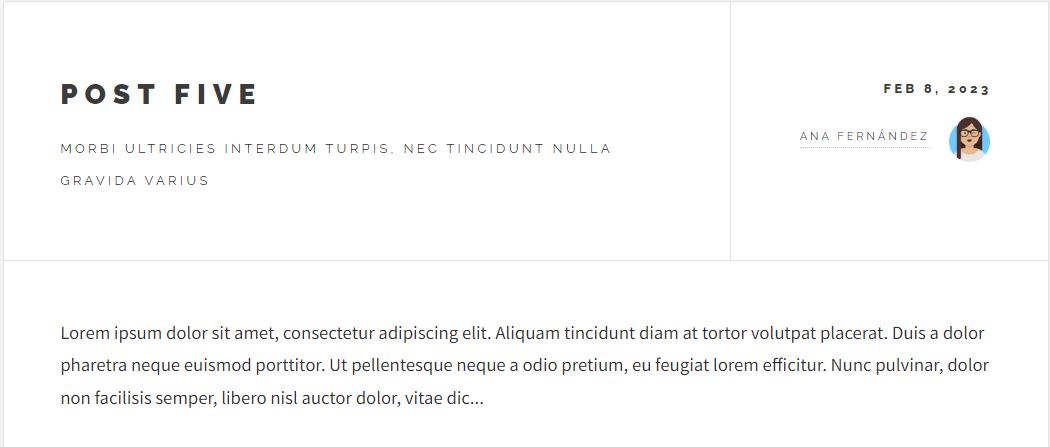
Post Five without image:

postfive_without_image|690x293, 75%

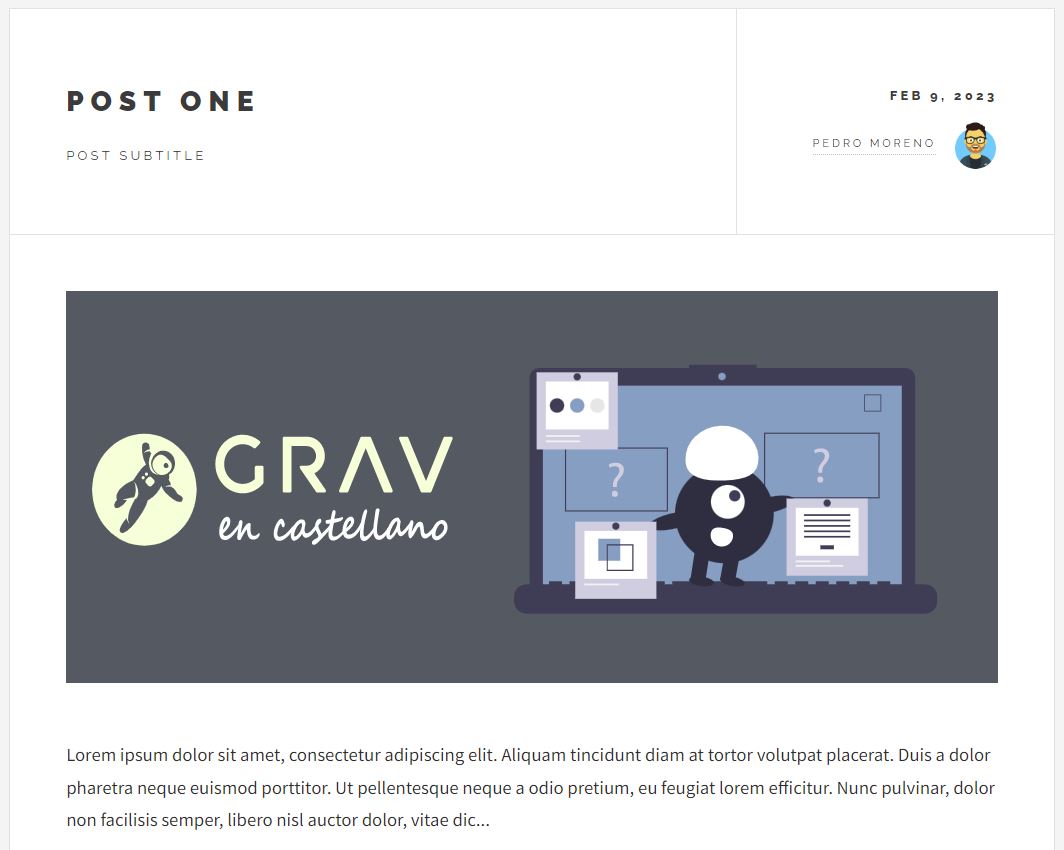
Post One with primaryImage defined:

postone_with_image|625x500, 75%

3 years ago

ok, i've tested on a fresh installation of Futura 2021 + latest grav, and change one line (image set), to your last example: {% set image = page.media[page.header.primaryImage] ?: page.media.images|filter((v, k) => k != page.header.avatarImage)|first %}
and everything works fine, so yep

👍 1
3 years ago

Okay. I already know what's going on. If I upload .jpg or .png images everything works fine with your code, but if I upload .svg images it doesn't.

However, I can load .svg images in page.header.primaryImage (with pagemediaselect blueprint)

At the moment, I don't know how to correct this.
Thanks, so much for your help.

3 years ago

@pmoreno, i'll tell you more, the original code won't work with svg files either, because page.media.images array doesn't contains svg files.

3 years ago

@b.da, following this Github thread, in which @rhuk, explains how to get SVG from page.media, I have made some code modifications that allow to get both images (jpg, png, etc) and SVG files. I think it's not a well optimized code, but it works.
I have used a double ternary operator for it.

TWIG
{% set avatarImage = page.media[page.header.avatarImage].url|e %}
{% set avatar = page.header.avatarImage %}
{% set primaryImage = page.media[page.header.primaryImage] %}
{% set image_media = page.media.images|filter((v, k) => k != avatar)|first %}
{% set image_file = page.media.files|filter((v, k) => k != avatar)|first %}
{% set image = primaryImage ?: (image_media ?: image_file) %}

I don't know if anyone in this forum can think of a way to optimize this code or do it in another way.

3 years ago Solution

@pmoreno, ok lets play to the end 🤣

<details>
<summary>first, if i may say a few remarks:</summary>

  1. your code has broken logic:

    • if primaryImage isn't defined your image var will be set to the first el in page.media.images (not the first img or svg)
    • page.media.files array could contains .pdf .docx etc.
  2. so why are you asking questions here 🤷

@pmoreno:
I don’t know if anyone in this forum

  1. It would save some time, if you specified the need for svg support, feels like you came up with new requirements on the go.

</details>

anyway, one of the possible solution in one line )

TWIG
{% set image = page.media[page.header.primaryImage] ?: page.media.all|filter((v, k) => k != page.header.avatarImage and (v.type == 'image' or v.type == 'vector'))|first %}
👍 1
last edited 02/10/23 by Vadym
3 years ago

Hi @b.da, first of all I want to thank you for your help. The final code works great and is what I wanted.

Second, I want to apologize for not asking the right questions. 😅

It is true that in this post I have asked about the use of SVG as one more requirement, but I thought that when performing a search in the images of a page, it would show all the image files. I've already seen that SVGs are not treated as images, which is why I took advantage of the current query to solve the problem with SVGs.
Thanks again. 👍

👍 1

Suggested topics

Topic Participants Replies Views Activity
General · by Jerry Hunt, 4 days ago
2 80 10 hours ago
General · by pamtbaau, 15 hours ago
1 51 15 hours ago
General · by Andy Miller, 1 day ago
0 45 1 day ago
General · by Marcel, 12 months ago
6 346 5 days ago
General · by Duc , 5 days ago
3 40 5 days ago