Hi there
I'm using the default theme and I'm trying to get from awesome to work with my features template. Nothing appears currently, is it an issue with font awesome credentials, if so, how to I add them?
Thanks
Solved by pamtbaau View solution
Hi there
I'm using the default theme and I'm trying to get from awesome to work with my features template. Nothing appears currently, is it an issue with font awesome credentials, if so, how to I add them?
Thanks
@daredevil, I have an Installation of the 'One Page' skeleton which uses Quark. The feature module is showing the line-awesome icons correctly...
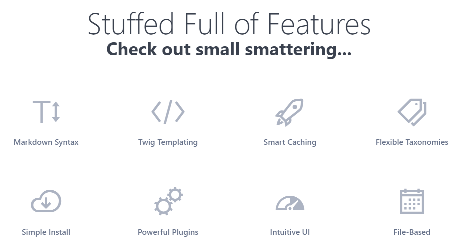
Have you made any changes to the theme lately? E.g trying to replace line-awesome with font-awesome?
Hi there
No I haven't changed anything. I'm trying a demo features layout. What would be the best way to reference the font awesome art that I want. I add it to the icon section in the header but how do I get the correct name?
Thanks
@daredevil, I'm not using Line Awesome myself, but this is what I know about it...
Quark and Font Awesome:
fa-bug while this would be la-bug in Line Awesome.Finding icons:
la-bug with fa-bugfeatures:
- header: We serve plenty of bugs in our code
icon: fa fa-bug
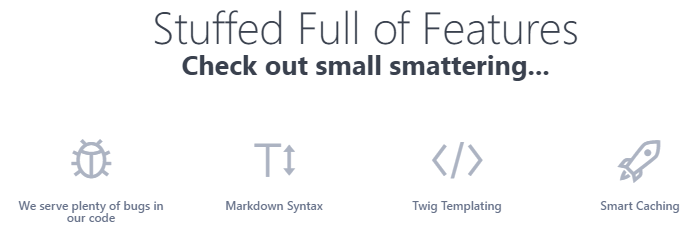
Hope this helps...
Thanks so much for the help but it doesn't seem to work. I've followed your instructions exactly.
Ok, fa fa-bug works but the one I'm trying does not fa-stream, is it because my lib needs to be updated or am I still doing something wrong,
The original code is <i class="las la-stream"></I>
I changed it to fas fa-stream ?
las fa-film
las fa-video
las fa-dot-circle
Also don't work
Thanks
@daredevil, fa-stream does not seem to exist in the line-awesome library provided by Quark.
According the CHANGELOG.md of Quark:
v1.0.2
02/19/2018
Switched to a fork of LineAwesome icons compatible with FontAwesome 4.7.0
No guarantees, but the following upgrade to the latest line-awesome library seems to work on the 'One-Page' skeleton:
/1.3.0/fonts into /themes/quark/fonts//themes/quark/css/line-awesome.min.css to line-awesome.min.css.org (just in case...)/1.3.0/css/line-awesome.min.css to /themes/quark/css/line-awesome.min.css in editor and replace all .la with .fafeatures.md add:
features:
  - header: Stream
    icon: fa fa-stream
  - header: Film
    icon: fa fa-film
  - header: Video
    icon: fa fa-video
  - header: Circle
    icon: fa fa-dot-circle
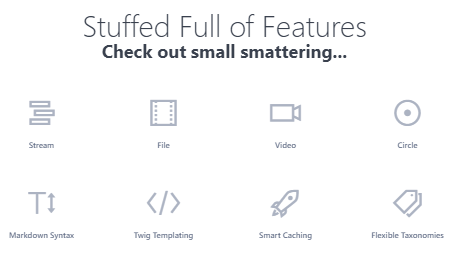
Note: All changes to a theme should be made in an inherited theme. If not, your changes might get lost when a new version of Quark arrives.
Disclaimer:
Again, this is a quick and dirty upgrade and there may be oversights from my part leading to glitches... Please test your site.
Thanks for the help, I appreciate it.
@daredevil, I appreciate your appreciation, but does the suggestion work for you?
Note, I have added an extra note to my reply reminding you to use an inherited theme to prevent losing customisations.
Hi there, yes thanks modded everything my side, it works now. Thanks very much.
I've got a bunch of questions and your are really helpful, if I don't find answers on the forum should create a new thread for each question?
@daredevil, Yes, for each question you should create a new topic with a proper title.
I have taken the liberty to changed the title of this topic a bit to better match the content. Hope you don't mind...
Not at all, thank you.
Log in to reply.
| Topic | Participants | Replies | Views | Activity |
|---|---|---|---|---|
| 0 | 120 | 1 week ago | ||
| 3 | 446 | 2 weeks ago | ||
| 7 | 575 | 2 weeks ago | ||
| 0 | 166 | 2 weeks ago | ||
| 2 | 312 | 4 weeks ago |