Skip to content
Grav 2.0 is officially stable. Read the announcement →

Community guidelines

Please keep discussions civil and on-topic. Repeated violations may lead to a temporary ban.

General

Grav.user.username twig variable not substituting in destination field in frontmatter

Started by Gavin Tomlins 6 years ago · 3 replies · 725 views
6 years ago

Greetings,

as per header {{grav.user.usrename}} does not seem to substitute in the destination field for upload in frontmatter. When examining via the debugger, the variable does appear correctly.


title: Home
access:
site.login: true
admin.login: true
process:
twig: true
form:
name: upload
fields:
upload:
label: upload Label
type: file
destination: 'user/data/{{ grav.user.username }}'
multiple: true
accept:

  • image/*

A folder is created but it is created in the form of:

/user/data/{{grav.user.username}}

Is this a bug, or does someone have a suggestion?

6 years ago

Hi @GavinTomlins, welcome to the Grav Forum.

Grav is capable of processing Twig in the page frontmatter. The setting for that is either in the Admin Plugin: set Process frontmatter Twig to On in the Content section of the System Configuration or enable it in the user/config/system.yaml configuration file like this:

YAML
pages:
    frontmatter:
        process_twig: true

Then destination: ‘user/data/{{ grav.user.username }}’ in your page content will happily be processed and results in showing "user/data/john" in the page assuming your logged in user's username is "john".

However, unfortunately the processing of Twig in the frontmatter is not the same. For some reason it seems more limited. I tried using the Twig join filter to concatenate the two strings like so:

TXT
path = '{{ [user/data/, grav.user.username]|join }}'

The result is path == "john". It seems that Twig does not consider user/data/ as being a string literal. As it is not quoted this is not that strange, though I can't believe user/data/ is a valid variable name. It seems Twig simply ignores user/data/ at all.
The sad thing is that you can't use whatever quotes as they will always result in an "Invalid frontmatter" error.

I can't think of any other way then using a custom plugin. If you want to go that route have a look at the Add Page by Form Plugin for inspiration as it shows how to change the upload destination.

6 years ago

Hi @bleutzinn, thanks for the reply.

Unfortunately, it still doesn't work.

I have tried the following if anyone has alternative suggestions

frontmatter.yaml in the home folder:

YAML
frontmatter:
    process_twig: true

Enabled frontmatter in system.yaml

YAML
  frontmatter:
       process_twig: true

Enabled in form.md

YAML
  ---
  title: Home
  access:
     site.login: true
     admin.login:true
  process:
        twig: true
        twig_first:true

  form:
  name:upload
  fields:
      upload:
        label: upload Label
        type: file
        destination: 'user/{{ grav.user.username }}'
        multiple: true
        accept:
        - image/*

  buttons:
      upload:
        type: upload
        value: Upload

  process: 
      userinfo: true 
  ---

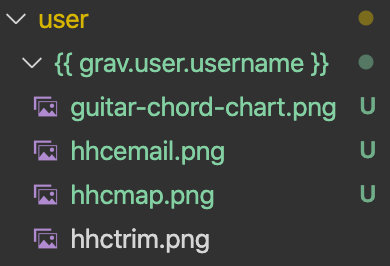
Username works correctly in debug but not in the field upload.
grav1|690x337, 50%
assdf
grav2_adminuser|406x500, 50%
grav3_foldernotworking|390x266, 50%

I've also noticed anomalies in the page when debugging and think it might be associated with page cache. Notice how the username isn't pulled through.
grav4_nousercache|428x499, 75%

6 years ago

No anomalies I’m afraid. It’s a feature, not a bug.

Suggested topics

Topic Participants Replies Views Activity
General · by Jerry Hunt, 4 days ago
2 128 20 hours ago
General · by pamtbaau, 1 day ago
1 89 1 day ago
General · by Andy Miller, 2 days ago
0 73 2 days ago
General · by Marcel, 12 months ago
6 382 5 days ago
General · by Duc , 6 days ago
3 69 6 days ago