I wanted to deactivate it, so I went to the yaml file that has the name of the plugin and turned the enabled property to false, cleared the cache, but the plugin is still being used.
enabled: false
Disabling the same plugin was working great with 1.6. I am using 1.7.7 now.
I created an issue for that plugin, but it seems to me that deactivation should be handled by Grav itself, not the plugins (it should be Grav's responsability to be able deactivate code that is broken or not needed, shouldn't it?)
Hope you could help me understanding and fixing this issue.
@mathmax, Using Grav 1.7.7, I've installed the plugin, but cannot reproduce the issue.
When enabling/disabling plugin in '/user/config/plugins/frontend-edit-plugin.yaml' (or '/user/plugins/frontend-edit-plugin/frontend-edit-plugin.yaml' in absence of the former config file) the following happens:
enabled: false
no button shown and debugger does not get activated in onPluginsInitialized()
enabled: true
button is shown and debugger gets activated in onPluginsInitialized()
What tells you it is still working when using enabled: false?
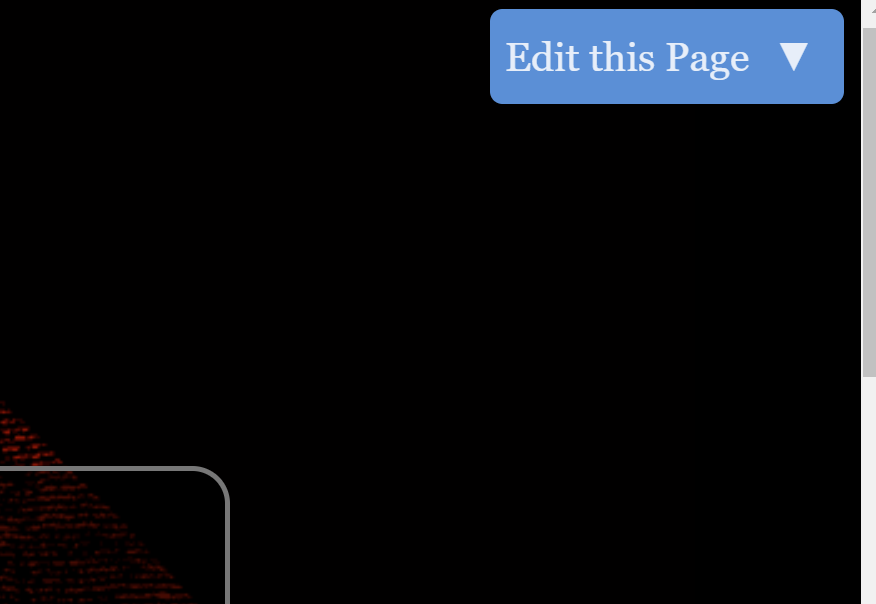
After I connect to the admin and go back to the frontend of my website, the button added by the plugin is visible on the top right end corner of each page (see attachment).
Strange, I followed the same steps, button is still here...
step4: I was already loging after step 1 (to be able to see the button), so I did not need to login again to the admin. Should I log off and login again? Instead I just cleared the cache.
Step5: Have you tried to browse a few pages of the website? Doesn't the button reappear?
How do you see if the debugger is activated or not?
@mathmax, Does the site perhaps contain file '/user/config/plugins/frontend-edit-button.yaml', or a config file for specific environments like localhost?
Indeed it has! And that fixed my problem, thank you. 😊
Sorry for the time to install and try the plugin...
Questions:
is there some change in Grav 1.7 causing the files in user/config/plugins to have priority over the conf files directly in the plugins directories? It's good to be able to override the configuration of a specific plugin, but I am wondering why this configuration suddenly started to apply after I upgraded... I had forgotten I had this file there.
does the file in user/config/plugins completely replace the file in the pluging folder if it exists, or does only the configuration specified inside the file override the configuration of the plugin? In other words, does the ovverride apply on a per-file basis or per-property basis?
The YAML file that exists within the plugin's primary directory will act as a fallback. Any settings listed there and not in the User folder's copy will be picked up and used by Grav.
And also:
Most plugins will come with their own YAML configuration file. We recommend copying this file to the user/config/plugins/ directory rather than editing configuration options directly to the file located in the plugin's directory. Doing this will ensure that an update to the plugin will not overwrite your settings, and keep all of your configurable options in one, convenient place.
@pamtbaau:
When enabling/disabling plugin in ‘/user/config/plugins/frontend-edit-plugin.yaml’ (or ‘/user/plugins/frontend-edit-plugin/frontend-edit-plugin.yaml’ in absence of the former config file) the following happens:
This was pretty clear, but I missed the path for some reason. Sorry about that 😓.
Instead of copying the whole file like advised by the documentation, I would prefer to only copy the settings that I want to change (in this case enabled: false). Thank you.
This is almost the only thing I always found annoying with the Admin... it messes up also the YAML FrontMatter of the pages (changing the attributes order, the format of the value, adding default values, etc.). This causes file changes which you don't want when files are kept under a version control system. It defeats a bit the strength of a flat file CMS which is to keep everything under revision control...
Sorry, I am not sure to understand how toggleable could help the issue where the admin is generating attributes for default values / reordering attributes / changing formats.
I found this in the documenation: Reference: Blueprint Form Fields | Grav Documentation (getgrav.org)
Are we talking about the same toggleable?
toggleable: add a checkbox that will toggle the enabled/disabled attribute of the field
If this is true, checkbox is rendered at the left of the field. If checkbox is not checked, the value is not saved to frontmatter (I assume same for configs). Only if checkbox is checked, then value is saved.