Skip to content
Grav 2.0 is officially stable. Read the announcement →

Community guidelines

Please keep discussions civil and on-topic. Repeated violations may lead to a temporary ban.

General

Cant upload YAML files upload in admin

admin first-time

Solved by pamtbaau View solution

Started by Graham 2 years ago · 16 replies · 367 views
2 years ago

Im trying to create a file upload in admin so I can add the default frontmatter.yaml on each page (this way I wont forget). I have the code below but I get "Unsupported file type: yaml" when adding the file.

YAML
            fields3:
              custom_file:
              type: file
              ordering@: 9
              label: Default FRONTMATTER
              destination: 'self@'
              multiple: true
              limit: 0
              filesize: 20
              accept:
                - .yaml

This is as per the example https://learn.getgrav.org/16/forms/blueprints/how-to-add-file-upload#accept. I suspect it is something to do with media.yaml but I cant seem to find the MIME type for YAML files that works. That shows error "incorrect MIME type" whatever I put in from the many on google.
2 years ago

There are plenty of topics about this. Search is often really useful
/forum/support/solved-offer-exe-files-for-download-t4047?u=karmalakas

2 years ago

I have searched extensivley, as stated Ive tried many different MIME types from google. I have read that specific post previously but it doesnt resolve the issue. What are the MIME settings for YAML? The example implies .yaml is supported without modifying media.yaml

2 years ago

The very first Google result says it's application/yaml. What did you try?

2 years ago

Yes, and all the below:

  • text/x-yaml
  • text/yaml
  • text/yml
  • application/x-yaml
  • application/x-yml
  • application/yaml
  • application/yml

Same result each time "The mime type does not match to file extension"

Ive create a png in media to make sure this isnt causing the issue in the media.yaml file

YAML
  yaml:
    type: file
    thumb: media/thumb-yaml.png
    mime: text/x-yaml

Cleared cache between each try and forced page refresh...

2 years ago

So you didn't mention any of that in your initial post. Would've saved us from bouncing back and forth.. Sorry, don't know the solution

2 years ago

@Grayches, Try the following in /user/config/media.yaml:

YAML
types:
  yaml:
    type: file
    thumb: media/thumb-yaml.png
    mime: application/octet-stream

Don't ask me why...

When searching the installation for The mime type does not match to file extension the mime type is returned as application/octet-stream. No matter what I set in config files, the result remains the same.

Somewhere deep down the stack Rabbit hole, package 'nyholm/psr7' seems to be involved. But I gave up and went along with the returned mime type.

You might consider opening an issue at the repo of Grav and ask if there is a solution to this.

last edited 05/23/24 by pamtbaau
2 years ago

@Grayches, Just curious... Why are you taking this approach? Do you need to share frontmatter between pages? If not, wouldn't the field 'metadata' in Admin be enough?

2 years ago

I want the same frontmatter on each page as I have a form on every page and unitegallery on a lot of pages so including one site wide means I dont have to manually add frontmatter to each page and if I want to update it I can do a find and replace all.

Im at work now so I will confirm and mark as solution when I get home to test, thanks.

2 years ago

@Grayches,

I want the same frontmatter on each page

You could simply...

  • Create a single file frontmatter.yaml inside user/config, containing eg.
    TXT
    description: This is my shared description
    
  • And read that in Twig like {{ config.frontmatter.description }}

This saves you the hassle of uploading and updating multiple copies.

2 years ago

Worked perfectly, thank you. It turns out Im not very good at asking forum questions so I'm probably not the best person to open an issue on the grav repo.
I just realised I can expand this topic box which makes it easier to see what Ive included and can read through without scrolling. I'll do better next time.

2 years ago

I want the whole frontmatter on each page. I'll give this a go but the only way I could see of doing this was to include a frontmatter.yaml in the page dir and I figured I could work with that. A global frontmatter would be ideal.
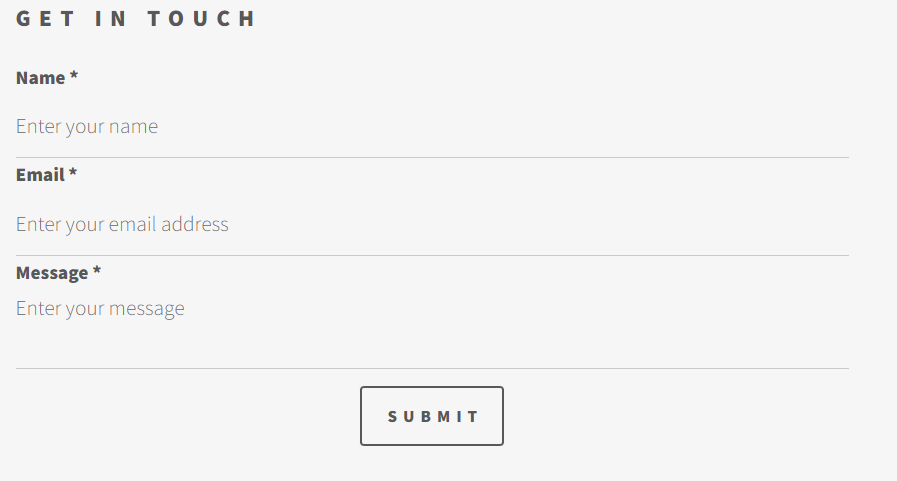
If I dont include this the contact form at the bottom of each page doesnt load and/or I have to manually edit/copy a default .md but I figured find and replace frontmatter.yaml files would be easier.

2 years ago

@Grayches,

If I dont include this the contact form at the bottom of each page doesnt load and/or I have to manually edit/copy a default .md

I'm afraid I don't understand the issue when using a single config file containing your shared frontmatter. Please share details. "doesnt load" does not contain much info...

2 years ago

@pamtbaau:
{{ config.frontmatter

Unless I include:

YAML
form:
    name: contact
    fields:
        -
            name: name
            label: Name
            placeholder: 'Enter your name'
            autocomplete: 'on'
            type: text
            validate:
                required: true
        -
            name: email
            label: Email
            placeholder: 'Enter your email address'
            type: email
            validate:
                required: true
        -
            name: message
            label: Message
            placeholder: 'Enter your message'
            type: textarea
            validate:
                required: true
        -
         name: g-recaptcha-response
         label: Captcha
         type: captcha
         recatpcha_site_key: foobar
         recaptcha_not_validated: 'Captcha not valid!'
         validate:
         required: true
    buttons:
        -
            type: submit
            value: Submit
    process:
        -
            email:
                to: '{{ config.plugins.email.to }}'
                subject: 'foobar - {{ page.url }}'
                body: '{% include ''forms/data.html.twig'' %}'
        -
            save:
                fileprefix: contact-
                dateformat: Ymd-His-u
                extension: txt
                body: '{% include ''forms/data.txt.twig'' %}'
        -
            message: 'Thank you for getting in touch!'

in each page frontmatter I get
image|690x314, 75%

instead of
image|690x370, 75%

after a lot of searching I decided a frontmatter.yaml was the best option.

I didnt want to go into detail about this issue as it was deviating from the original post so just answered your question.

Its quite likely I am missing something obvious. I came across grav less than 2 weeks ago and have been trying to migrate my site to it since. Ive spent hours searching and reading the forums/guides but /\ seemed like the easiest option

2 years ago

@Grayches, Yes, a form definition cannot be shared using my suggested config file. However, also forms can be defined once globally and displayed in every page.

  • Define a form in /user/pages/shared-forms/form.md
    YAML
    ---
    form:
    name: shared-contact
    fields:
      ...
    buttons:
      ...
    process:
      ...
    
  • In the template of the page include the form using:
    TWIG
    {% include "forms/form.html.twig" with { form: forms('shared-contact') } %}
    

See https://learn.getgrav.org/17/forms/forms#displaying-forms-from-twig

last edited 05/24/24 by pamtbaau
2 years ago Solution

@Grayches,

I didnt want to go into detail about this issue as it was deviating from the original post so just answered your question.

In your initial question you were focusing on a problem you encountered while implemented a certain approach to solve a higher goal: Reusing globally defined data and forms.

The higher goal could be solved with different approaches:

  • Copying a frontmatter.yaml file into every page folder using a page blueprint.
    • Sharing:
    • Coding a blueprint.
    • For every page created using Admin, the file needs to be uploaded.
    • When creating pages using an editor, file needs to be copied manually.
    • Updating: Updating every copy using a script.
  • Using a single global copy of data in a config file and a single global definition of a form.
    • Sharing: Coding a page template.
    • Updating: Updating a single file.

That's why I asked: "Just curious… Why are you taking this approach?"

Having said that, use the solution that fits you (or your clients) best.

👍 1
2 years ago

I just got this working! I tried this way initially but the form would never display. I must of made an error along the way but it is now working as you have said and no need for default frontmatter. Thanks a lot, save me a lot of time going forward.

Suggested topics

Topic Participants Replies Views Activity
General · by Jerry Hunt, 4 days ago
2 85 13 hours ago
General · by pamtbaau, 18 hours ago
1 60 17 hours ago
General · by Andy Miller, 1 day ago
0 47 1 day ago
General · by Marcel, 12 months ago
6 350 5 days ago
General · by Duc , 6 days ago
3 44 5 days ago