Skip to content
Grav 2.0 is officially stable. Read the announcement →

Community guidelines

Please keep discussions civil and on-topic. Repeated violations may lead to a temporary ban.

Support

Upgrade from 1.7.48 to 1.7.49.3 Fails using dashboard

Started by Chris 10 months ago · 7 replies · 131 views
10 months ago

After I upgrade Grav from version 1.7.48 to 1.7.49.3 using the dashboard, I receive a Forbidden (403) on the main page, and a Not Found (404) when trying to access the admin page. All themes and plugins were updated prior to attempting to run the Grav update.

In order to complete some testing, I restored the 1.7.48, and tried downloading and applying the 1.7.49.3 update zip from the repository and it worked without issue.

Could there be some sort of permissions issue happening when using the dashboard to update? If so I’m not sure what to look at…

I restored again to 1.7.48 and deployed 1.7.49.2 using the zip update, to retry 1.7.49.3 from the dashboard again, and the result remained the same. I was again not able to access the site or admin panel.

In the event the information is relevant Grav is running a Windows host using XAMPP, and PHP

Any guidance would be appreciated.
10 months ago

I just did a compare of the directories using the upgrade zip file and the upgrade option from the dashboard. I see 1208 files less in the directory I updated via the dashboard, than the directory that used the zip file. I would assume the file count should be the same no?

So is there an issue with the package being pulled by the in app updater, or perhaps it’s not finishing properly? Unless there is another reason for the discrepancy in the number of files between the two directories.

10 months ago

i also have similar problem.
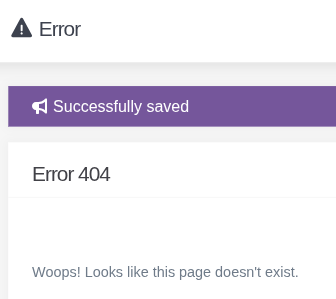
i get it when i use save at configuration tab at admin plugin
resim|336x299

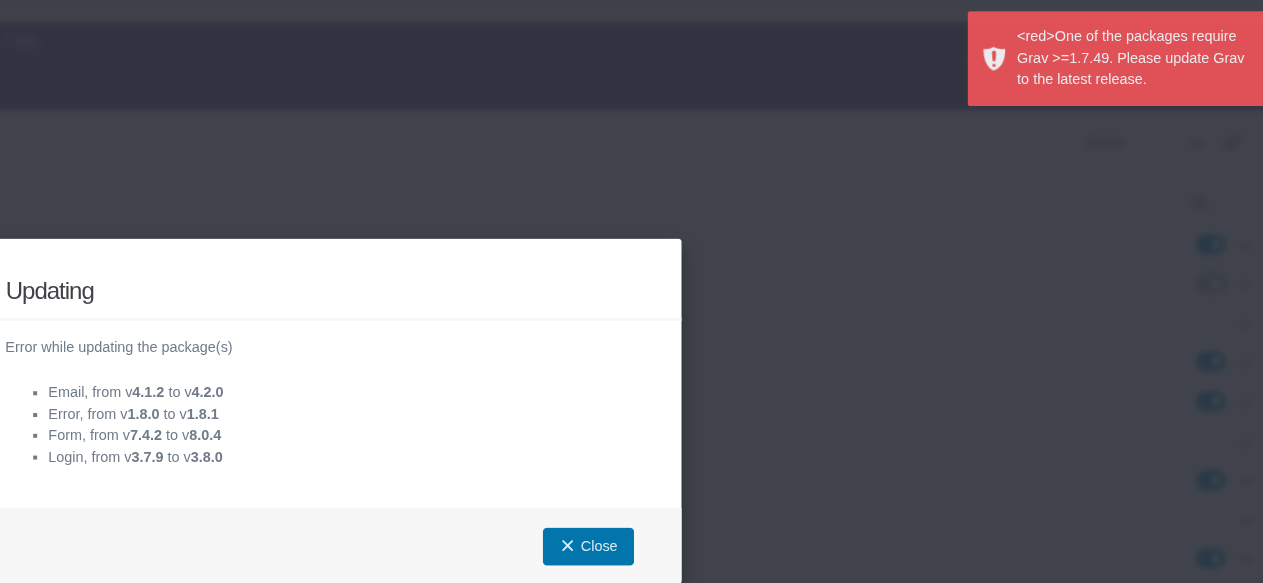
and now i have another problem because i just tried updating grav
this is when i try to update plugins

resim|690x318

so i need to update grav first, right?

resim|690x92

but update button doesnt appear. i did so many things for theming so it is probably my doing that caused this bug but idk how to solve it...

10 months ago

I occasionally have the same issue when updating my local copy of Grav, but never on live site. No idea why..

Just overwriting from downloaded zip always solves the problem too

10 months ago

Yes, if i cant find solution to fix it i ll just skip it by downloading fresh grav and paste my theme folder etc. :)

9 months ago

all the same, also posted on GitHub, no solution yet

9 months ago

Don’t know if this helps but when I do major update only my local test server I nearly always have a 403 error.

The main index.php was missing, replacing it with the one from the a backup and Grav was fully updated and working.

I use a portable windows test server - Laragon - running Nginx

I have no issues with updating the Linux production server

9 months ago

@all, Just to let you know... the dev team (aka andy, aka rhuk) does not visit this forum.

Issues like this one should be created and upvoted at Github. Either the Admin or Grav repo, depending on the context (resp. Admin or CLI) when upgrading.

Suggested topics

Topic Participants Replies Views Activity
Support · by Thomas, 1 week ago
2 54 11 hours ago
Support · by Anna, 3 days ago
2 60 14 hours ago
Support · by Justin Young, 15 hours ago
1 30 15 hours ago
Support · by Duc , 1 week ago
2 65 5 days ago
Support · by Colin Hume, 1 week ago
2 57 5 days ago