Skip to content
Grav 2.0 is officially stable. Read the announcement →

Community guidelines

Please keep discussions civil and on-topic. Repeated violations may lead to a temporary ban.

Support

Debugbar not showing and twig dump not working

twig

Started by Kelly Joseph Wafukho 1 year ago · 7 replies · 124 views
1 year ago

Hello,

At my workplace, we currently use WordPress, but I was told by my boss to look at alternatives that we can explore.

I am currently following the documentation for the latest grav, and I am liking it at the moment.

The issue I am currently facing is the debugbar is not showing and the twig dump (I am using it in the file default.html.twig) is not working for whatever reason

TWIG
{% extends 'partials/base.html.twig' %}

{% block content %}
    <pre>{{ dump(page) }}</pre>
    {{ page.content|raw }}
{% endblock %}

I have enabled all the necessary settings in system.yaml as shown below

YAML
# ...
twig:
  cache: true 
  debug: true
  auto_reload: true
  autoescape: true
  undefined_functions: false
  undefined_filters: false
  safe_functions: []
  safe_filters: []
  umask_fix: false
# ...
debugger:
  enabled: true
  provider: debugbar
  censored: false
  shutdown:
    close_connection: true

GRAV VERSION

BASH
Grav CLI Application 1.7.48

Thanks

last edited 01/20/25 by Kelly Joseph Wafukho
1 year ago

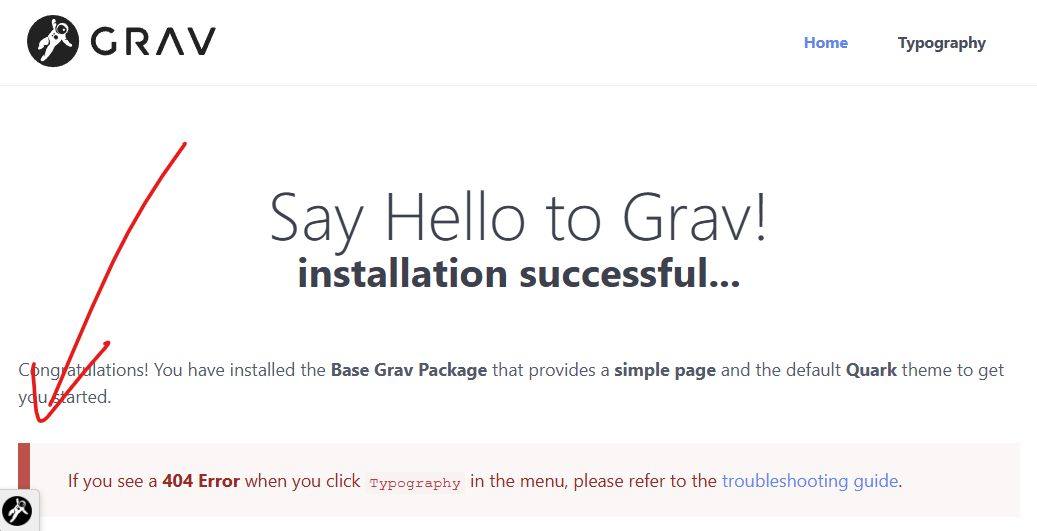
When you enable the debugger, look for this icon in the corner:
image|690x353

When you click on it, it should show all the info and debug output.

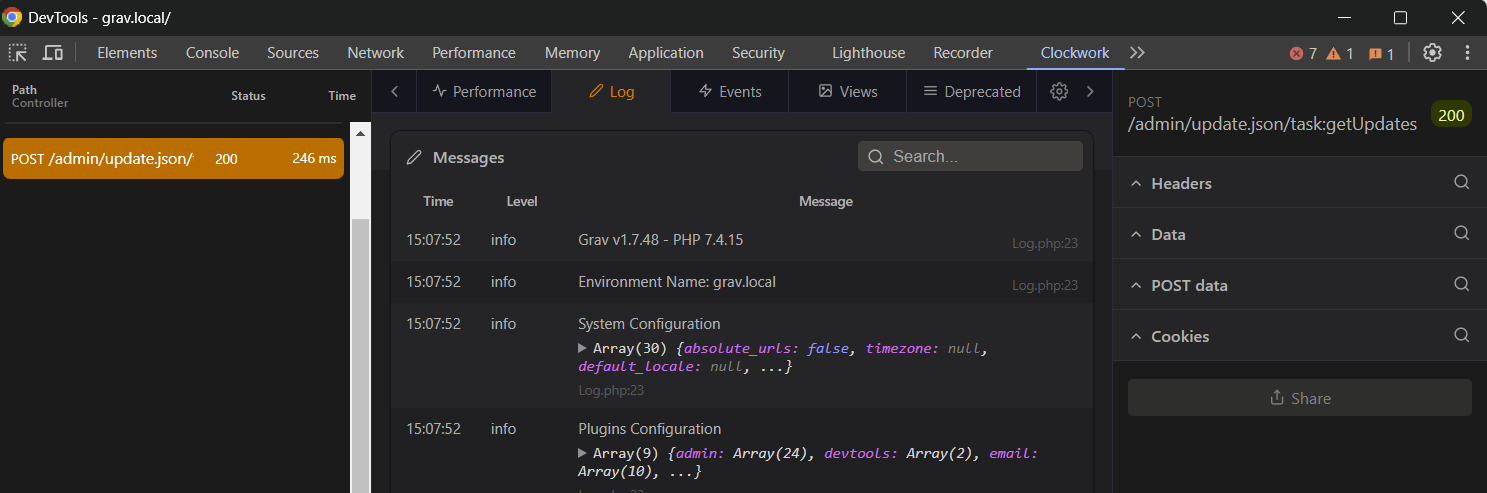
If you have Clockwork installed, even better and it shows all the data in the Dev Tools
image|690x228

1 year ago

I see some differences in out of the box config:

TXT
twig:
  cache: true
  debug: true
  auto_reload: true
  autoescape: true
  undefined_functions: true
  undefined_filters: true
  safe_functions: {  }
  safe_filters: {  }
  umask_fix: false
debugger:
  enabled: true
  provider: debugbar
  censored: false
  shutdown:
    close_connection: true
  twig: true

Try adding:

YAML
debugger:
  twig: true

BTW, is this valid at all?

TXT
safe_filters: [] filters
1 year ago

Yes, I have added this

YAML
debugger:
  twig: true

but it is still not working

And sorry this (safe_filters: [] filters) is a typo on my part (Fixed it)

1 year ago

Does it work on fresh Grav install? If so, try disabling plugins maybe one by one

10 months ago

Hello, I’m a newbie myself just started out a couple of days.
I saw this one, and I believe I saw what is missing here. In order to use clockwork:
debugger:
enabled: true
provider: clockwork

The provider must be set to clockwork.
It’s most likely much to late for this answer. But I thought I post anyways, because someone from the future might find this helpful.

Suggested topics

Topic Participants Replies Views Activity
Support · by Thomas, 1 week ago
2 53 9 hours ago
Support · by Anna, 3 days ago
2 59 12 hours ago
Support · by Justin Young, 13 hours ago
1 30 13 hours ago
Support · by Duc , 1 week ago
2 65 5 days ago
Support · by Colin Hume, 1 week ago
2 56 5 days ago