Hello everyone.
I trying to edit the original login plugin to send an email after someone login so I edit the userLoginAuthenticate() function, but i dont know how to use the mail plugin to send an email there.
Someone can help me please.
Solved by pamtbaau View solution
@mcambronero, The docs of the email plugin might give you the answers you need.
It shows how to configure the plugin, to test it and how to send emails programmatically.
Hello, yes the plugin has a section but when I copy that code and chance with the values that I need, send me an error:
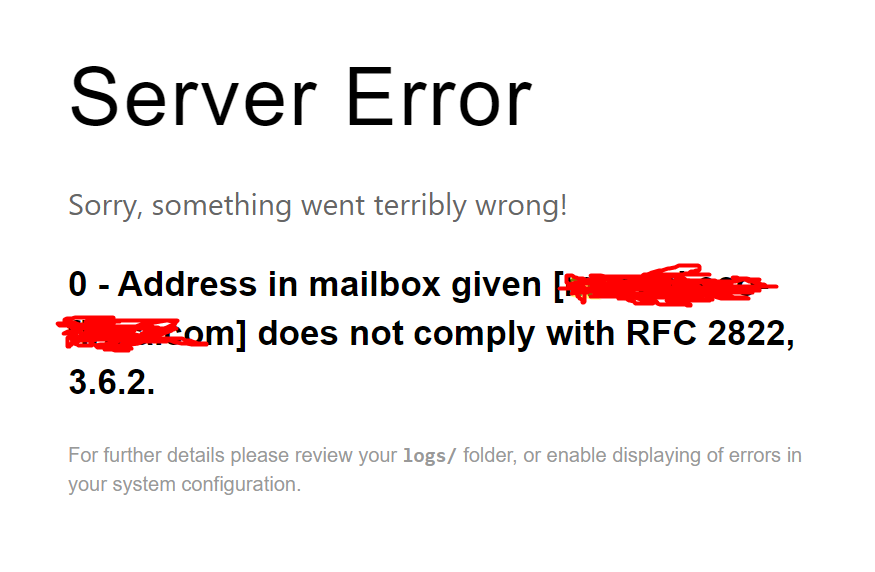
I dont know if the way I doing is the right way.
@mcambronero, Without knowing your code and input parameters, it's hard to tell whether the config of email plugin is broken, or whether the address you're sending to/from are invalid.
To test the config of email plugin you can try:
BASH
$ bin/plugin email test-email -t [email protected]
last edited 03/05/21 by pamtbaau
Ok I tested and is working, the email is send and received.
To be more especific: in the /user/plugins/login/login.php file and in the:
public function userLoginAuthenticate(UserLoginEvent $event) is where I paste the example code from the email plugin , I change the "to" and "from" emails to what I need:
PHP
        $to = '[email protected]';
    $from = ''example@gmail.com';

    $subject = 'Test';
    $content = 'Test';

    $message = $this->grav['Email']->message($subject, $content, 'text/html')
        ->setFrom($from)
        ->setTo($to);

    $sent = $this->grav['Email']->send($message);
This emails also are the same to those that I put in the configuration file.
@mcambronero, To help future community members stumbling over the same issue, would you mind sharing in what way above command led you to the solution of your issue?
In mi case the solution was a misspelling where I put the $to variable, in another case now I tried to set the same in the one-time-login plugin, where I copy the code:
PHP
    $to = '[email protected]';
    $from = '[email protected]';

    $subject = 'Test';
    $content = 'Test';

    $message = $this->grav['Email']->message($subject, $content, 'text/html')
        ->setFrom($from)
        ->setTo($to);

    $sent = $this->grav['Email']->send($message);
In the one-time-login.php file, in function authenticateOtl() but now I receive the error code:
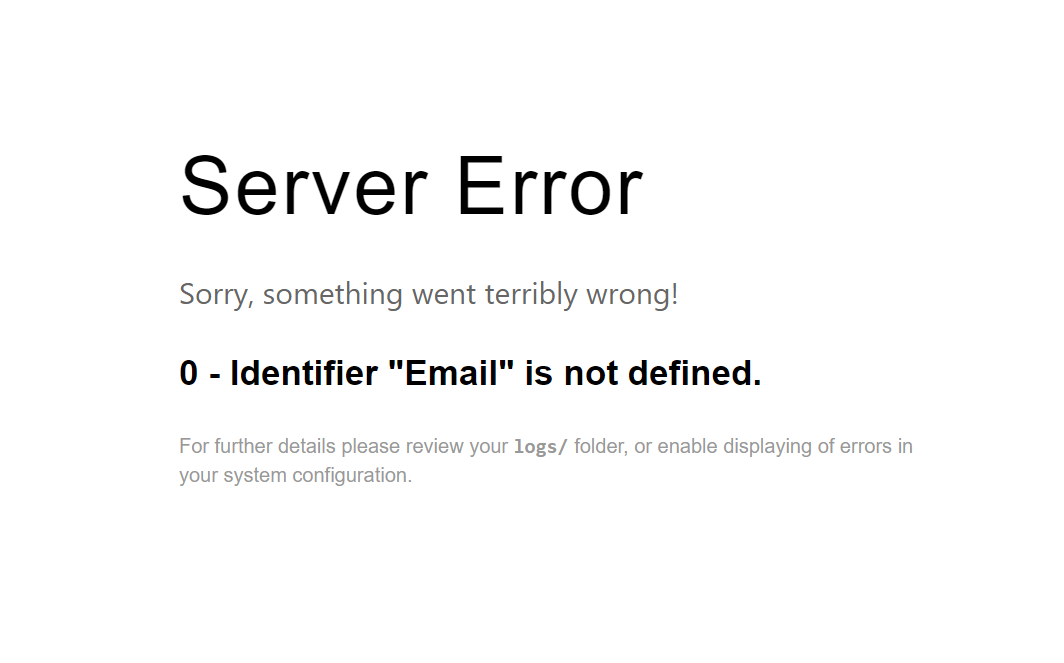
I guest is because I need to import something but I dont know what.
Log in to reply.
Suggested topics
| Topic | Participants | Replies | Views | Activity |
|---|---|---|---|---|
| 0 | 39 | 2 days ago | ||
| 6 | 392 | 2 weeks ago | ||
| 1 | 209 | 2 weeks ago | ||
| 2 | 484 | 4 weeks ago | ||
| 3 | 763 | 2 months ago |