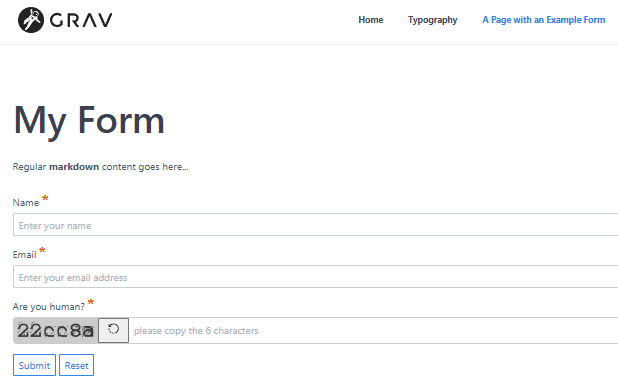
I’m trying to add a form to a website. To learn about forms step by step, I created a simple empty website, and try to follow instructions in the docs.
The form is working, but I tried to add a basic-captcha and somehow it doesn’t show properly.
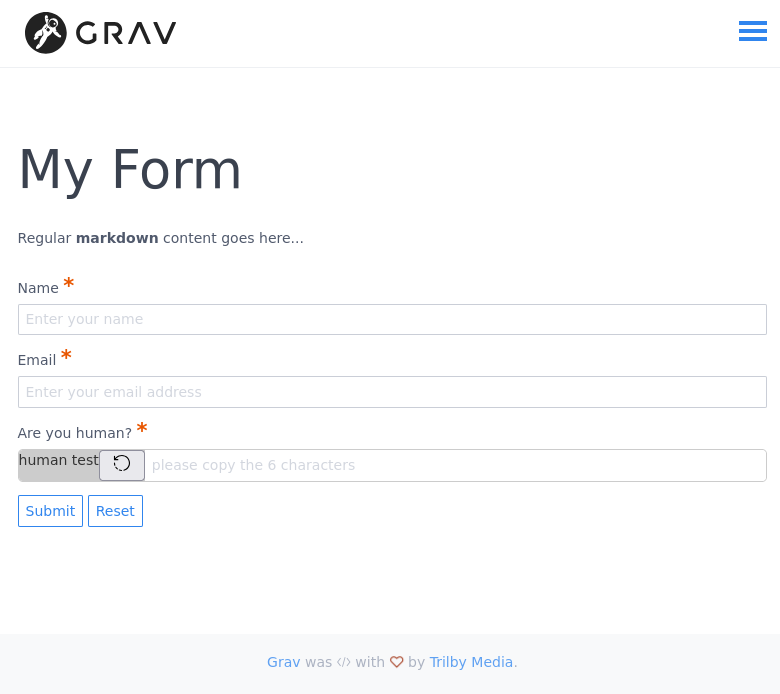
The field shows, but instead of the captcha image, it displays the alt text: “human test”.
The url to the captcha image (https://domain.tld/gravsubpath/forms-basic-captcha-image.jpg?v=somelongnumber) seems to return 404.
Anyone has an idea what could be going wrong.
As I said, it’s a fresh install (grav 1.7.48), theme is `quark`.
Page code is the following:
YAML
---
title: A Page with an Example Form
form:
  name: contact-form
  fields:
    name:
      label: Name
      placeholder: Enter your name
      autofocus: on
      autocomplete: on
      type: text
      validate:
        required: true

    email:
      label: Email
      placeholder: Enter your email address
      type: email
      validate:
        required: true

    basic-captcha:
      type: basic-captcha
      placeholder: please copy the 6 characters
      label: Are you human?
      validate:
        required: true

  buttons:
    submit:
      type: submit
      value: Submit
    reset:
      type: reset
      value: Reset

  process:
    basic-captcha:
      message: Humanity verification failed, please try again...
    email:
      from: "{{ config.plugins.email.from }}"
      to:
        - "{{ config.plugins.email.to }}"
        - "{{ form.value.email }}"
      subject: "[Feedback] {{ form.value.name|e }}"
      body: "{% include 'forms/data.html.twig' %}"
    save:
      fileprefix: feedback-
      dateformat: Ymd-His-u
      extension: txt
      body: "{% include 'forms/data.txt.twig' %}"
    message: Thank you for your feedback!
    display: thankyou

---

# My Form

Regular **markdown** content goes here...
Thanks a lot in advance to anyone who’d have any suggestions :)