I've just installed Grav on my DigitalOcean droplet. Almost everything is working.
However, it's not loading any JS nor CSS. This is the message I get in the console :
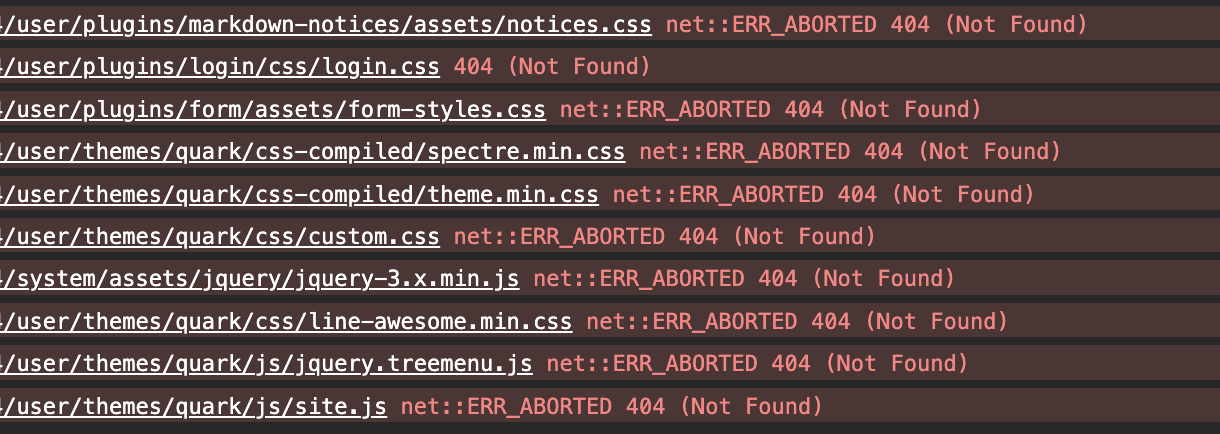
Same thing if I look at the source :
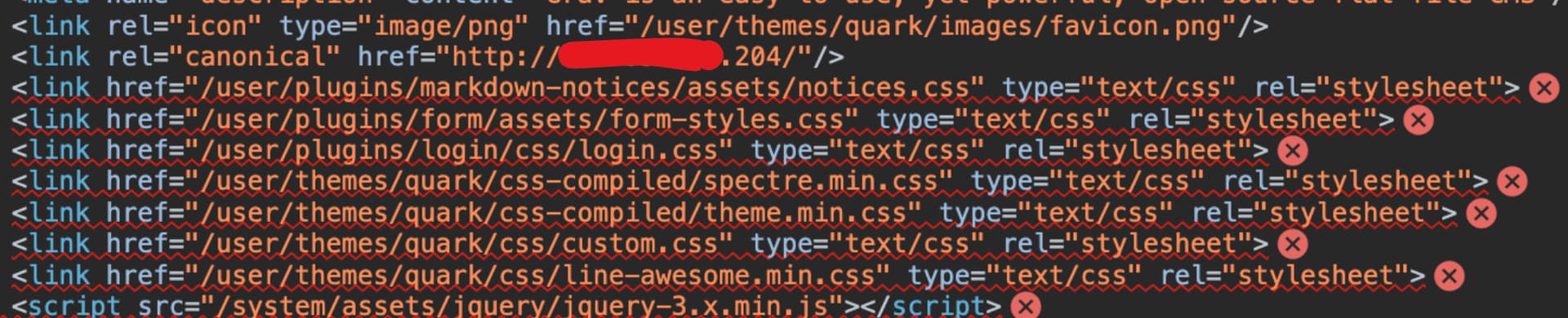
I checked in my Grav's arborescence and the paths do exist, so I'm wondering what might be the problem.
Thx
p.s. if it can help, here's my grav file in /etc/nginx/sites-available :
TXT
server {
    #listen 80;
    index index.html index.php;

    ## Begin - Server Info
    root /home/grav/www/html;
    server_name localhost;
    ## End - Server Info

    ## Begin - Index
    # for subfolders, simply adjust:
    # `location /subfolder {`
    # and the rewrite to use `/subfolder/index.php`
    location / {
        try_files $uri $uri/ /index.php?$query_string;
    }
    ## End - Index

    ## Begin - Security
    # deny all direct access for these folders
    location ~* /(\.git|cache|bin|logs|backup|tests)/.*$ { return 403; }
    # deny running scripts inside core system folders
    location ~* /(system|vendor)/.*\.(txt|xml|md|html|yaml|yml|php|pl|py|cgi|twig|sh|bat|css|js)$ { return 403; }
    # deny running scripts inside user folder
    location ~* /user/.*\.(txt|md|yaml|yml|php|pl|py|cgi|twig|sh|bat|css|js)$ { return 403; }
    # deny access to specific files in the root folder
    location ~ /(LICENSE\.txt|composer\.lock|composer\.json|nginx\.conf|web\.config|htaccess\.txt|\.htaccess) { return 403; }
    ## End - Security

    ## Begin - PHP
    location ~ \.php$ {
        # Choose either a socket or TCP/IP address
        fastcgi_pass unix:/var/run/php/php8.2-fpm.sock;
        # fastcgi_pass unix:/var/run/php5-fpm.sock; #legacy
        # fastcgi_pass 127.0.0.1:9000;

        fastcgi_split_path_info ^(.+\.php)(/.+)$;
        fastcgi_index index.php;
        include fastcgi_params;
        fastcgi_param SCRIPT_FILENAME $document_root/$fastcgi_script_name;
    }
    ## End - PHP
}
And the nginx.conf in /home/grav/www/html/webserver-configs :
TXT
server {
    #listen 80;
    index index.html index.php;

    ## Begin - Server Info
    root /home/USER/www/html;
    server_name localhost;
    ## End - Server Info

    ## Begin - Index
    # for subfolders, simply adjust:
    # `location /subfolder {`
    # and the rewrite to use `/subfolder/index.php`
    location / {
        try_files $uri $uri/ /index.php?$query_string;
    }
    ## End - Index

    ## Begin - Security
    # deny all direct access for these folders
    location ~* /(\.git|cache|bin|logs|backup|tests)/.*$ { return 403; }
    # deny running scripts inside core system folders
    location ~* /(system|vendor)/.*\.(txt|xml|md|html|json|yaml|yml|php|pl|py|cgi|twig|sh|bat)$ { return 403; }
    # deny running scripts inside user folder
    location ~* /user/.*\.(txt|md|json|yaml|yml|php|pl|py|cgi|twig|sh|bat)$ { return 403; }
    # deny access to specific files in the root folder
    location ~ /(LICENSE\.txt|composer\.lock|composer\.json|nginx\.conf|web\.config|htaccess\.txt|\.htaccess) { return 403; }
    ## End - Security

    ## Begin - PHP
    location ~ \.php$ {
        # Choose either a socket or TCP/IP address
        fastcgi_pass unix:/var/run/php/php8.2-fpm.sock;
        # fastcgi_pass unix:/var/run/php5-fpm.sock; #legacy
        # fastcgi_pass 127.0.0.1:9000;

        fastcgi_split_path_info ^(.+\.php)(/.+)$;
        fastcgi_index index.php;
        include fastcgi_params;
        fastcgi_param SCRIPT_FILENAME $document_root/$fastcgi_script_name;
    }
    ## End - PHP
}
last edited 12/17/23 by DouxDoux