Skip to content
Grav 2.0 is officially stable. Read the announcement →

Community guidelines

Please keep discussions civil and on-topic. Repeated violations may lead to a temporary ban.

Installation & Hosting

403 with Grav on Synology NAS

Started by Jonas Nilsson 8 years ago · 1 replies · 3109 views
8 years ago
  • I have a Synology NAS and I've used its web server without any problems before.
  • I downloaded and extracted "Grav Core+Admin Plugin" in the web directory.
  • I get a 403 in the browser when I try to reach the web address.
  • If I try with a simple index.html in the web directory there's no 403.
  • I fear a permissions issue, because I'm a permissions novice.
  • The NAS is running DSM 6 if it is of any importance.

Thanks in advance!
8 years ago

Hi,
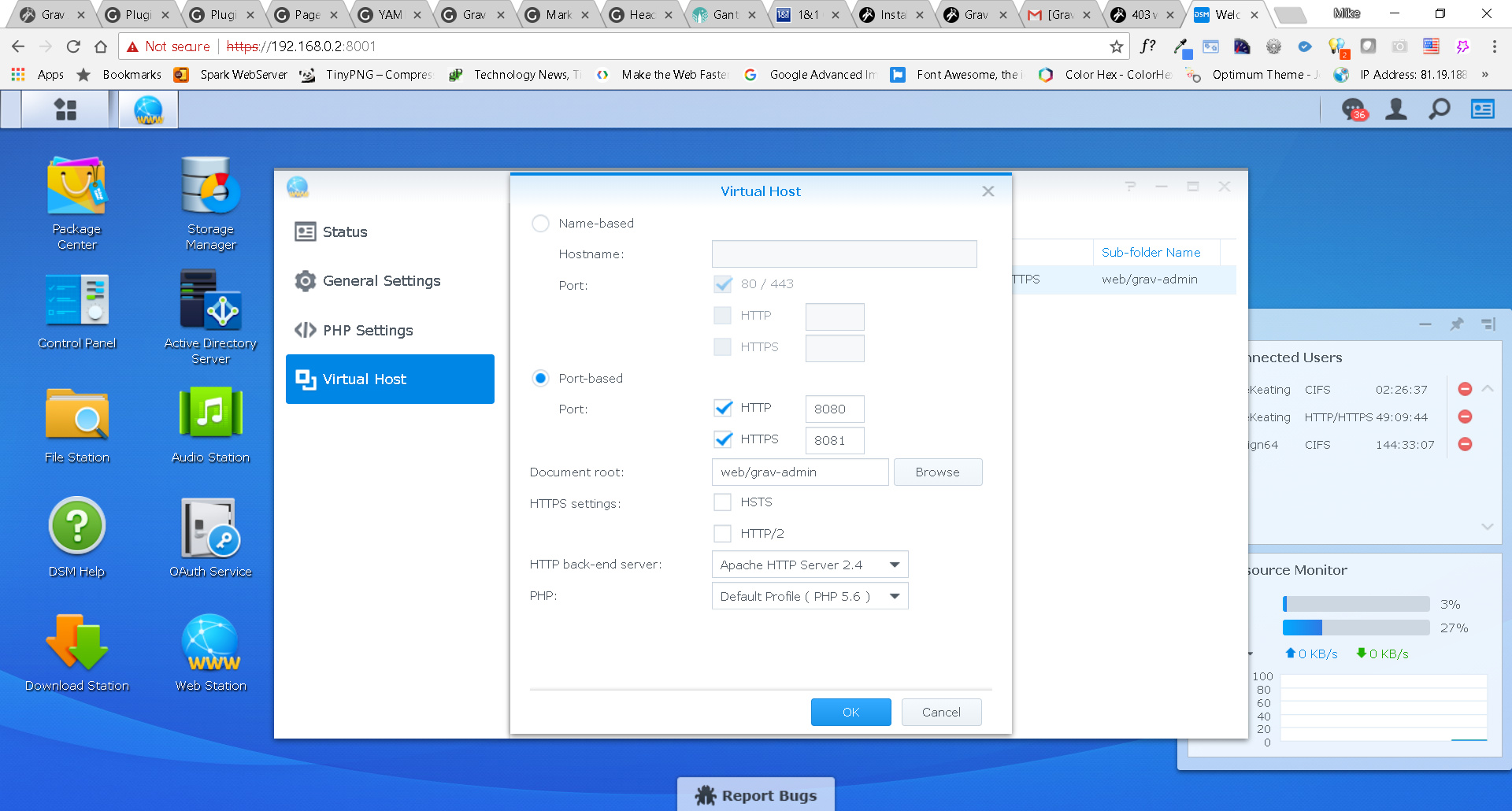
I have Grav working on my NAS, but had to set the virtual host within Web Station, set the document root to web/grav-admin and I used the port option to 8080 to use the address of 192.168.0.2:8080 (your-nas:8080).

Regards

Mike

image|690x370

Suggested topics

Topic Participants Replies Views Activity
Installation & Hosting · by antoinep, 22 hours ago
7 73 4 hours ago
Installation & Hosting · by Jürgen Dietrich, 7 months ago
0 65 7 months ago
Installation & Hosting · by rappluk, 8 months ago
0 65 8 months ago
Installation & Hosting · by N, 12 months ago
3 76 12 months ago
Installation & Hosting · by Youle, 1 year ago
1 65 1 year ago