I have tried a number of approaches.
I have posted a few of them here.
I am loving Grav, with one caveat... menu creation. I am sure I am overlooking something in the Docs, or maybe I just have unusual approaches, but I just can't seem to get menu creation down.
Page Find with List Fields approach
Resuse modular content in different layout
Something is not clicking... any insight would be appreciated!
Its been over a year since i did this one.. but heres what i have as an example, hoping it helps.
admin
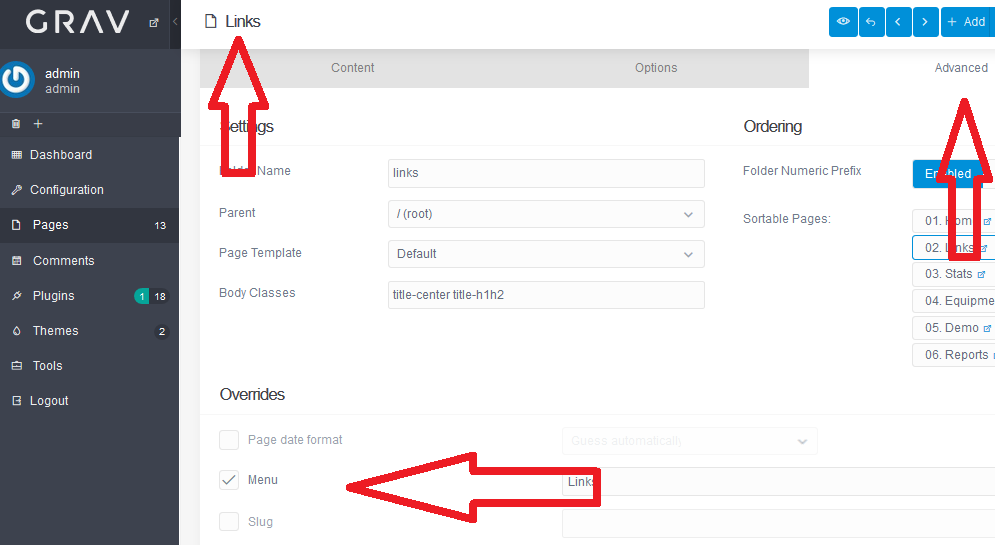
user / pages
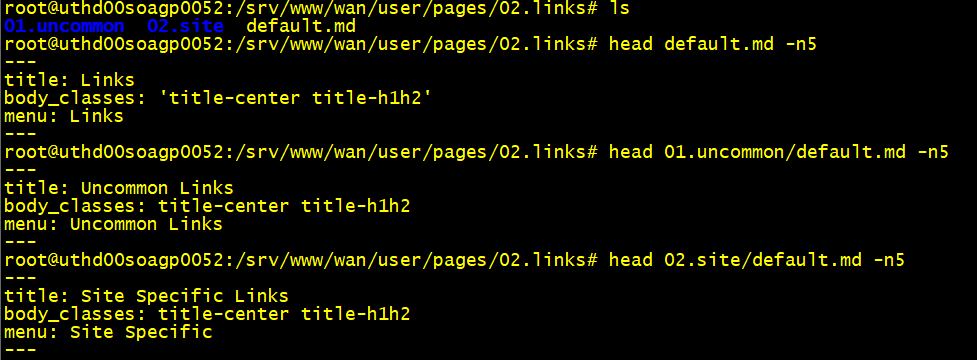
note, im not a pro grav user, just a schmo that hacked my way to find what i needed.. hope it helps.
Thanks for this—but its a bit over my knob head.
Yeah, I am a little confused too.
I think it works based on:
- Its nominated "parent" (which I think can be different form its actual folder, but awkardly)
if parent is root/, then its a top level nav item.
if parent is another page which is itself item, then it is drop down / nested nav item - whether marked as visible/menu (whatever) or not - i.e. whether it gets listed in nav or not)
A 'widget' is a nice idea, but I suspect that doesn't site well with its theme-orientated approach.
Worse comes to worse, its not too difficult to just hard code one in the twig in an inherited theme.
Hi @Ckka.
I don't understand what you want to do. What do you mean by "I just can’t seem to get menu creation down." ?
Do you mean that when creating your pages and sub-pages, the menu doesn't display the dropdowns ? If that's the case, there is an option in the admin panel (under "Configuration") to toggle it.
If you want something more complicated, like I suspect by reading the two threads you mentioned, well my insight would be :
- To reuse the partial "navigation.html.twig", or a clone edited as wanted.
- To inject it in the template of a page (itself acting like a widget if you want), as it is done in "base.html.twig" :
{% include 'partials/navigation.html.twig' %}.
Finally, if you want to compose a unique menu not based on the original macro, independently from the pages structure, you just have to use twig url(), and the page() object, in a variable like this for each entry of the menu :
<a href="{{ page.find('/page_path').url }}">
To compose the "page_path", you have to respect these rules :
- It is preceded by "/", wich is the root of the pages structure.
- You indicate the folders and sub-folders leading to the page, exactly as they are named, or by using their slug.
- The page name is its slug. The slug is automatically composed by Grav depending on the folder of the page, or on the frontmatter if you defined a custom slug.
But you would have to override the display of the original menu displayed by base.html.twig in order to display your own custom menu when desired. And for this, TWIG provides a wonderfull feature : the {% block %} overriding ! Here's the way :
- Wrap your
<nav>with{% block navigation %}...{% endblock %}in yourbase.html.twig - In any template where you want to replace that original nav, just rewrite it (with the method I gave you before) and wrap your code with
{% block navigation %}...{% endblock %}.
And that's all ! When your template will be loaded, it will override the menu.
last edited 03/02/19 by Romarain
Thank you for this. I'm going to look into this more and report back! Appreciate.
Log in to reply.
Suggested topics
| Topic | Participants | Replies | Views | Activity |
|---|---|---|---|---|
| 5 | 540 | 5 days ago | ||
| 0 | 230 | 2 weeks ago | ||
| 7 | 658 | 3 weeks ago | ||
| 0 | 233 | 3 weeks ago | ||
| 2 | 368 | 1 month ago |