Skip to content
Grav 2.0 is officially stable. Read the announcement →

Community guidelines

Please keep discussions civil and on-topic. Repeated violations may lead to a temporary ban.

Forms & Blueprints

Module blueprint

blueprints

Solved by Sergi View solution

Started by Sergi 4 years ago · 11 replies · 1092 views
4 years ago

I'm just learning the power of Grav with Blueprints (Wow!!!). I've customized page blueprints successfully, but I can't create a blueprint of a module. A module for a modular page. I must be doing something wrong... The files are as follows:

- user/themes/theme/blueprints/modular/name.yaml
- user/themes/theme/templates/modular/name.html.twig

What I want is to create a module with the name template assigned where the name.yaml form is displayed (I put the example gallery from the official documentation), but I still get the standard form.

I haven't seen a section in the official documentation that deals with module blueprints, which would be something like the parts of a modular page, but there is already a folder called parts in the templates theme folder, so the concepts of page, modular page and module confuse me a bit here.

Can someone give me a hand? It may be something simple but I've been stuck for days!

Thanks!
4 years ago

Hello there,

your approach is correct. The file/directory structure is correct. So it may fail at another point. Maybe the yaml is malformed, you did'nt deliver an example. This is one of my blueprint of a module a google maps section in this case:

YAML
title: Google Maps
extends@:
    type: default
    context: blueprints://pages

form:
  fields:
    tabs:
      type: tabs
      active: 1

      fields:
        content:
          fields:
            content:
              unset@: true
            header.title:
              unset@: true
            header.media_order:
              unset@: true

            header.some_field:
              type: text
              label: some_label
.
.
.
.

Check on identation. Yaml is super picky. Analyze other theme repro's for their blueprint implementation. Almost every solution was already made.

Beste regards.

4 years ago

Hi @npetri

Something goes wrong because I've paste your code on the following paths (at same time)...

/user/themes/theme/blueprints/name.yaml
/user/themes/theme/blueprints/pages/name.yaml
/user/themes/theme/blueprints/modular/name.yaml
/user/themes/theme/blueprints/parts/name.yaml (just in case...)

... and I still get the standard form 😦 Discarding possible mistakes...

  • I assign as parent a modular page.
  • Every time I clean cache and refresh the browser (just in case...).
  • There are 5 items/modules assigned on the same modular page. The page displays smoothly with custom twig templates on each item and standard administration forms (here is where I'm blocked, the blueprints are lacking).
  • Custom blueprints from other standard pages work fine.
    I have removed the final 4 dots from your example code (I think they are superfluous, but I wanted to try pasting the code in its entirety). Nothing...

Thanks for your help.

4 years ago

@sdesergi:
and I still get the standard form

Do you actually change page template to name when you create it?

4 years ago

Hi @Karmalakas

Yes, but I found that this choice points to the twig template type, not the blueprint type. I deduced that when I deleted all the Blueprints and still saw the option to choose template "name".

Thanks for your help too

4 years ago

Hello @sdesergi,

I' am not sure about having many blueprints with the same name at the same time.

The example i posted last time is a working example from my last grav project. My folder structure is as follows and this works:

(assume theme is your theme base folder)

theme/templates/home.html.twig
theme/templates/modular/google-maps.html.twig

The home file is the modular page which can have it's own blueprint. The google-maps file is a single module and have it's own blueprint. The blueprint folder structure looks like this:

theme/blueprints/home.yaml
theme/blueprints/modular/google-maps.yaml

Just for simplicity i only mentioned the google-maps module and it's corresponding blueprint.

I can't believe that this approach is not working in your case. If it still not working you may check it on a fresh grav installation.

I hope you are going to fix it soon!

Have a nice day.

4 years ago

Hi,

Yes, the file paths match in my installation. Anyway, tomorrow I will go over everything from scratch (once again). If it still fails, I can share a login and FTP account if anyone wants to take a look, since I'm working in a test environment. Maybe I have something misconfigured or maybe it's a stupid oversight that should be forgotten over a few beers....

Thanks for your time

4 years ago

@npetri:
I can’t believe that this approach is not working in your case

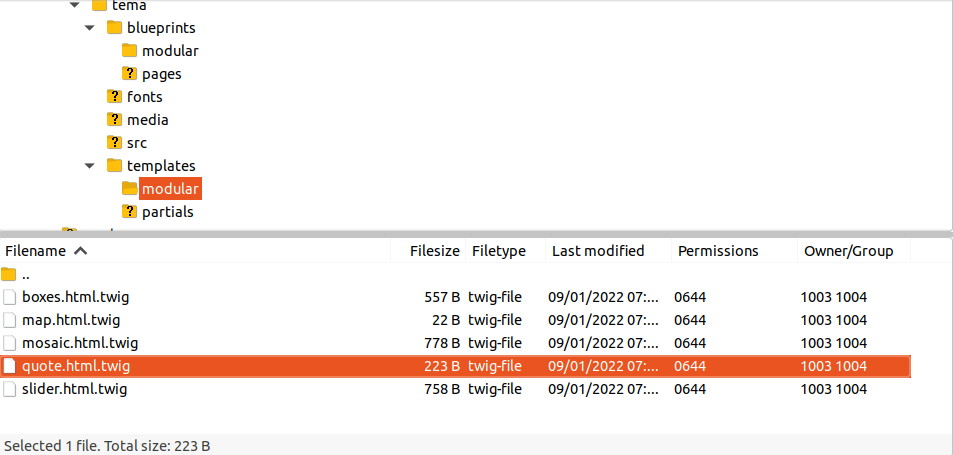
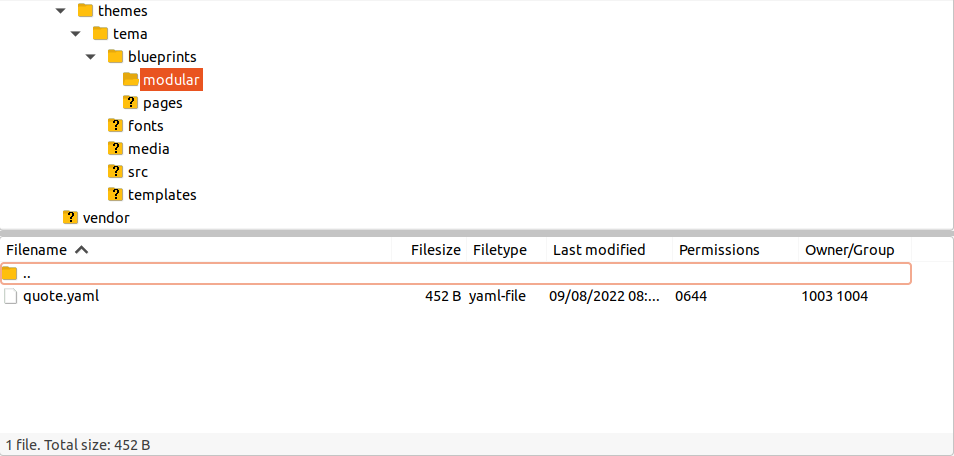
Blueprint file|690x329

Twig file|690x329

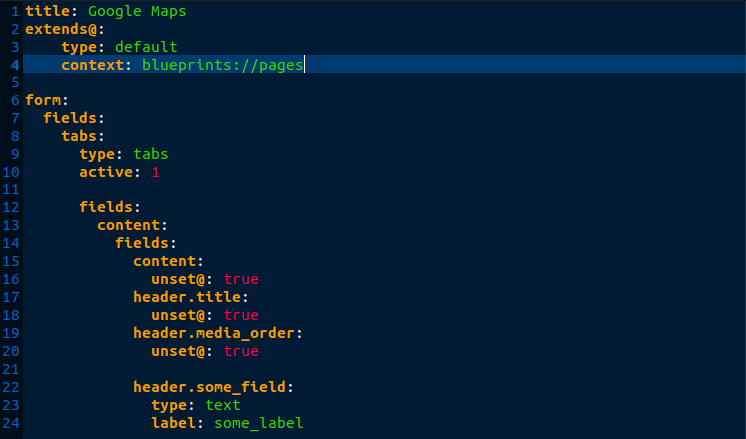
Yaml code|690x406

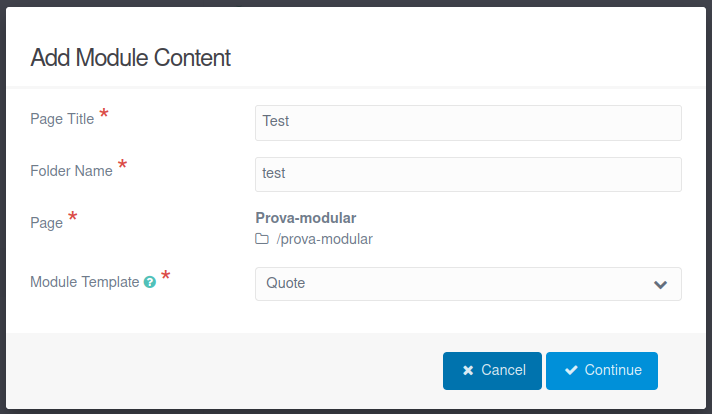
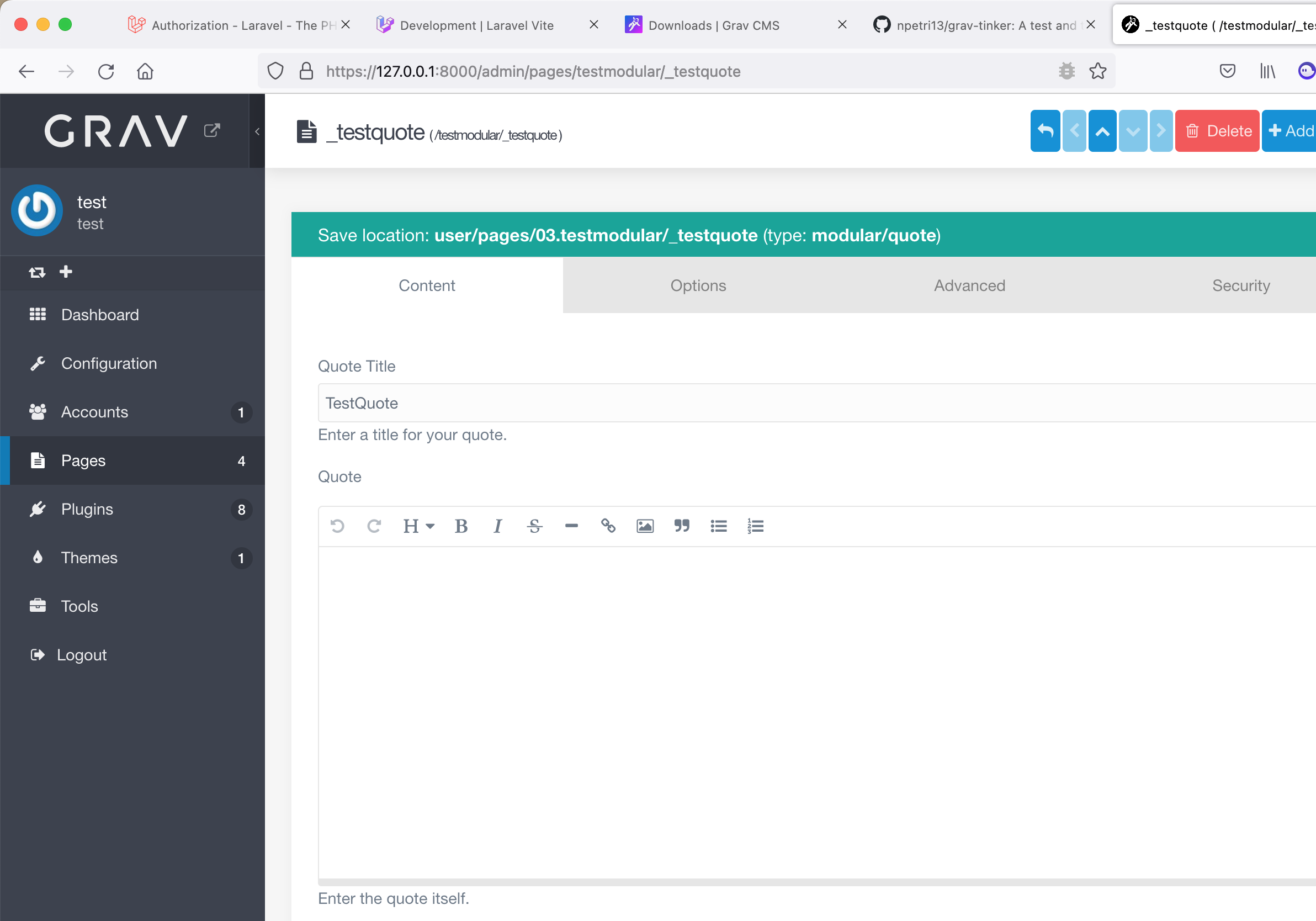
Module creation form|690x401

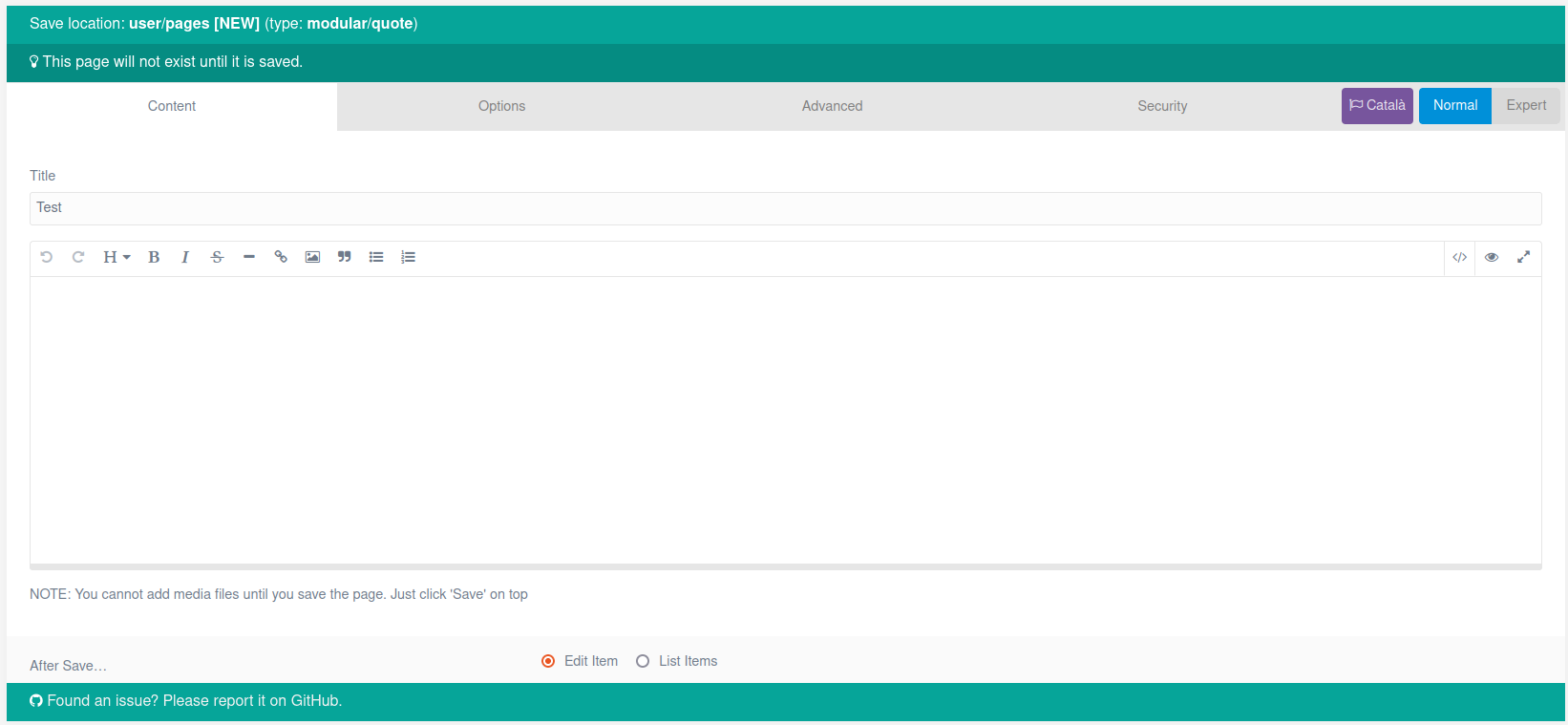
Resulting edit form|690x318

Just took these screenshots today, just upgraded to Grav v1.7.36 - Admin v1.10.36

I still don't know how to run a Blueprint for a module, and I can't find information in the official documentation specific to Blueprints for modules.

I have done the same operation (and multiple variants) with a Blueprint from scratch (without the extends, type and context attributes), to rule out misuse of them.

Surely there are no parameters in the configuration or other details to go over to make sure I'm doing everything right? I need to think so in order not to believe in digital poltergeist 😨.

Thanks!!

4 years ago

Hello @sdesergi,

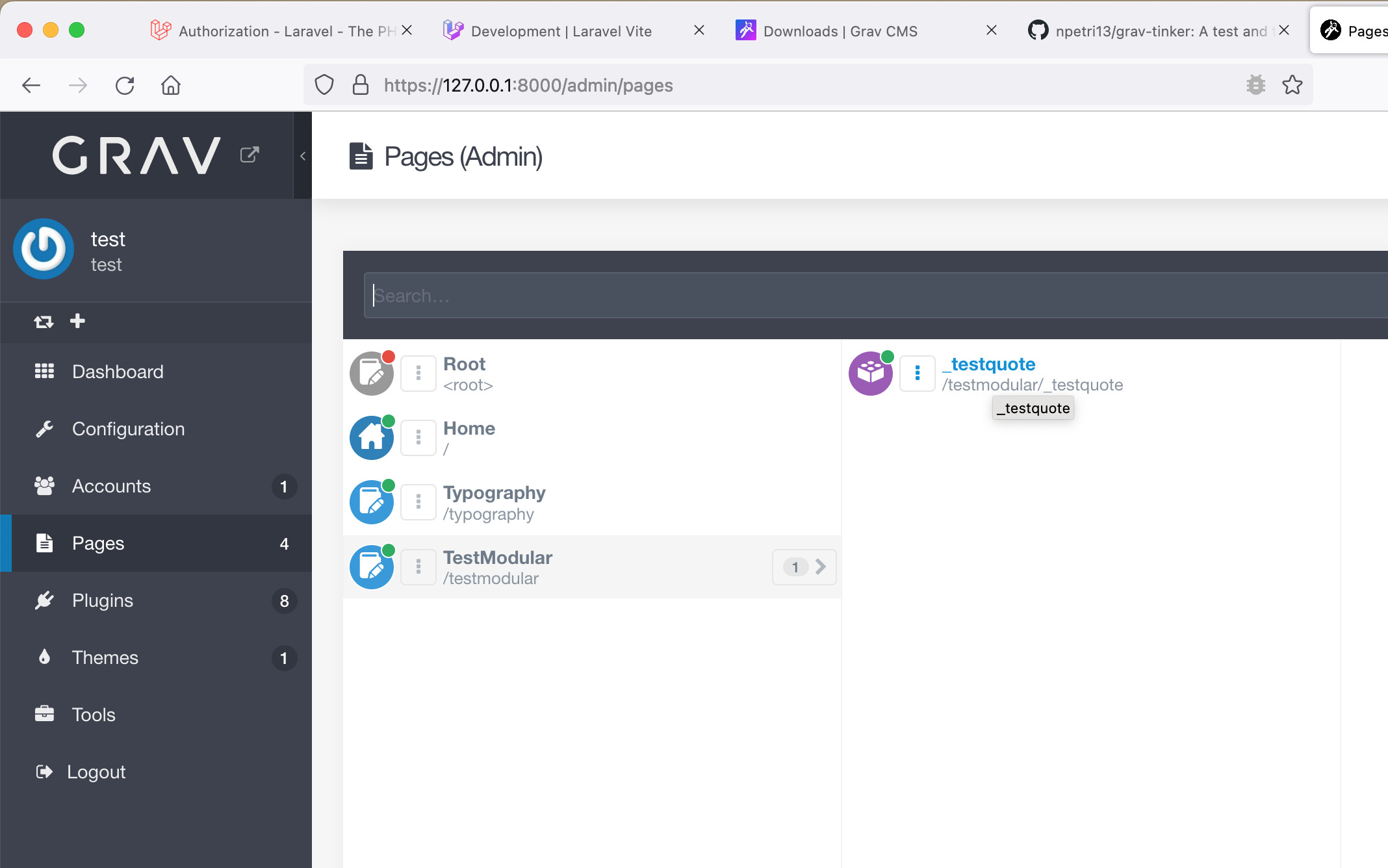
I just created a repo on github -> https://github.com/npetri13/grav-tinker If you use it on a fresh grav installation and create the following page structure...

Screenshot Grav Admin - Pages|690x431

... it will give you some custom fields in the backend.

Screenshot Grav Admin - Pages|690x482

I hope this will help you and you get it working.

Best regards.

👍 1
4 years ago Solution

I have found the cause of the problem!

Grav skips blueprints inside the theme/blueprints/modular folder as long as the theme/blueprints/pages folder exists, even if this folder is empty.

The Grav documentation explains different paths for page blueprints. On the one hand in theme/blueprints and on the other hand in theme/blueprints/pages. The blueprint paths for modules (theme/modular or theme/pages/modular) are not explained, you have to deduce them by going through the Grav themes.

I thought I could organize the blueprints in theme/blueprints/pages for pages and theme/blueprints/modular for modules, but this is incompatible.

Maybe it was a confusion when translating the text?

Thanks @npetri and @Karmalakas for your help.

1 year ago

For anyone encountering the same issue I've got it figured out

<strong>In the User Blueprints folder</strong> Put them in
user/blueprints/pages/. This is a good place to put them when you simply want your blueprints to be present in your site.
In the Theme Put them in user/themes/YOURTHEME/blueprints/.
This is best when you also intend to distribute your theme: the theme will provide the page blueprints and it will be easier to use.

When creating blueprints in a theme, IF the pages directory is exists (even if empty), the modular blueprints must be nested in the pages directory. Else they can be in the blueprints/modular directory .

The following two will not work:

TXT
├── blueprints
│   ├── modular
│   │   └── heading.yaml
│   └── pages
│       └── modular.yaml
TXT
├── blueprints
│   ├── modular
│   │   └── heading.yaml
│   ├── modular.yaml
│   └── pages <==== The directory still exists

The following two Will work

TXT
├── blueprints
│   └── pages
│       ├── modular
│       │   └── heading.yaml
│       └── modular.yaml
TXT
├── blueprints
│   ├── modular
│   │   └── heading.yaml
│   └── modular.yaml
👍 1

Suggested topics

Topic Participants Replies Views Activity
Forms & Blueprints · by Ton Haarmans, 5 years ago
13 1135 4 months ago
Forms & Blueprints · by Hugo Oliveira, 5 months ago
0 61 5 months ago
Forms & Blueprints · by Flachy Joe, 6 months ago
9 134 6 months ago
Forms & Blueprints · by Augustus, 7 months ago
7 108 7 months ago
Forms & Blueprints · by Julien, 7 months ago
10 128 7 months ago