Hello,
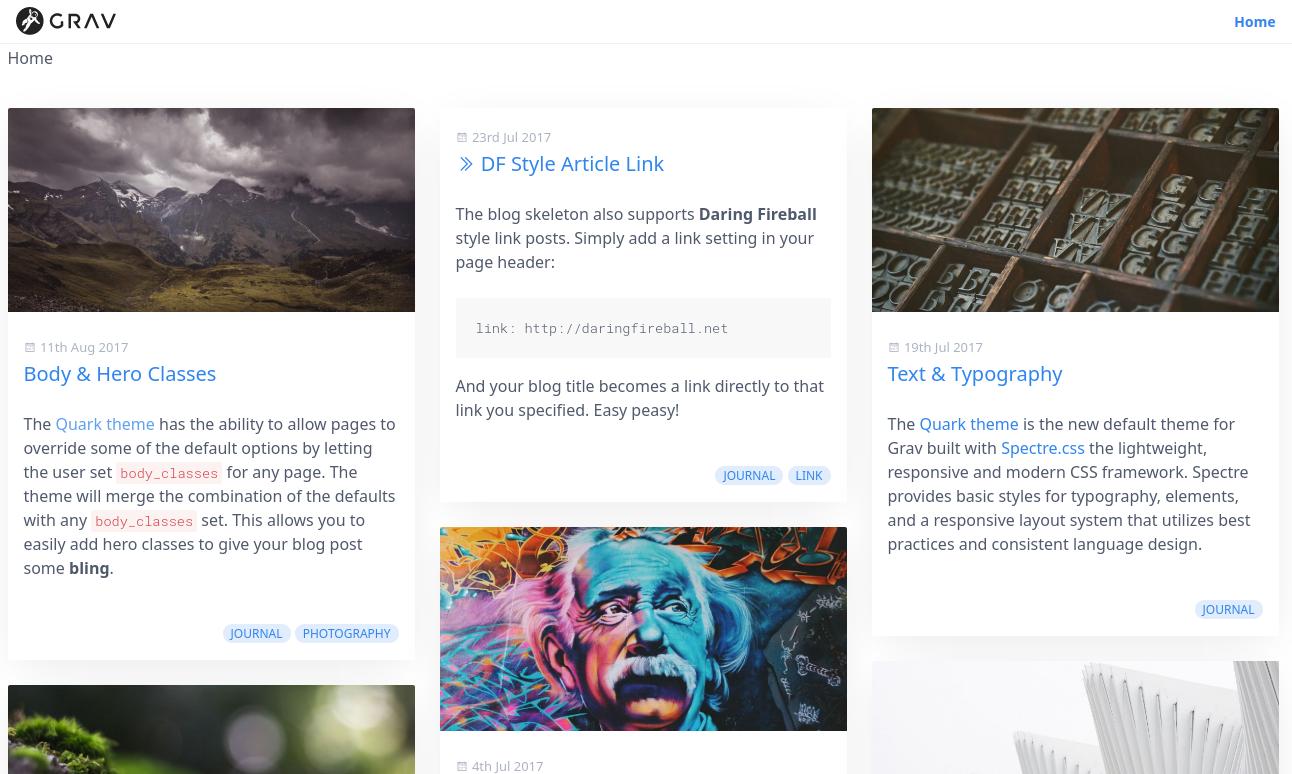
I looked for this in the forum with no luck. Is it possible to configure Quark theme via frontmatter or site.yaml or quark.yaml, to display 3 or 4 summaries per row, instead of 2 summaries like it display by default? I already set show_sidebar: false since I do not need the side bar and without sidebar I have more horizontal space for more summaries per row. Or Do I need to make strong changes to the blog related templates? If so, is there a tutorial on how to accomplish this task?
By the way, with no sidebar, Quark theme displays only one huge summary per row 🤔
Thanks in advance for any advice.
Regards
@joejac, Bricklayer uses a div with class bricklayer-column-sizer to determine the width of the columns. The width of bricklayer-column-sizer can be set to 100% for 1 column, 50% for 2 columns, or 33.33333% for 3 columns, etc.
The css can be set in '/user/themes/quark/css/bricklayer.css' and defaults to:
CSS
.bricklayer-column-sizer{width:100%;display:none;}@mediascreenand(min-width:640px){.bricklayer-column-sizer{width:100%;}}@mediascreenand(min-width:980px){.bricklayer-column-sizer{width:50%;}}/*@media screen and (min-width: 1200px) {*//*.bricklayer-column-sizer {*//*width: 33.33333%;*//*}*//*}*/
Off course, changes should be made in your custom or inherited theme instead of Quark itself.
Beware, that columns may not always have equal width when a brick in a column has content that does not allow it to shrink to the desired 33.3333%.
The problem in my inherited theme was caused when replacing Hero image with LightSlider Banner, I had a wrong line of code, the solution is described in this post.
/forum/themes-styling/css-in-frontmatter-in-mache-theme-works-but-no-in-quark-theme-t8045?u=joejac
Regards