Skip to content
Grav 2.0 is officially stable. Read the announcement →

Community guidelines

Please keep discussions civil and on-topic. Repeated violations may lead to a temporary ban.

Support

Undefined class constant 'Monolog\Utils::DEFAULT_JSON_FLAGS'

Started by Theodor 5 years ago · 5 replies · 1235 views
5 years ago

Can anyone understand what is going on?

I searched for users in the backoffice, and suddenly I got a 500 with the following:

Fatal error: Uncaught Error: Undefined class constant 'Monolog\Utils::DEFAULT_JSON_FLAGS' in /customers/5/a/c/MYDOMAIN.se/httpd.www/vendor/monolog/monolog/src/Monolog/Handler/AbstractHandler.php:194 Stack trace: #0 /customers/5/a/c/MYDOMAIN.se/httpd.www/vendor/monolog/monolog/src/Monolog/Handler/AbstractHandler.php(113): Monolog\Handler\AbstractHandler->getDefaultFormatter() #1 /customers/5/a/c/MYDOMAIN.se/httpd.www/vendor/monolog/monolog/src/Monolog/Handler/AbstractProcessingHandler.php(37): Monolog\Handler\AbstractHandler->getFormatter() #2 /customers/5/a/c/MYDOMAIN.se/httpd.www/vendor/monolog/monolog/src/Monolog/Logger.php(344): Monolog\Handler\AbstractProcessingHandler->handle(Array) #3 /customers/5/a/c/MYDOMAIN.se/httpd.www/vendor/monolog/monolog/src/Monolog/Logger.php(470): Monolog\Logger->addRecord(500, 'Undefined class...', Array) #4 /customers/5/a/c/MYDOMAIN.se/httpd.www/system/src/Grav/Common/Errors/Errors.php(73): Monolog\Logger->addCritical('Undefined class...') #5 /customers/5/a/c/MYDOMAIN.se/httpd.www/vendor/filp/w in /customers/5/a/c/MYDOMAIN.se/httpd.www/vendor/monolog/monolog/src/Monolog/Handler/AbstractHandler.php on line 194 Fatal error: Uncaught Error: Undefined class constant 'Monolog\Utils::DEFAULT_JSON_FLAGS' in /customers/5/a/c/MYDOMAIN.se/httpd.www/vendor/monolog/monolog/src/Monolog/Handler/AbstractHandler.php:194 Stack trace: #0 /customers/5/a/c/MYDOMAIN.se/httpd.www/vendor/monolog/monolog/src/Monolog/Handler/AbstractHandler.php(113): Monolog\Handler\AbstractHandler->getDefaultFormatter() #1 /customers/5/a/c/MYDOMAIN.se/httpd.www/vendor/monolog/monolog/src/Monolog/Handler/AbstractProcessingHandler.php(37): Monolog\Handler\AbstractHandler->getFormatter() #2 /customers/5/a/c/MYDOMAIN.se/httpd.www/vendor/monolog/monolog/src/Monolog/Logger.php(344): Monolog\Handler\AbstractProcessingHandler->handle(Array) #3 /customers/5/a/c/MYDOMAIN.se/httpd.www/vendor/monolog/monolog/src/Monolog/Logger.php(470): Monolog\Logger->addRecord(500, 'Uncaught Error:...', Array) #4 /customers/5/a/c/MYDOMAIN.se/httpd.www/system/src/Grav/Common/Errors/Errors.php(73): Monolog\Logger->addCritical('Uncaught Error:...') #5 /customers/5/a/c/MYDOMAIN.se/httpd.www/vendor/filp/w in /customers/5/a/c/MYDOMAIN.se/httpd.www/vendor/monolog/monolog/src/Monolog/Handler/AbstractHandler.php on line 194
last edited 05/31/21 by pamtbaau
5 years ago

Hi @gravtedde
Have you recently updated grav or php at all ?

Can you let us know what version of Grav your running and what your current plugins running are and what version. Just grab a screenshot of your plugins directory.

First thing it may be good to do a full cache clean , if using the admin interface then use the ALL dropdown from the admin dashboard or use the command line

BASH
bin/grav clear-cache

Is it only when you search ?,
Do you see a list of users ?

Possibility of the user->accounts->admin.yaml is hitting an error

You can do the check with the command line

BASH
bin/grav yamllinter 

Are there any errors displayed there ?

Monolog is a found under the grav\vendor\monolog\ so its 3rd party library, which is used to do the logging of errors , so might not be the "problem" as something might be tripping it out before it gets time to log it properly.

Can you create a clean install and copy your user directory across to the new install and see if the problem is still there ?

With it being a 3rd party module, you could run

BASH
 bin/grav composer -u

to ensure all your vendors folder is up to date

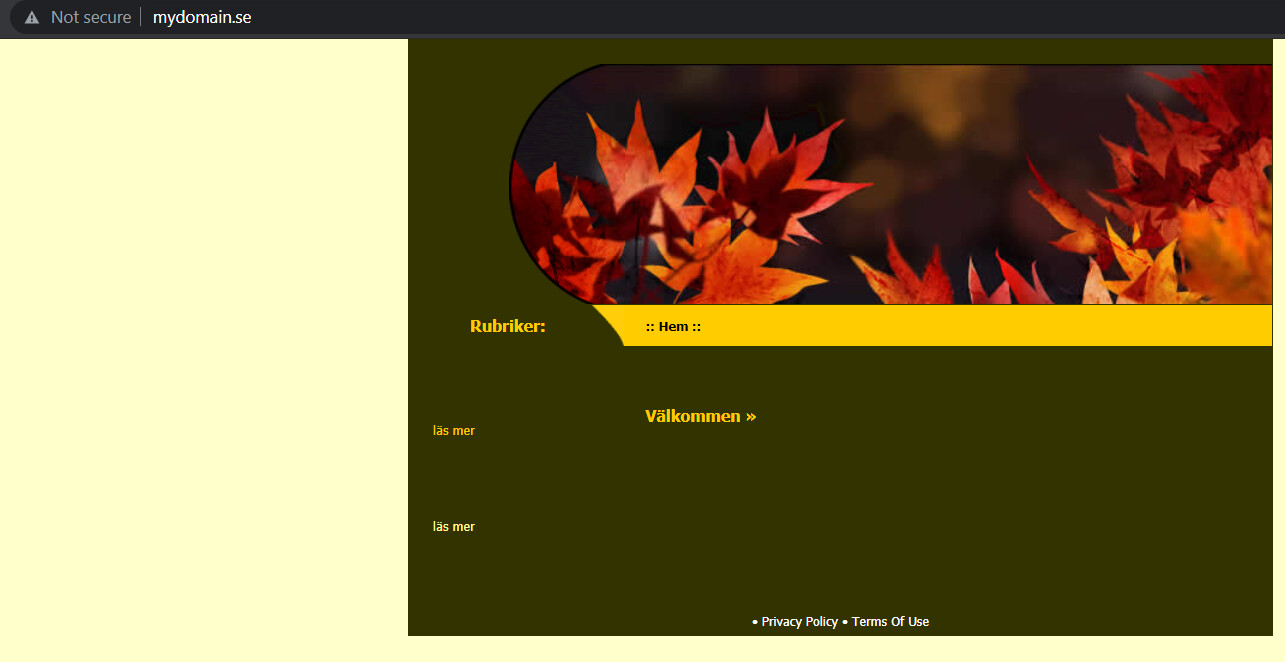
You do have an existing site running

image|690x355

Is that correct, maybe there is something in the existing site interfering , maybe try and install to a sub directory as it look like you are doing this on a live server.

Make a directory called grav and then install a fresh copy there and access via your domain
mydomain.se/grav and see if works.

There isn't much info to go on. Come back if you can give us more info and the results of a clean install to a sub directory.

* After a bit of googling afterwards, the only thing I could find which relates to a similar person having an issue, is where the translator plugin is being used. This screenshot of your plugins folder might reveal more

👍 1
last edited 05/30/21 by Spam Hater
5 years ago

I upgraded core grav just before this hit. So something is related to that.

Thank you for your advice!

I will install a fresh one in a subdirectory and try that path first.

5 years ago

No Problem.
If you need to roll back to a previous version, presuming you upgraded to 7.15, use this link to go back to 7.14

[s] https://github.com/getgrav/grav/tree/7.14 [/s]

TXT
Please see the below post by pamtabbu

There was a few issues with on the 7.15 upgrade but a lot have been resolved with the current unreleased develop build and this can be found here.

[s]https://github.com/getgrav/grav/tree/develop[/s]

Please see the below post by pamtabbu

Let us know either way how things go :)

last edited 05/31/21 by Spam Hater
5 years ago

Please note:
As advised by the Grav team, do not download releases from Github. The installation docs have been updated to reflect this.

Instead use the following format to download pre-packaged zips:
https://getgrav.org/download/TYPE/PACKAGE/VERSION

Where TYPE can be:

  • core
  • plugins
  • themes

PACKAGE:

  • grav
  • grav-admin
  • grav-update
  • name of plugin or theme

VERSION:

  • E.g. 1.7.14
👍 1
last edited 05/31/21 by pamtbaau
4 years ago

I m not sure if this is still a hot topic, but for me it just came up again.

I wanted to create a Plugin that sends logs about its status etc to "Logtail" - they provide a Monolog-based implementation of their client via composer (logtail/monolog-logtail).

Turns out I get the same error message as you guys.

If I try the logtail library in a small plain php script it works fine, so I assume on the logtail end everything is fine.

Once I combine this with the current release of Grav (completely clean install else, just boilerplate plugin code + 3 lines for the logging) it breaks.

As far as I can I see Grav uses Monolog themselves - version 1.25.
Logtail uses Monolog 2.0.

It appears the the autoload of the plugin grabs the (older) Monolog from Grav and uses it instead of newer 2.0 Monolog. Stuff breaks because Logtail uses things are not present in Monolog 1.25.

So I guess my question is: how can I tell my plugin to use the library (version) I specfically put in its composer.json and not the "global" one from Grav?

best!
Jo

Suggested topics

Topic Participants Replies Views Activity
Support · by Thomas, 1 week ago
2 64 17 hours ago
Support · by Anna, 3 days ago
2 68 20 hours ago
Support · by Justin Young, 21 hours ago
1 35 21 hours ago
Support · by Duc , 1 week ago
2 71 6 days ago
Support · by Colin Hume, 1 week ago
2 63 6 days ago