Skip to content
Grav 2.0 is officially stable. Read the announcement →

Community guidelines

Please keep discussions civil and on-topic. Repeated violations may lead to a temporary ban.

Support

Scheduled Backups Not Working

Solved by Justin Young View solution

Started by Justin Young 7 years ago · 11 replies · 1144 views
7 years ago

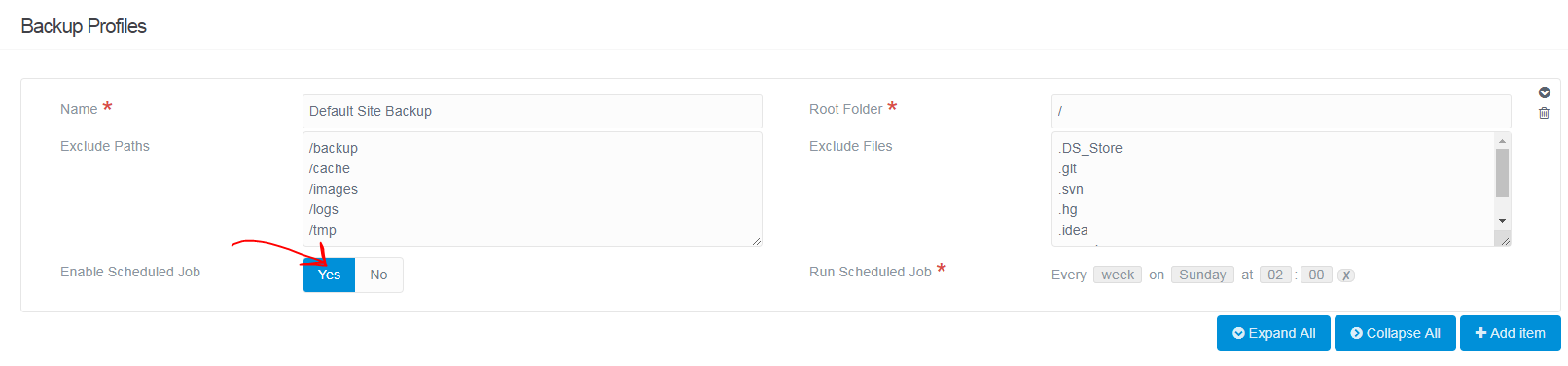
Although I was able to successfully set-up the Grav Scheduler as well as enable the default-site-backup, the scheduled backup is not created.

(I am able to manually create a backup using bin/grav backup.)

Any sense of where I should start to troubleshoot?
7 years ago

Thank you.

It was not enabled, but even after I enabled it and adjusted the Run Scheduled Job to run in the near future, no backup was created.

7 years ago

maybe you did not register the grav scheduler in your cron service ?
see the docs

7 years ago

Have you include change directory command in your cron job? Because it need to be at the Grav root directory for bin/grav to work.

Otherwise I would suggest you check the cron output for any errors.

7 years ago

I think it is registered, as I get the following:

JS
$ bin/grav scheduler -i

Install Scheduler
=================                                                                                                                        
[OK] All Ready! You have already set up Grav's Scheduler in your crontab
7 years ago

Change directory command is included (per the install instructions).

bin/grav scheduler -d returns no errors.

However, bin/grav scheduler -j confirms the default-site-backup has never run.

Thank you!

7 years ago

🤔 how about crontab -l to double check if it is there?

7 years ago

Here is the output of crontab -l

[email protected] * * * * * cd /home/example/folder;/usr/local/php72/bin/php bin/grav scheduler 1>> /dev/null 2>&1

7 years ago

🤔 what if you run the scheduler manually with bin/grav scheduler -v, does it run?

7 years ago

It returns:

JS
Running Scheduled Jobs

======================

Should it return more (like a list of jobs running)?

6 years ago Solution

I was able to fix this by using DreamHost's GUI for cron jobs.

I entered this command to run:
cd /path/to/my/site;/usr/local/php72/bin/php bin/grav scheduler

Thank you for all the help!

👍 1

Suggested topics

Topic Participants Replies Views Activity
Support · by Thomas, 1 week ago
2 56 13 hours ago
Support · by Anna, 3 days ago
2 61 16 hours ago
Support · by Justin Young, 17 hours ago
1 32 17 hours ago
Support · by Duc , 1 week ago
2 66 5 days ago
Support · by Colin Hume, 1 week ago
2 59 5 days ago