Skip to content
Grav 2.0 is officially stable. Read the announcement →

Community guidelines

Please keep discussions civil and on-topic. Repeated violations may lead to a temporary ban.

Support

Pages Field Not Showing All Pages in Admin Panel (Limit?)

admin plugins

Solved by pamtbaau View solution

Started by Christiana 1 year ago · 13 replies · 166 views
1 year ago

Hello Grav Community,

Issue:

We are running a Grav site with over 1000 pages, and we noticed that the pages field in the Admin panel does not display all pages. Here’s the current blueprint configuration we are using:

YAML
.link:
  type: pages
  size: large
  classes: fancy
  show_all: true
  show_root: true
  show_modular: true
  toggleable: true
  label: Internal Link (Page or Section)

Even with show_all: true, we don’t see all pages in the dropdown. We suspect there might be a limit on how many pages are displayed due to performance constraints or a hardcoded limit in Grav’s Admin plugin.


Questions:

  1. Is there a known limit to how many pages the pages field can display in the Admin panel?
  2. Are there any workarounds or alternative solutions for handling a large number of pages?
  3. Would switching to a different field type (e.g., selectize) or implementing an AJAX-based lazy-loading solution be a viable option?
  4. Since our page count will continue to grow, what are the best practices for handling performance when dealing with thousands of pages in the Admin panel?

We use git-sync Plugin and the performance is really slow.

Any insights, workarounds, or suggestions would be greatly appreciated!

Best regards,

Christiana

1 year ago

Looking at the code I don't see why it would limit with your setup. I guess it would require debugging your case specifically

1 year ago

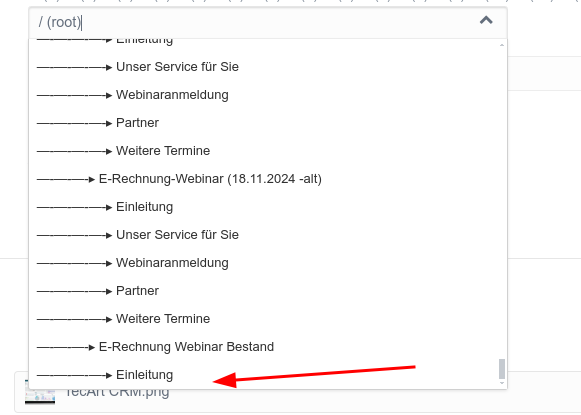
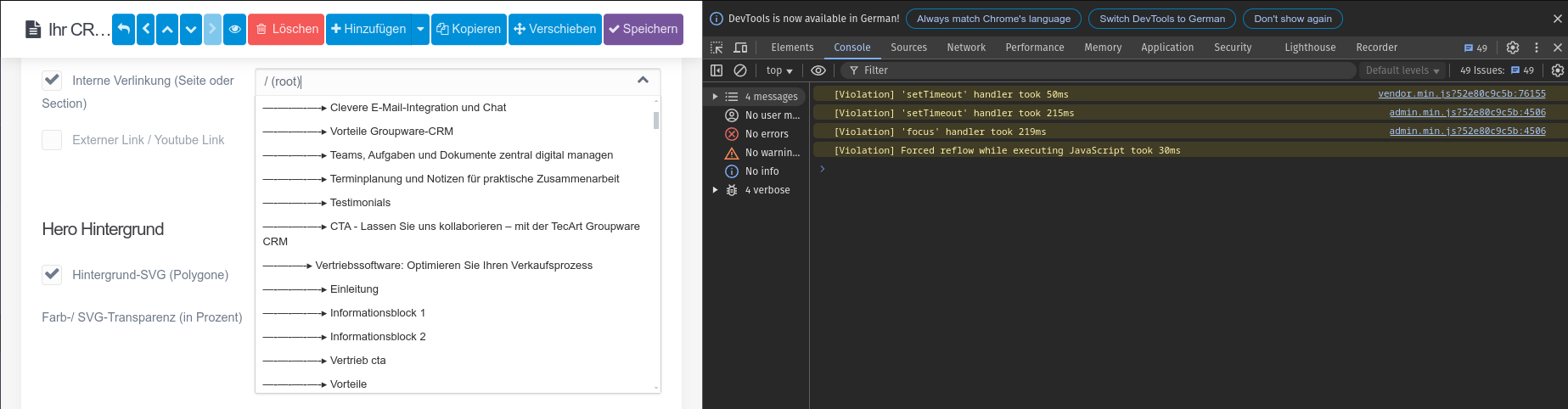
The problem is that it stops scrolling at this point even though there are more pages. However, there are no other listed in the HTML source code of the dropdown.

2025-02-17_17-58|581x415

In file system/src/Grav/Common/Page/Pages.php, function getList, I had the pages printed out the result with var_dump($list); and many more are printed out than are available in the dropdown box.

The missing pages:

TXT
 "—-—-—-▸ E-Rechnung Webinar Bestand" string(50) "—-—-—-—-▸ Einleitung" string(62) "—-—-—-—-▸ Unser Service für Sie" string(56) "—-—-—-—-▸ Webinaranmeldung" string(47) "—-—-—-—-▸ Partner" string(55) "—-—-—-—-▸ Weitere Termine" string(49) "—-—-—-▸ Test Boxes Module" string(58) "—-—-—-—-▸ Test - Boxes Icons" string(60) "—-—-—-—-▸ Test - Boxes Persons" string(58) "—-—-—-—-▸ Test - Boxes Image" string(59) "—-—-—-—-▸ Test - boxes prices" string(57) "—-—-—-—-▸ Test - 2 col text" string(52) "—-—-—-—-▸ Test - Cards" string(52) "—-—-—-▸ E-Rechnungen-Webinar" string(50) "—-—-—-—-▸ Einleitung" string(62) "—-—-—-—-▸ Unser Service für Sie" string(56) "—-—-—-—-▸ Webinaranmeldung" string(47) "—-—-—-—-▸ Partner" string(55) "—-—-—-—-▸ Weitere Termine" string(45) "—-—-—-▸ ERP Agenturen" string(46) "—-—-—-—-▸ Kunden" string(57) "—-—-—-—-▸ Einleitung ERP DL" string(55) "—-—-—-—-▸ Hauptfunktionen" string(51) "—-—-—-—-▸ TecArt USPs" string(49) "—-—-—-—-▸ Dashboard" string(54) "—-—-—-—-▸ CTA Testsystem" string(50) "—-—-—-—-▸ Testsystem" string(60) "—-—-—-—-▸ ERP DL Informationen" string(51) "—-—-—-—-▸ Zertifikate" string(46) "—-—-—-—-▸ Preise" string(59) "—-—-—-—-▸ Gründe für TecArt" string(49) "—-—-—-—-▸ Erechnung" string(48) "—-—-—-—-▸ Branchen" string(52) "—-—-—-—-▸ Testimonials" string(56) "—-—-—-—-▸ Buchungskalender" string(53) "—-—-—-—-▸ Beratungsteam" string(46) "—-—-—-▸ Leon Testseite" string(53) "—-—-—-—-▸ bild mit text" string(51) "—-—-—-—-▸ Zertifikate" string(57) "—-—-—-—-▸ Einleitung ERP DL" string(50) "—-—-—-—-▸ Testsystem" string(46) "—-—-—-—-▸ Kunden" string(51) "—-—-—-—-▸ TecArt USPs" string(60) "—-—-—-—-▸ ERP DL Informationen" string(48) "—-—-—-—-▸ Branchen" string(46) "—-—-—-—-▸ Preise" string(52) "—-—-—-—-▸ Testimonials" string(53) "—-—-—-—-▸ Beratungsteam" string(56) "—-—-—-—-▸ Buchungskalender" string(49) "—-—-—-—-▸ Leon Test" string(48) "—-—-—-—-▸ Formular" string(49) "—-—-—-▸ ERP Dienstleister" string(46) "—-—-—-—-▸ Kunden" string(57) "—-—-—-—-▸ Einleitung ERP DL" string(55) "—-—-—-—-▸ Hauptfunktionen" string(51) "—-—-—-—-▸ TecArt USPs" string(49) "—-—-—-—-▸ Dashboard" string(54) "—-—-—-—-▸ CTA Testsystem" string(50) "—-—-—-—-▸ Testsystem" string(60) "—-—-—-—-▸ ERP DL Informationen" string(51) "—-—-—-—-▸ Zertifikate" string(46) "—-—-—-—-▸ Preise" string(59) "—-—-—-—-▸ Gründe für TecArt" string(49) "—-—-—-—-▸ Erechnung" string(48) "—-—-—-—-▸ Branchen" string(52) "—-—-—-—-▸ Testimonials" string(56) "—-—-—-—-▸ Buchungskalender" string(53) "—-—-—-—-▸ Beratungsteam" string(54) "—-—-—-▸ ERP für Dienstleister" string(45) "—-—-—-—-▸ Trust" string(61) "—-—-—-—-▸ Hauptfunktionen Boxes" string(50) "—-—-—-—-▸ Wofür ERP" string(51) "—-—-—-—-▸ Was ist ERP" string(57) "—-—-—-—-▸ Projektmanagement" string(59) "—-—-—-—-▸ Rechnungsübersicht" string(49) "—-—-—-—-▸ Workflows" string(47) "—-—-—-—-▸ Artikel" string(42) "—-—-—-—-▸ CI" string(54) "—-—-—-—-▸ Artikel und CI" string(54) "—-—-—-—-▸ CTA Testsystem" string(57) "—-—-—-—-▸ Für wen geeignet" string(52) "—-—-—-—-▸ Branchen ERP" string(53) "—-—-—-—-▸ Ihre Vorteile" string(50) "—-—-—-—-▸ Referenzen" string(47) "—-—-—-—-▸ FAQ ERP" string(46) "—-—-—-—-▸ testen" string(46) "—-—-—-▸ Ihr CRM-System" string(51) "—-—-—-—-▸ Zertifikate" string(57) "—-—-—-—-▸ Einleitung TecArt" string(51) "—-—-—-—-▸ TecArt USPs" string(56) "—-—-—-—-▸ Buchungskalender" string(48) "—-—-—-—-▸ Branchen" string(52) "—-—-—-—-▸ Testimonials" string(50) "—-—-—-—-▸ Testsystem" string(53) "—-—-—-—-▸ Beratungsteam" string(53) "—-—-—-—-▸ Test Timeline" string(38) "—-—-▸ NewsTest blank" string(49) "—-—-—-▸ Überschrift News" string(49) "—-—-—-▸ Aktivita Massagen" string(43) "—-—-—-▸ ISO-Rollout" string(73) "—-—-—-▸ App für Sportler | Stipendium in Vietnam" string(44) "—-—-—-▸ Neue MA Anja" string(37) "—-—-—-▸ Anja2" string(38) "—-—-—-▸ Footer" string(37) "—-—-▸ TecArt - News" string(49) "—-—-—-▸ Überschrift News" string(32) "—-—-▸ Webinare" string(45) "—-—-—-▸ Ticketwebinar" string(51) "—-—-—-—-▸ Zertifikate" string(57) "—-—-—-—-▸ Einleitung TecArt" string(59) "—-—-—-—-▸ Informationsblock 1" string(55) "—-—-—-—-▸ _info-tickets-2" string(57) "—-—-—-—-▸ Kundenservice cta" string(48) "—-—-—-—-▸ Vorteile" string(62) "—-—-—-—-▸ kundenstimmen-vertrieb" string(51) "—-—-—-—-▸ TecArt USPs" string(56) "—-—-—-—-▸ Buchungskalender" string(50) "—-—-—-—-▸ Testsystem" string(53) "—-—-—-—-▸ Beratungsteam"

Maybe it could be a JS problem?

2025-02-17_18-18|690x180

last edited 02/17/25 by Christiana
1 year ago

The field has data attributes, maybe it is in selectize.

1 year ago

But selectize is a different field. Pages doesn't have that option

1 year ago

I don't know what select widgets shows the dropdown of the pages. Thats why I need help.

In souce code it is an selectize field and it displays fewer pages than are actually available in the result.

1 year ago

@Karmalakas thank you!

This $list contains all pages. But in the output of the they are cutted off when scolling to the end of the

TWIG
data-grav-selectize="{{ (field.selectize is defined ? field.selectize : {})|json_encode|e('html_attr') }}"
1 year ago

What do you have in field.selectize there? If it's that truncated list, you need to find out where it is filled

1 year ago

@karmalakas

I tried to explain this in the 2nd post. The list isn't actually truncated, the data is all there.

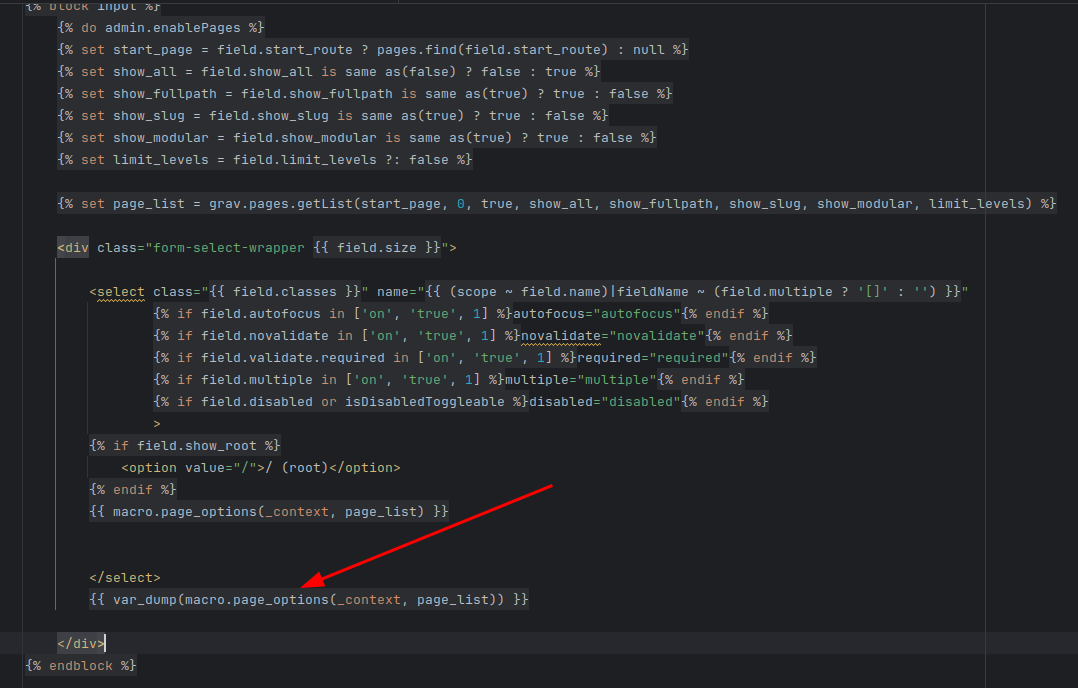
The var_dump in screenshot shows a list of all pages, thats what the Dropdown should do:

2025-02-18_07-25_1|690x440

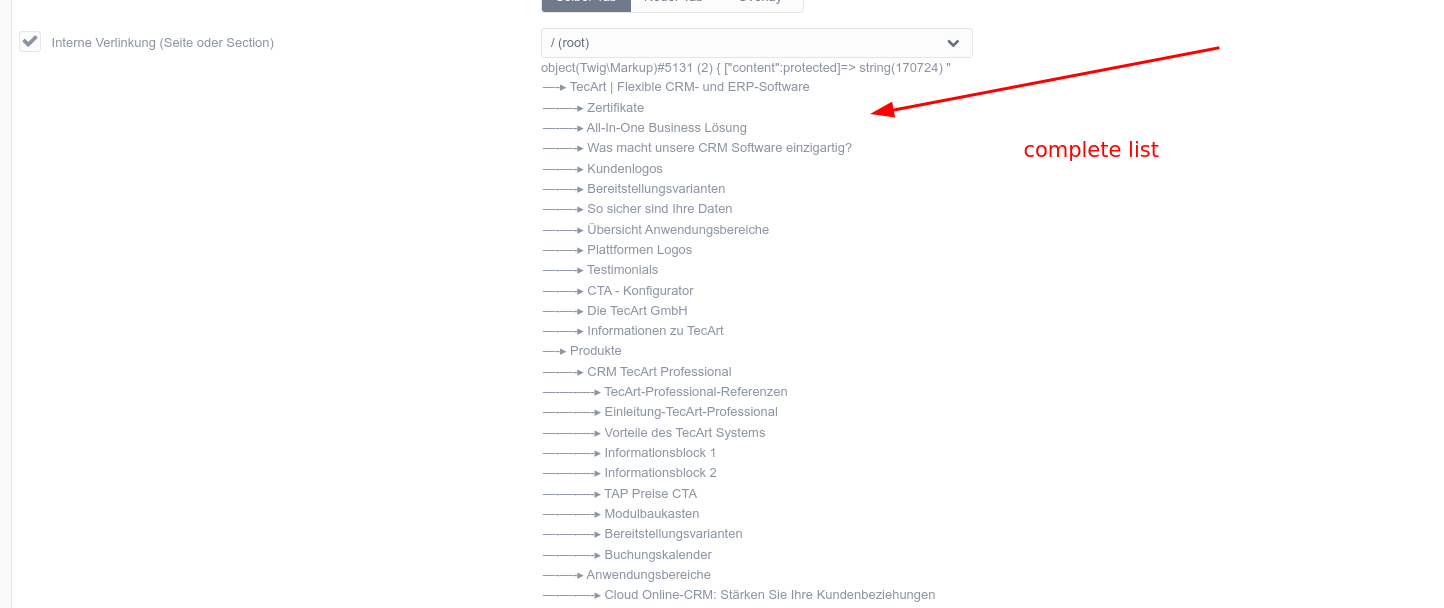
Output of var_dump:

2025-02-18_07-29_2|690x290

Thats all fine. So I think the widget seems to have a bug because even though it has all the data, Dropbox doesn't output all of it.

When I click into dropbox, JS Message appears in console:

image|690x31

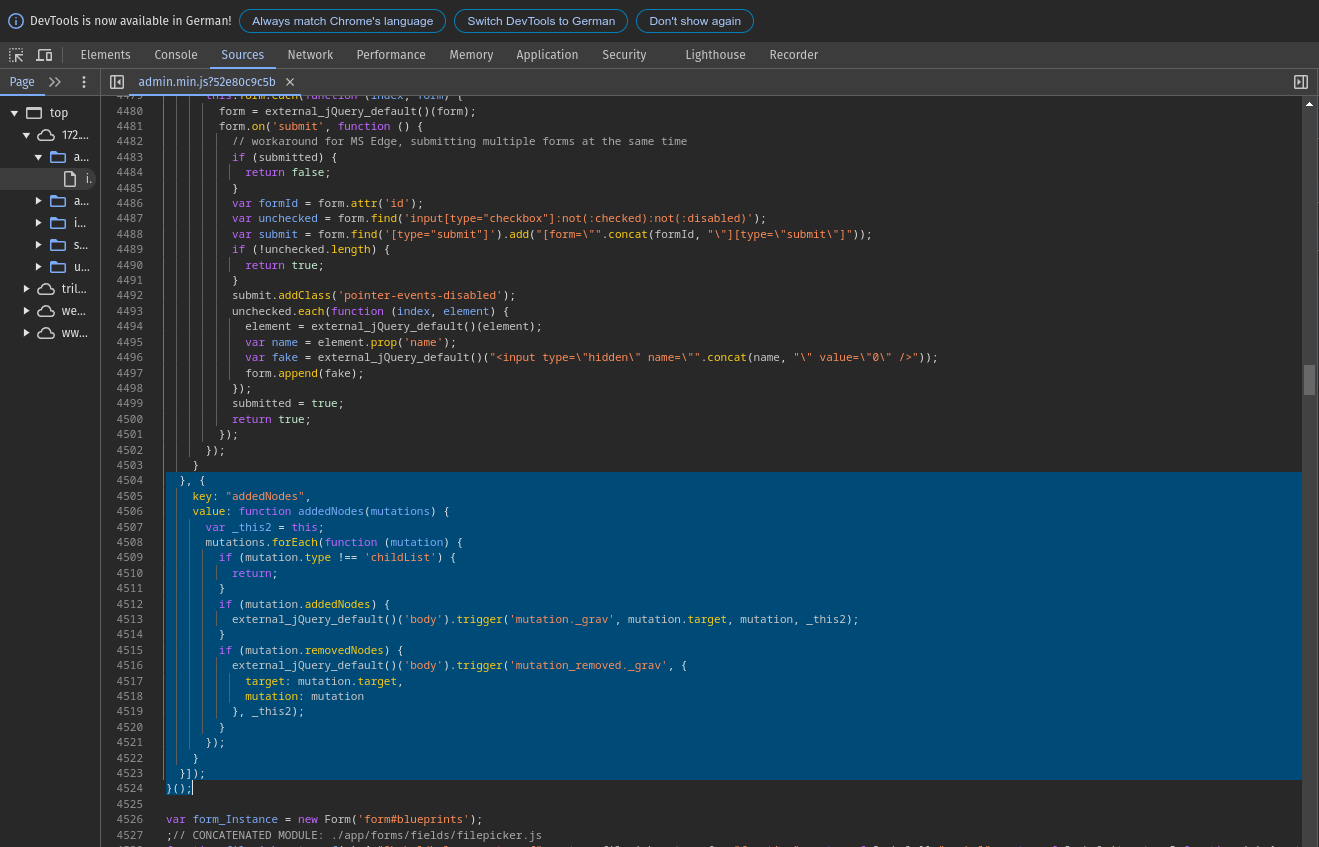
Click on that arrow jumps to following JS code part:

2025-02-18_07-32_3|690x443

I also opened an issue in the Admin Panel Plugin GitLab in case there are any insights there: https://github.com/getgrav/grav-plugin-admin/issues/2444

Steps to Reproduce:

  • Run a Grav site with over 1000 pages.
  • Use the pages field in a blueprint with show_all: true.
  • Open the Admin Panel and try to select a page.
  • Notice that the dropdown does not display all available pages.
👍 1
1 year ago

@christiana83, Bit late to the party, but did some research anyway...

TL;DR:

  • I can reproduce the issue
  • 1000 seems to be a hardcoded limit

Steps to reproduce:

  • Using default Grav+Admin installation
  • Create shell script to create 2000 pages:
    BASH
    for f in {3..2000}
    do
     mkdir "user/pages/$f.page$f"
     echo "Page $f" > "user/pages/$f.page$f/default.md"
    done
    
  • Added the page field to user/themes/quark/blueprints/default.yaml:
    YAML
    .link:
    type: pages
    size: large
    classes: fancy
    show_all: true
    show_root: true
    show_modular: true
    toggleable: true
    label: Internal Link (Page or Section)
    
  • Opened Admin and page Typography
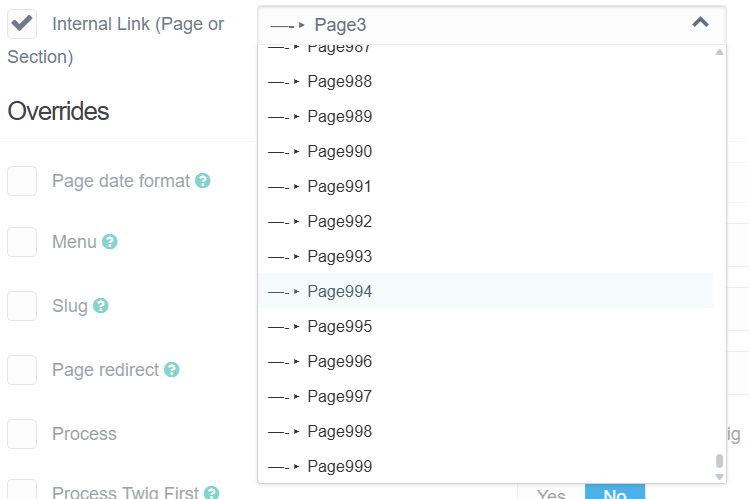
  • When selecting the page field, it shows 1000 pages (root page + 999 pages):
    image|690x459

Research:

  • Searched in Developer Console of Chrome for some unique element properties for the Page field: "selectize-dropdown-content"
  • Searched in ./user/plugins/admin/themes/grav/ for "selectize-dropdown-content"
  • Found it in user/plugins/admin/themes/grav/js/vendor.min.js
  • With some more searching, found function refreshOptions line 76261, which contains the following snippet just before creating all options (line 76275):
    TXT
    // build markup
    n = results.items.length;
    if (typeof self.settings.maxOptions === 'number') {
    n = Math.min(n, self.settings.maxOptions);
    }
    
  • settings.maxOptions is set to 1000 on line 77415
    TXT
    maxOptions: 1000,
    
  • Unfortunately, I've found no option in Admin or the definition of field Page to alter the value for maxOptions. But, I might be missing something...
👍 1
1 year ago Solution

@christiana83, Did some more research...

  • When adding a new page in Admin, there is a field in the modal form to choose the parent page. This field shows all 2000 pages.
  • Found in Admin the following blueprint /user/plugins/admin/blueprints/admin/pages/new.yaml which contains field:
    YAML
    route:
    type: parents
    label: PLUGIN_ADMIN.PARENT_PAGE
    classes: fancy
    validate:
      required: true
    
  • When I add this field to user/themes/quark/blueprints/default.yaml:
    YAML
    header.link:
    type: parents
    label: Internal Link (Page or Section)
    classes: fancy
    
  • The field will look like:
    image|690x69
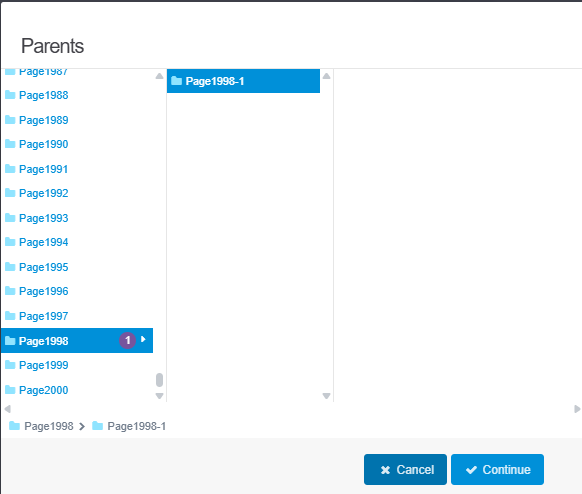
  • And when clicking the field, a modal form will display all 2000 pages:
    image|582x494

Not knowing your use-case and (UX) requirements, but it seems the undocumented "parents" field might (at least partially) solve the issue of showing 1000+ pages.

Uh, no, I haven't been able to change the title "Parents" (yet).

👍 2
last edited 05/15/25 by pamtbaau
1 year ago

Great solution, @pamtbau! 🎉

I replaced the pages field with the (undocumented) parents field type, and now all pages are listed—no more 1,000-item cap—and the selector is much more user-friendly:

YAML
header.link:
  type: parents
  label: Internal Link (Page or Section)
  classes: fancy

This gives you the same modal picker used by the “New Page” form, but without any hard limits and with a smoother UX. Highly recommended!
Thanks!

Suggested topics

Topic Participants Replies Views Activity
Support · by Thomas, 1 week ago
2 54 11 hours ago
Support · by Anna, 3 days ago
2 60 14 hours ago
Support · by Justin Young, 15 hours ago
1 30 15 hours ago
Support · by Duc , 1 week ago
2 65 5 days ago
Support · by Colin Hume, 1 week ago
2 57 5 days ago