Skip to content
Grav 2.0 is officially stable. Read the announcement →

Community guidelines

Please keep discussions civil and on-topic. Repeated violations may lead to a temporary ban.

Support

Loop.index - select 2 images/photos per element rendered

theme

Started by David Garner 5 years ago · 4 replies · 1965 views
5 years ago

I am trying to select 2 media elements per div rendered using the receptar theme in each rendering of blog_item element. In other words, I need to display a container that holds divs, where each div displays two images. The first div would have image1 and image2, the second dive would have image3 and image4, etc... My blog_item.html.twig looks like this:

TWIG
<div id="post-{{ loop.index }}" class="post-{{ loop.index }} post type-post status-publish format-standard has-post-thumbnail hentry category-cakes tag-no-excerpt">
  <div class="entry-media {% if truncate %}entry-{% if page.header.youtube or page.header.soundcloud or page.header.vimeo %}video{% else %}image{% endif %}{% else %} resp_video{% endif %}">

    <div class="post-thumbnail">
      {% if page.media.images|first %}
      {{ page.media.images|first.cropZoom(338,451).html('','', 'attachment-receptar-featured size-receptar-featured wp-post-image')|raw }}
      {% if page.header.text %}
      <div class="image-text">
        <span>
          {{page.header.text}}
        </span>
      </div>
      {% endif %}
      {% else %}
      <img class="attachment-receptar-featured size-receptar-featured wp-post-image" src="{{ theme_url }}/images/{{ site.global_featured_image }}">
      {% endif %}

    </div>
  </div>
</div>

I'm still learning the calls that come after the pipe such as

TXT
|first

I'm thinking it might be specified there but not sure...

Thank you!
5 years ago

All you need is add div break on every second image.
Something like:

TWIG
<div>
    {% for image in page.media.images %}
        {{ image.html()|raw }}
        {% if not loop.last and loop.index % 2 == 0 %}
</div>
<div>
        {% endif %}
    {% endfor %}
</div>
5 years ago

Thanks for the help. I'm still trying to get this to work...even with that logic, each post thumbnail renders 1 image per div. I think I've been staring at it too long, haha. I'm starting to work my CSS into spaghetti.
I'll try to include all the relevant code if you're able to take a look at it...thank you again.
blog_item.html.twig:

TWIG
<div id="post-{{ loop.index }}" class="post-{{ loop.index }} post type-post status-publish format-standard has-post-thumbnail hentry category-cakes tag-no-excerpt">
    <div class="post-thumbnail">
      <div>
          {% for image in page.media.images %}
              {{ image.html()|raw }}
              {% if not loop.last and loop.index % 2 == 0 %}
      </div>
        <div>
                {% endif %}
            {% endfor %}
        </div>
  </div>
</div>

style.css:

CSS
.posts {
    margin: 0;
}

.posts .hentry {
    position: relative;
    overflow: hidden;
    margin: 1px;
    vertical-align: top;
    display: inline-block !important;
}   

.posts .hentry:nth-child(4n + 1),
.posts .hentry:nth-child(4n + 2) {
    width: 282px !important;
    height: 141px !important;
}
.posts .hentry:nth-child(4n + 1){
    float: left;
}
.posts .hentry:nth-child(4n + 2) {
    float: left;
    clear: left;
}
.posts .hentry:nth-child(4n + 3),
.posts .hentry:nth-child(4n + 4) {
    height: 282px !important;
    width: 141px !important;
}
.posts .hentry:nth-child(4n + 3) img,
.posts .hentry:nth-child(4n + 4) img {
    height: 282px !important;
    width: 141px !important;
}

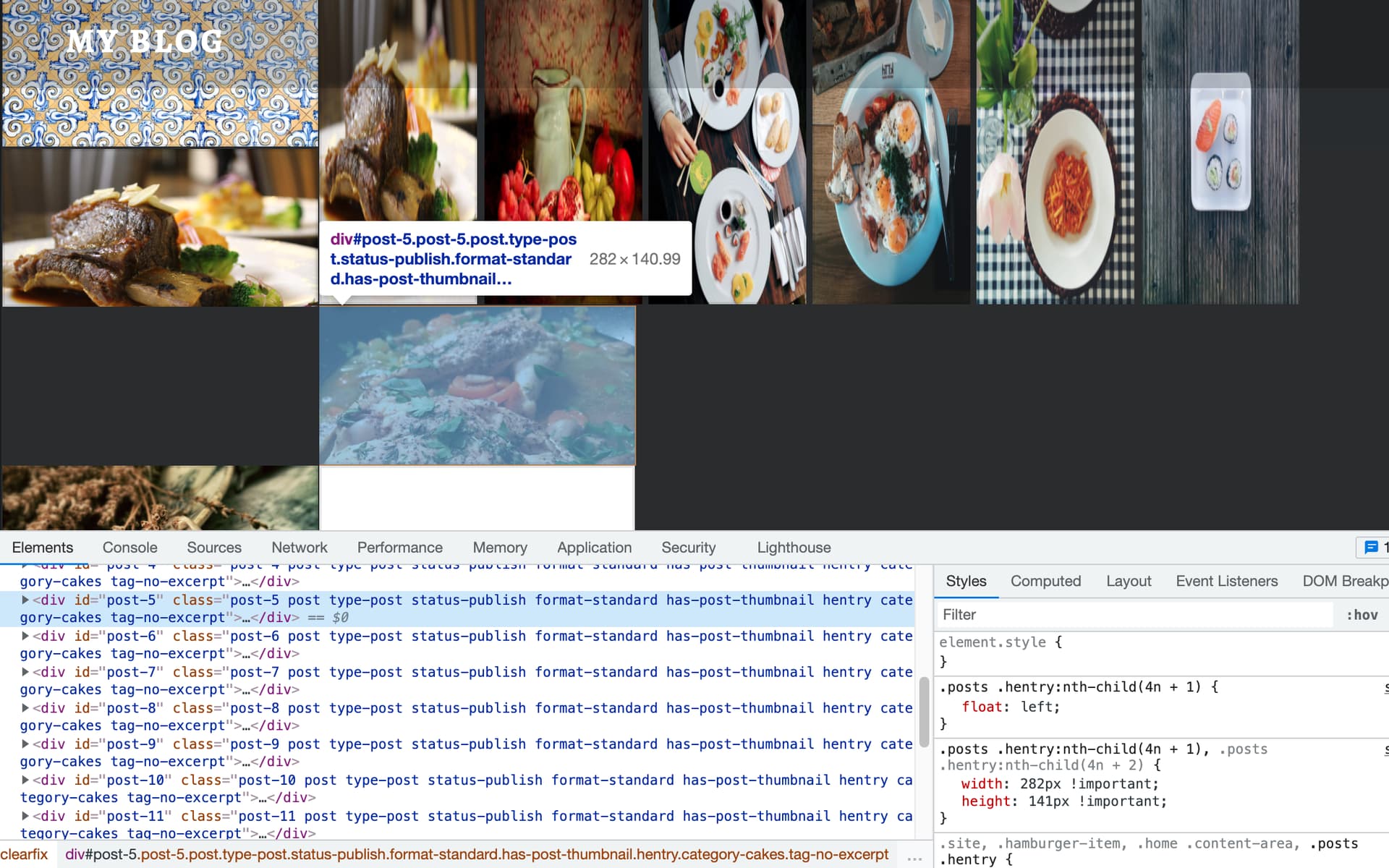
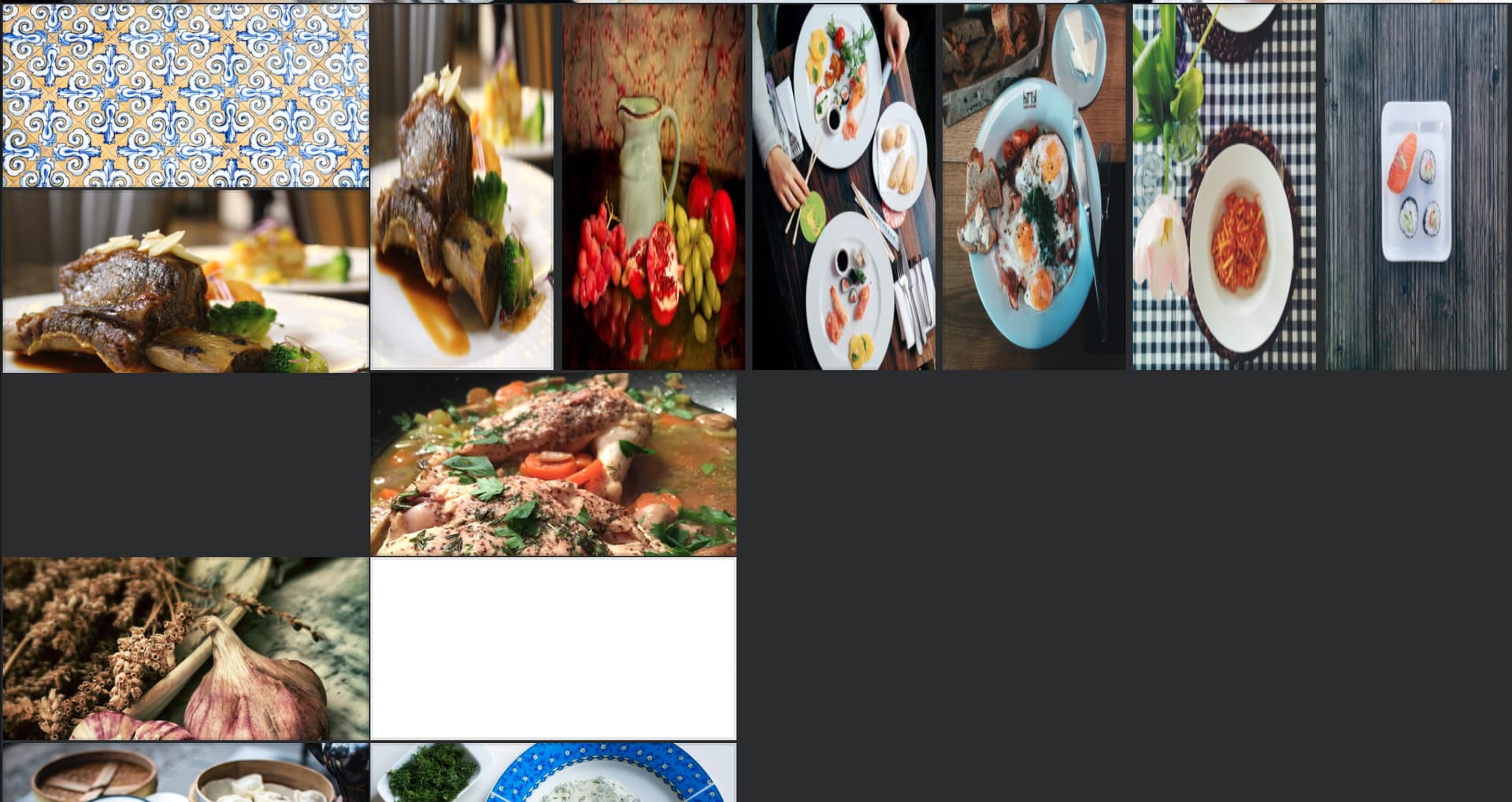
All this renders a page like this:
image|690x366

The first 4 posts are styled the way that I want. Posts 5 and 6 render BELOW post 4, however. The ones to the right are posts 7, 8, 11, 12.
image|690x431

Sorry, I know this is a lot and is confusing. But like I said, I'm starting to work myself into spaghetti-land. So if anyone has a moment to help out, it's greatly appreciated!

5 years ago

@logjammin:
id="post-{{ loop.index }}"

What exactly is looped here? You're still not showing full structure.
Also, if it's a blog item where you use my snippet, page.media.images should be only images for that blog item. I have too many questions in my head about all this example :)

5 years ago

Really, I am not entirely sure. I just started Learning Grav a month or two ago so I am still getting used to the Twig syntax. That loop was included with the Gateway theme, so I assume it loops through each item listed under the blog page and creates a blog post number for the length of however the items are stored (maybe an array?). I'm coming from JavaScript land so not sure about that either.

I've tried using the |batch(2) variable, but the Twig returns blank images whenever used. I made the repo for this project public if you'd like to check it out. https://github.com/davegrnr/receptar-grav-custom

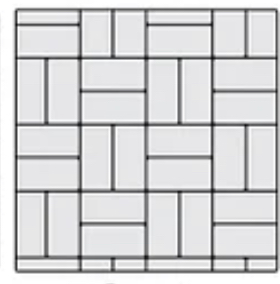
The person wants the layout to look like this:
image|280x284

Thanks for all your help :grinning_face_with_smiling_eyes:

Suggested topics

Topic Participants Replies Views Activity
Support · by Thomas, 1 week ago
2 64 17 hours ago
Support · by Anna, 3 days ago
2 68 20 hours ago
Support · by Justin Young, 21 hours ago
1 35 21 hours ago
Support · by Duc , 1 week ago
2 71 6 days ago
Support · by Colin Hume, 1 week ago
2 63 6 days ago