Skip to content
Grav 2.0 is officially stable. Read the announcement →
Support

Further question on collection items

Solved by pamtbaau View solution

Started by Taylor Ren 6 years ago · 2 replies · 422 views
6 years ago

Further to my previous post on "next"/"prev" link, I managed to create links to item pages in a collection, with directory structure like this:
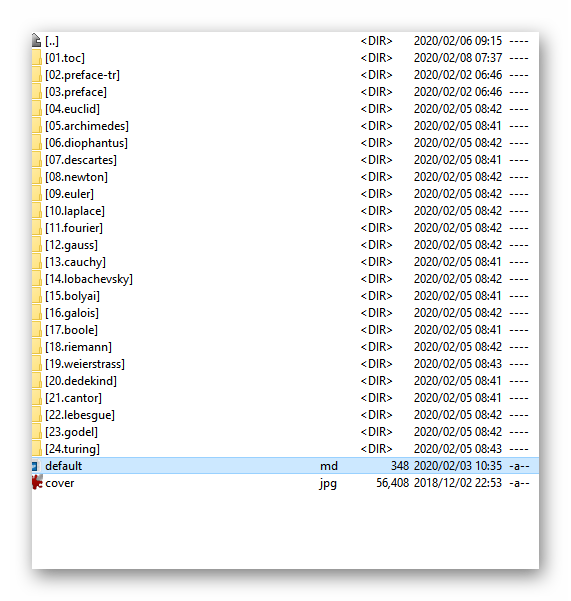
gcti|475x500

The default.md has one line in the frontmatter:

YAML
content:
  items: '@self.children'

And all directories have a file item.md. It works fine for "next"/"prev" page link.

Now I am trying to create "next"/"prev" in another folder:
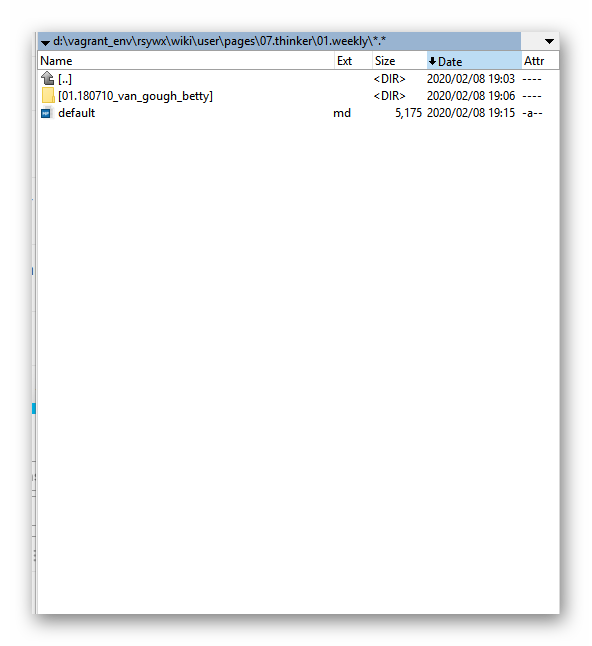
weekly|458x500

In this case, the pages\07.thinker has a few folders, one of which 01.weekly will have various sub folders.

In pages\07.thinker\01.weekly\default.md, I inserted the

YAML
content:
  items: '@self.children'

into it. in pages\07.thinker\01.weekly\01...., I created item.md but it won't show the "next"/"prev".

So, does the "next"/"prev" support directory structures like this?

@pamtbaau As requested, I post the tree structure for reference.
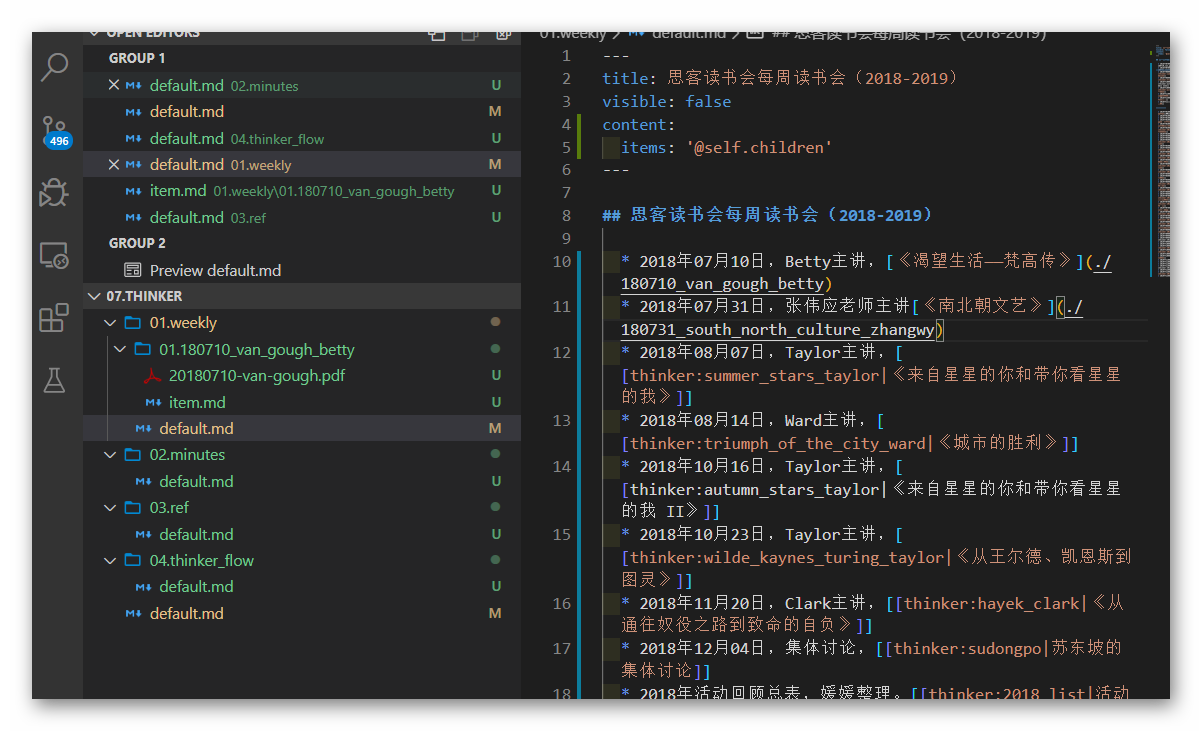
Ashampoo_Snap_2020年2月9日_07h07m24s_001_|690x419

last edited 02/08/20 by Taylor Ren
6 years ago Solution

@taylorren, In a fresh site using Quark theme, I have created the following folder structure:

TXT
07.thinker
├── 01.weekly
│   ├── 01.monday
│   │   └── item.md   <-- shows 'Previous Post'
│   ├── 02.tuesday
│   │   └── item.md   <-- shows 'Next Post'
│   └── default.md    <-- contains collection
└── default.md        <--       no collection
👍 1
6 years ago

I think I have found the issue: when I create the 2nd folder, it is now working. My mistake and you are right. @pamtbaau

Suggested topics

Topic Participants Replies Views Activity
Support · by BenLaKnet, 5 days ago
1 121 2 days ago
Support · by BenLaKnet, 1 week ago
5 195 2 days ago
Support · by kskt, 2 days ago
0 44 2 days ago
Support · by David Meissner, 3 days ago
0 43 3 days ago
Support · by David Meissner, 3 days ago
3 92 3 days ago