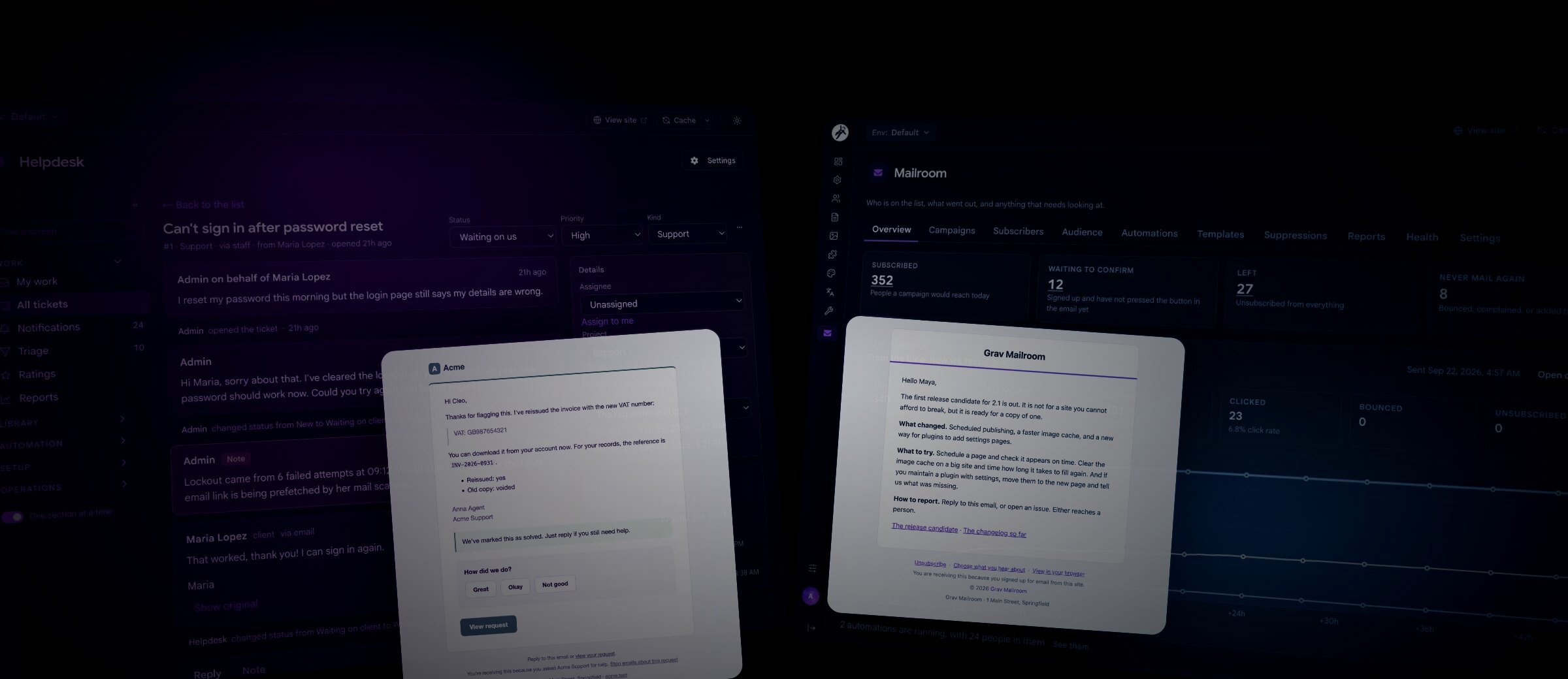

Last week we launched Helpdesk Pro and Mailroom: a support desk and a newsletter for Grav 2, at $100 each.
I wanted both inside Grav, with data that backs up and moves with the site, and no per-agent or per-subscriber bill. One helps you answer individual clients; the other lets you reach everyone with news.
Helpdesk Pro
A support desk for your team, a help center for your clients, and email that works both ways.
- Staff desk inside Admin Next
- Client portal with no passwords
- Knowledge base made of Grav pages
- Rules, SLA clocks, ratings and reports
Mailroom
A newsletter with lists, campaigns, segments and automations, and a real record of who agreed to what.
- Signup box anywhere on your site
- Double opt-in and a consent history
- Subject tests, segments, welcome series
- Opens, clicks and deliverability checks
Helpdesk Pro
Helpdesk Pro brings tickets into Admin Next, gives clients a portal on your site, and uses ordinary Grav pages for help articles. It’s built for agencies, developers, shops, and anyone outgrowing a shared support inbox.

The help center lives at /help (or wherever you want it), drawn by your own theme.
A help center that tries to answer first
The portal leads with search. A bundled YetiSearch index handles synonyms and typos, so can’t log in can find an article about signing in, with nothing extra to install.
Articles use the Help Article page type and your usual editor, with topics, related articles and group access.
The request form suggests matching articles as someone types their summary.

The request form spots "Can't download my invoice" and suggests the article that answers it.
If they still send the request, the ticket records their searches and articles read, so your team knows what they already tried.
Clients never need a password
Clients can write in as a guest or just email you; email-only clients need no Grav account. To visit the portal, they request a sign-in link or follow View request in an email.
Links are single use and stored as hashes. A confirmation button prevents corporate mail scanners from using them before the client does.
Email works both ways
Clients can stay in their mail app: branded replies go out, and incoming messages join the right ticket.
A reply by email Helpdesk Pro
- Client hits replyFrom Gmail, Apple Mail, Outlook or whatever they use
- Mail arrivesProvider webhook, IMAP mailbox, Cloudflare Email Routing or a mail alias
- Checked and threadedLoop guard, sender check, then matched to its ticket
- Cleaned upSignature, quoted history and "Sent from my iPhone" trimmed off
- On the ticketYour team sees it live and replies, and it goes back out as email
Receive mail through provider webhooks, Cloudflare Email Routing, IMAP, or a Postfix/Exim alias. Cleanup trims signatures and quoted replies; loop guards ignore autoresponders, bounces and mailing lists.
My favorite bit is Try an email: paste a message to check its sender, ticket match and cleanup without saving anything or emailing anyone.

Try an email: a dry run that shows every decision, saves nothing and emails nobody.
Outgoing replies carry your branding, the agent’s name and a View request button, without ticket numbers in the subject or walls of quoted history.

A reply that also solves the request goes out as one email, with a rating underneath.

The same conversation in the portal, where the client can reply, mark it solved or reopen it.
The desk
My work groups tickets needing your attention. All tickets adds search and filters, while Triage, project boards, saved replies, saved views and bulk editing keep the queue moving.

A ticket with the conversation in the middle, an internal note in amber, and the SLA clock on the right.
Internal notes stay private to staff. A collision guard warns if the client replies while you’re typing, letting you review their message before sending.
Press ? for keyboard shortcuts, including c to create a ticket, / to search, r to reply and n to add a note.

The optional Sync plugin adds live replies and typing indicators while preserving drafts. Without it, screens refresh when you return.
Rules and SLA clocks
Rules can assign priority, add notes, send saved replies or notify your team. Test against a ticket previews their actions without changing anything.
SLA policies track response and resolution targets in business hours, respecting timezones and holidays. Clocks pause while waiting on clients, and staff get warnings before targets slip.

Rules in plain when, if, then form, with a dry run against a real ticket.

Business hours with several ranges a day, overnight ranges and holidays.
Reports, and everything else
Reports cover your full ticket history: volume, backlog, reply times, SLA results, satisfaction and unanswered help searches. Every chart and table exports as CSV.

Also included:
- Customer ratings, with alerts for poor feedback.
- Custom fields with public, read-only or staff-only access.
- Organizations with optional shared requests.
- Team notifications through Slack, Discord, webhooks or email.
- Privacy tools for reviewing, merging and erasing personal records.
- Private files stored locally or in an S3-compatible bucket.
Everything lives in one SQLite file under user/data/helpdesk-pro/, with no database server to configure.
Mailroom
Mailroom grew out of KahunaCart’s Newsletters add-on. They share the same engine for lists, campaigns, segments, automations and reports, but Mailroom needs no store.
We’re using it too. On Saturday we moved the Grav newsletter from Sendy to newsletter.getgrav.org, importing about 4,200 subscribers and preserving over a thousand unsubscribed or bounced addresses. This site’s footer now sends signups there, and our next newsletter will come from Mailroom.

The overview: who's subscribed, who's still confirming, who left, and how the last campaign did hour by hour.
A signup box anywhere
Add {{ mailroom_form() }} to a page or template for a themed signup box with a choice of lists. You can also use the Form plugin’s mailroom action or the JSON endpoint that powers our own footer signup.
Every email links to a preference center where subscribers can update their name, choose lists or leave one, without an account or password.

A signup box with three lists to choose from.

The preference center, drawn by your theme.
A real record of who agreed to what
I’m proudest of the consent history. Every signup, confirmation, admin add, unsubscribe and return gets a new dated record of how and where it happened. Earlier records stay intact.
One subscriber's path every step recorded
- Signs upFrom a signup box, a Form plugin form or the JSON endpoint
- ConfirmsDouble opt-in per list, one email covers them all
- Gets mailCampaigns and automations, never twice for the same send
- Changes their mindPicks lists in the preference center, or leaves just one
- LeavesOne click from any email or their mail app, and stays left
Admins, imports and automations cannot resubscribe someone who left. Manual additions need either an invitation to confirm or a recorded note of where consent was given.

Every change to a person's consent is a new row, with when, how and from where.
Campaigns
Write campaigns in Markdown alongside a live email preview. Choose lists or a segment and see the recipient count before sending. People on multiple selected lists still receive just one copy.

The campaign editor. 164 people will get this one, and it tells you why 17 more won't.
Test two subjects sends each to a sample, then delivers the most-opened version to everyone else. You can also send tests, schedule, pause or cancel campaigns, and follow up with subscribers who joined later.

Test two subjects, then send the winner to everyone else.

One layout for every email, with your logo, colors and a footer that always has unsubscribe.
Segments and automations
Segments select subscribers by lists, tags, signup dates and campaign activity. Combine All, Any and None conditions and preview who matches.
Automations start on signup, confirmation or a tag change. Combine emails, waits, list and tag changes, and branches based on opens or clicks. A ready-made welcome series includes results for each step.

A segment with a live count of who matches.

A welcome series, with numbers for every step.
Numbers you own, and mail that arrives
Open and click records stay in your database, without IP addresses, browsers or locations, even if you change mail providers. Seven CSV-exportable reports cover campaign performance, list growth and reading times.
Before sending, check the Health tab for domain authentication, message setup, unsubscribe headers, bounce rates and delivery configuration, with plain explanations of anything needing attention.

Ten deliverability checks, each with a plain explanation when something's off.
Mailroom sends through Grav’s Email plugin. Delivery reports, bounces and complaints return through webhooks from Mailgun, Postmark, SendGrid, Amazon SES, SMTP2GO, MailerSend and Resend.
Bringing your list with you
Import your existing list by CSV, with a preview of new, existing, skipped and suppressed addresses. EmailOctopus exports work as-is. Repeat imports skip existing subscribers and never restore anyone who left.
Built the same way
| Helpdesk Pro | Mailroom | |
|---|---|---|
| For | Answering one person at a time | Telling everyone at once |
| Your team works in | The Helpdesk section of Admin Next | The Mailroom section of Admin Next |
| Your visitors see | A help center, request form and portal | A signup box and a preference center |
| Stored in | One SQLite file | SQLite, or MySQL or PostgreSQL |
| Sends through | The Email plugin | The Email plugin |
| Needs | Grav 2.0, API, Login, Email, Form | Grav 2.1, API, Email |
| Optional | Sync for live updates | Form, a provider transport for webhooks |
Both use your theme for their public pages, with templates you can override.
Both run on their own REST API, available to scripts and AI clients through grav-mcp. API key permissions control access: agents can draft private Helpdesk notes for review, and Mailroom requires the separate mailroom.send permission to start a campaign.
Get them
- Helpdesk Pro: $100 per site; requires Grav 2.0+. Read the documentation.
- Mailroom: $100 per site; requires Grav 2.1+. Read the documentation.
Both are one-time purchases. Add your license to License Manager, then install through GPM. Still on Grav 1.7? Start with the migration guide.
Every Grav Premium purchase directly funds continued development of Grav. Thank you for supporting it.
Questions? Join us on Discord. Owners can report bugs and request features in the Premium Issue Tracker.
Enjoy!
Andy