Hi, i have another question about the submenu…always in quark theme…I attach a screenshot, I would not see the “+” sign to open the submenu, but directly click on the menu item to bring up the submenu … how can I do? thank you in advance…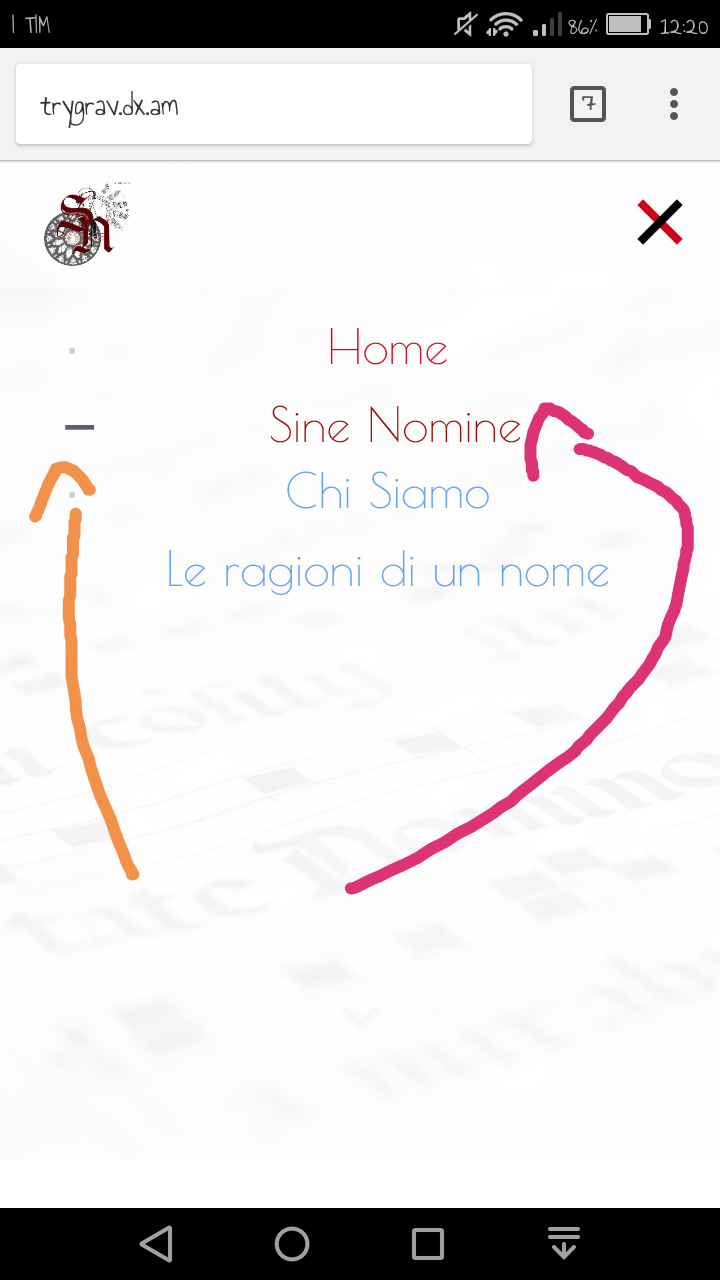
Solved by pamtbaau View solution
I don't consider the following really as a solution, but rather a hacky override of 'jquery.treemenu.js' (which runs the menu) plus some required css compensation.
-
Create inherited theme from quark-open-publishing if not already.
Use either of the following two options:- Manually, as explained in the docs on Theme Inheritance.
- Or run command
$ bin/plugins devtools newtheme.
See installation of devtools.
-
Copy file '/user/themes/quark-open-publishing/templates/partials/navigation.html.twig' into folder '/user/themes/mytheme/templates/partials'
-
Change the following lines in your copy of 'navigation.html.twig'...
TWIG{% if p.children.visible.count > 0 %} <li> <a href="{{ p.url }}" class="{{ active_page }}">...into
TWIG{% if p.children.visible.count > 0 %} <li> <a class="toggler {{ active_page }}"> <- only changed lineNote:
- Removing the 'href' prevents the <a> from opening the page it referred to.
- Class 'toggler' tells 'jquery.treemenu.js' to use the <a> to open/close the submenu.
-
Add the following lines to '/user/themes/mytheme/css/custom.css':
CSS.treemenu .toggler { display: contents; } .treemenu li.tree-empty > .toggler:before { content: initial; } .treemenu li { padding: 0; margin: 1rem 0; }Disclaimer:
-
Not tested on real mobile phone, but emulated mobile display using Chrome developer tools on Windows 10.
-
It does not work for all browsers since 'display: content' is not supported by all browsers. See Can I Use. If not supported, the layout will be horrible.
-
Not tested if multi-level submenu's work.
-
Test in your own and visitors context.
last edited 08/31/18 by pamtbaau
Thank you so much...it works!!!
Log in to reply.
Suggested topics
| Topic | Participants | Replies | Views | Activity |
|---|---|---|---|---|
| 4 | 474 | 2 weeks ago | ||
| 1 | 802 | 3 weeks ago | ||
| 3 | 662 | 2 months ago | ||
| 5 | 682 | 2 months ago | ||
| 1 | 642 | 3 months ago |