Hello,
I'm new on Grav.
I try to have a grav work like a blog.
Last thinks i need is to show on the blog home the writer.
I have installe the plugin:
Users Page Ownership
I have the theme :
Bootstrap Blog
What can i do ?
Thanks.
Hello,
I'm new on Grav.
I try to have a grav work like a blog.
Last thinks i need is to show on the blog home the writer.
I have installe the plugin:
Users Page Ownership
I have the theme :
Bootstrap Blog
What can i do ?
Thanks.
I need big help... Up 😁
hm,
not sure what you mean with 'show on the blog home the writer'.
did you read the tutorial for creating a blog ?
Yes I have read the guide.
I mean have like this
Now:
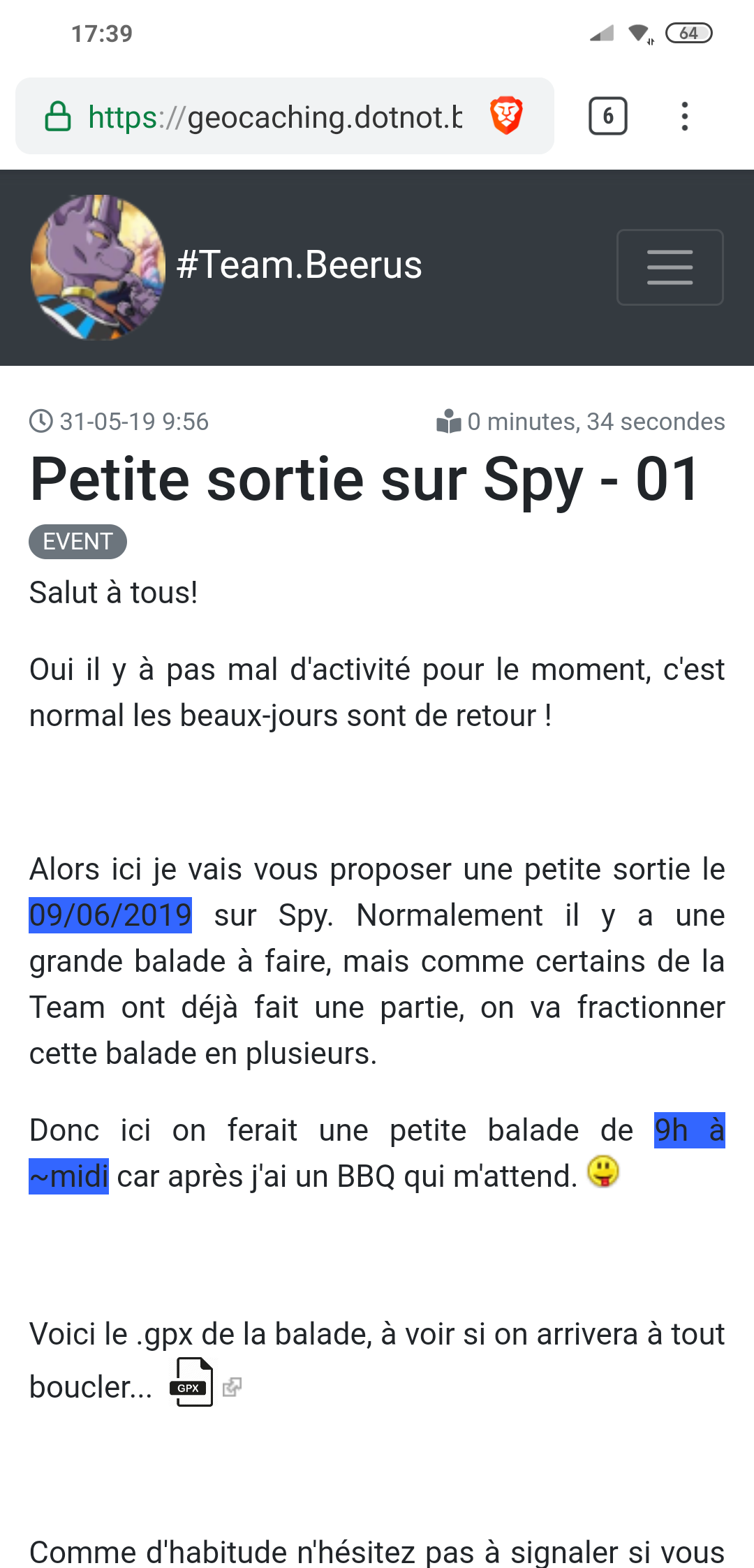
You see what i mean ?
Sorry for my bad english.
After:
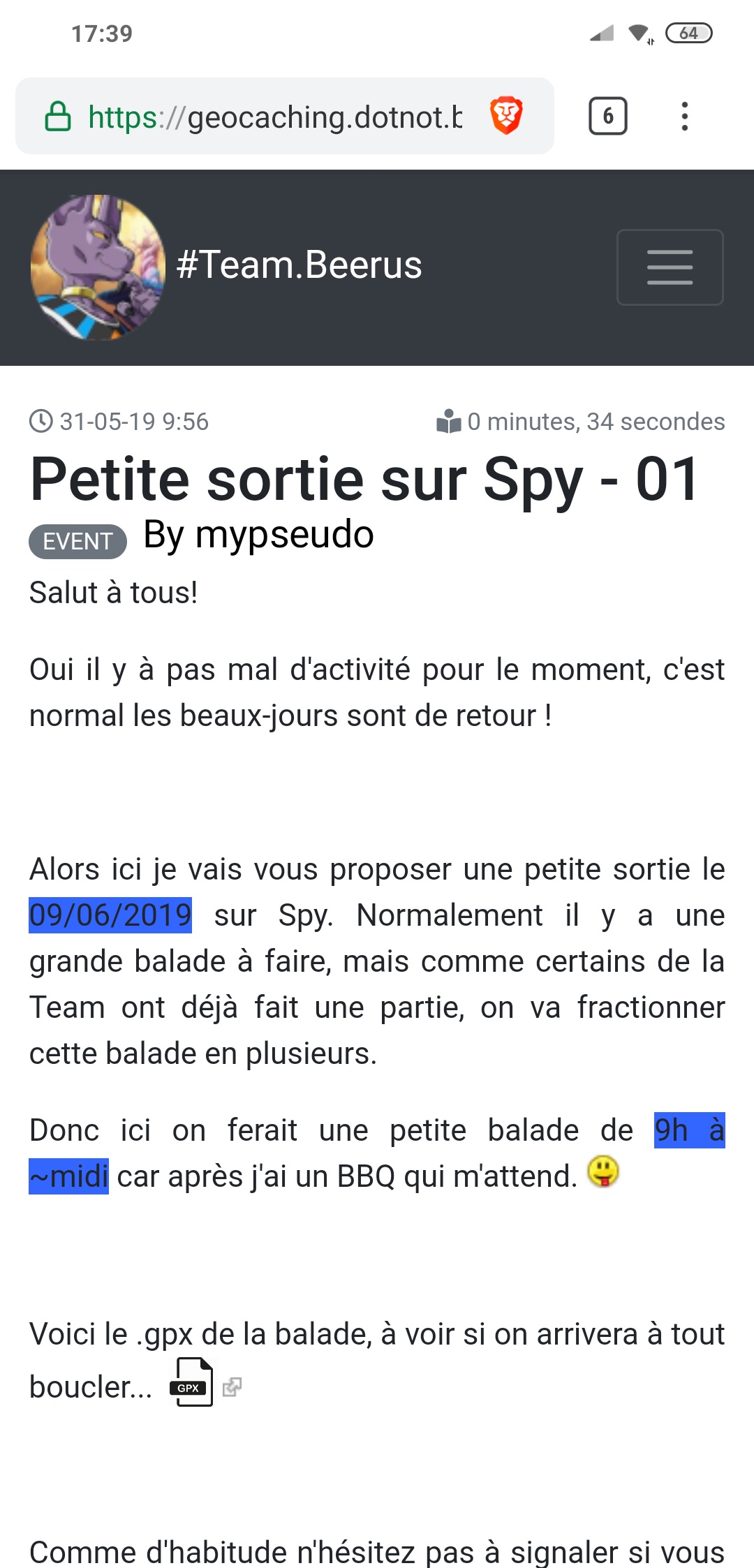
ah, ok, I think you want to show the name of the author of the blog post, right ? 😄
well, that can be done by just insert something like this:
  <h3 class="author-title">
    {{ page.header.author }}
  </h3>
in your theme's blog_item.html.twig template
I have try but have lots of error...
This is the github of the theme I try to modify
https://github.com/ayozehd/grav-theme-bootstrap-blog/blob/master/templates/item.html.twig
OK ! I have found my error.
It's the good olace for the code but wrong code.
Check this plugin https://github.com/Moonlight63/grav-plugin-users-page-ownership/blob/master/README.md
And inject the good code and works.
Thanks for the help.
Ok, fine to see you got it figured out.
Just another hint: you should now mark this thread as solved.
Just for reference for others who may have similar issues.
And, of course, welcome to the grav community 🙂
(I should have mentioned this ealier, I know...)
short addition to my proposal 😄
you already added the text 'solved' , which is ok, for sure.
what I meant was to just click on the check box for the thread which will then be marked as solved.
Log in to reply.
| Topic | Participants | Replies | Views | Activity |
|---|---|---|---|---|
| 4 | 472 | 2 weeks ago | ||
| 1 | 799 | 3 weeks ago | ||
| 3 | 657 | 2 months ago | ||
| 5 | 678 | 2 months ago | ||
| 1 | 641 | 3 months ago |