Hi,
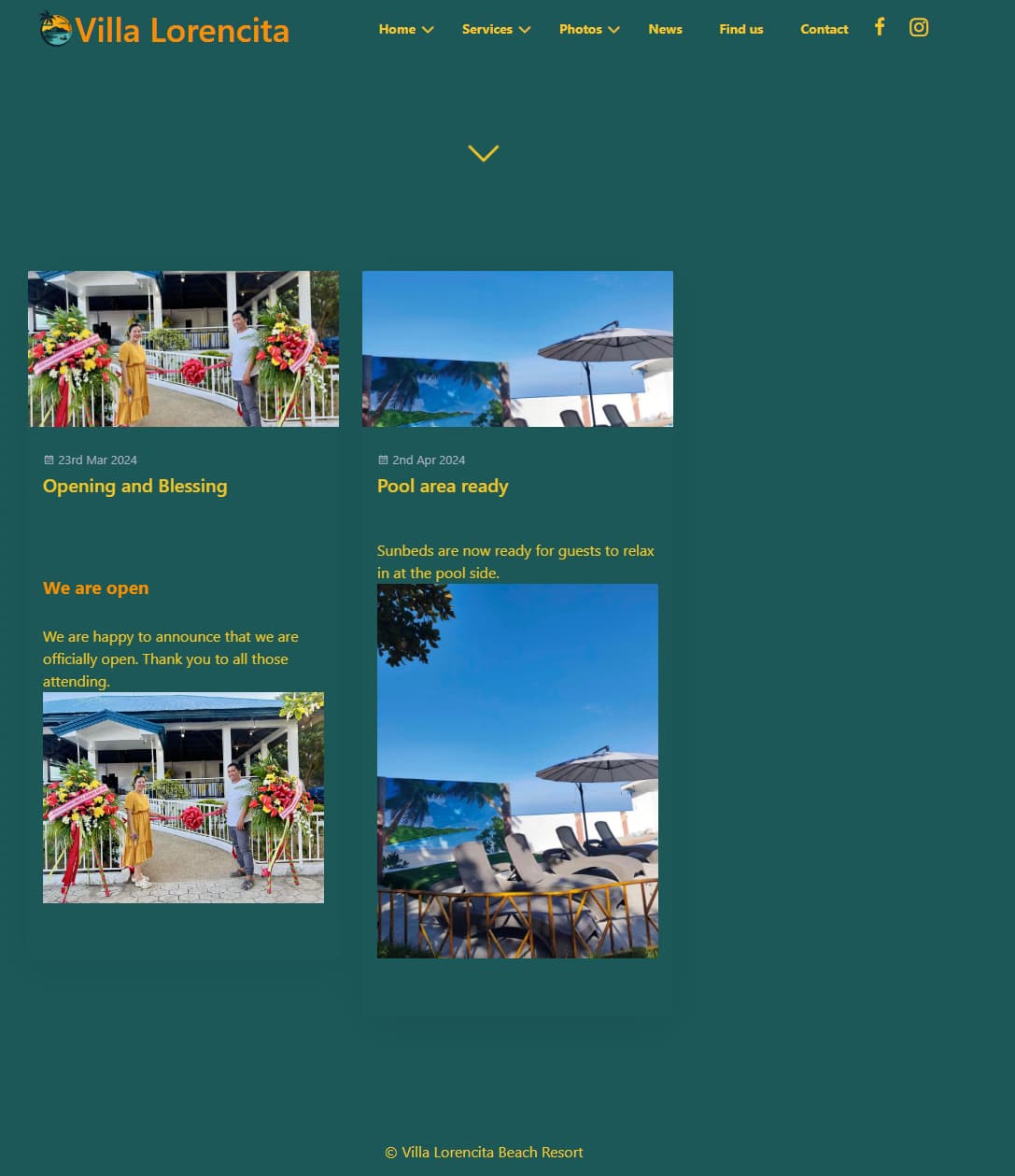
I am running Grav with default Quark theme. I added a blog page and two blog entries (see screenshot). However, no matter what I try I cannot get rid of the header/title image. It just duplicates the one image in the blog post and that looks stupid to me.
Any pointers on what I might be missing?
I have tried:
Frontmatter: Add "hero: none", "hero_image: false" and iterations of false, none etc.
Toggle the "Display Header Image" option in the "Blog Item" settings.
Thank you for that - this at least removes the image in the content / summary.
But then, if I may draw on your knowledge, would you remove the one in the blog title? What is the “Display Header Image” option for?
Thanks again.
But then, if I may draw on your knowledge , would you remove the one in the blog title?
Why is knowledge written using italic? 🤔
Anyway... If you take a look at lines 1-7 of template blog-list-item.html,twig, you'll see there is no logic to prevent displaying the card-image div at the top of the blog list item.
All you can do is removing the logic that creates the "card-image" <div> in Twig. But please only make changes in an inheriting theme, else you'll lose all changes when a new version of Quark arrives.
What is the “Display Header Image” option for?
Nothing? It's available since v1.0.1 (2018), but I don't see any use for it. Maybe its a copy/paste leftover...
How you can find out yourself:
Lookup the name of the field with title "Display Header Image" in the blueprint of the blog item (themes/quark/blueprints/item.yaml). You'll find "header_image"
Search in all templates the occurrence of "header_image"
If you don't find a reference anywhere, it is probably not being used.
Update:
Antimatter, the poster theme before Quark, did contain the same "header_image" andhad a use for it in its templates. So, I guess it was copied into its successor Quark.