Skip to content
Grav 2.0 is officially stable. Read the announcement →

Community guidelines

Please keep discussions civil and on-topic. Repeated violations may lead to a temporary ban.

Themes & Styling

Grav main site theme with wide display

theme

Solved by pamtbaau View solution

Started by Sam 6 years ago · 3 replies · 981 views
6 years ago

Hi,

I am starting a new blogsite with Grav and would like to follow the theme used in Grav main site.
I love the full width display for the blog content and want to use that in my blog article page.
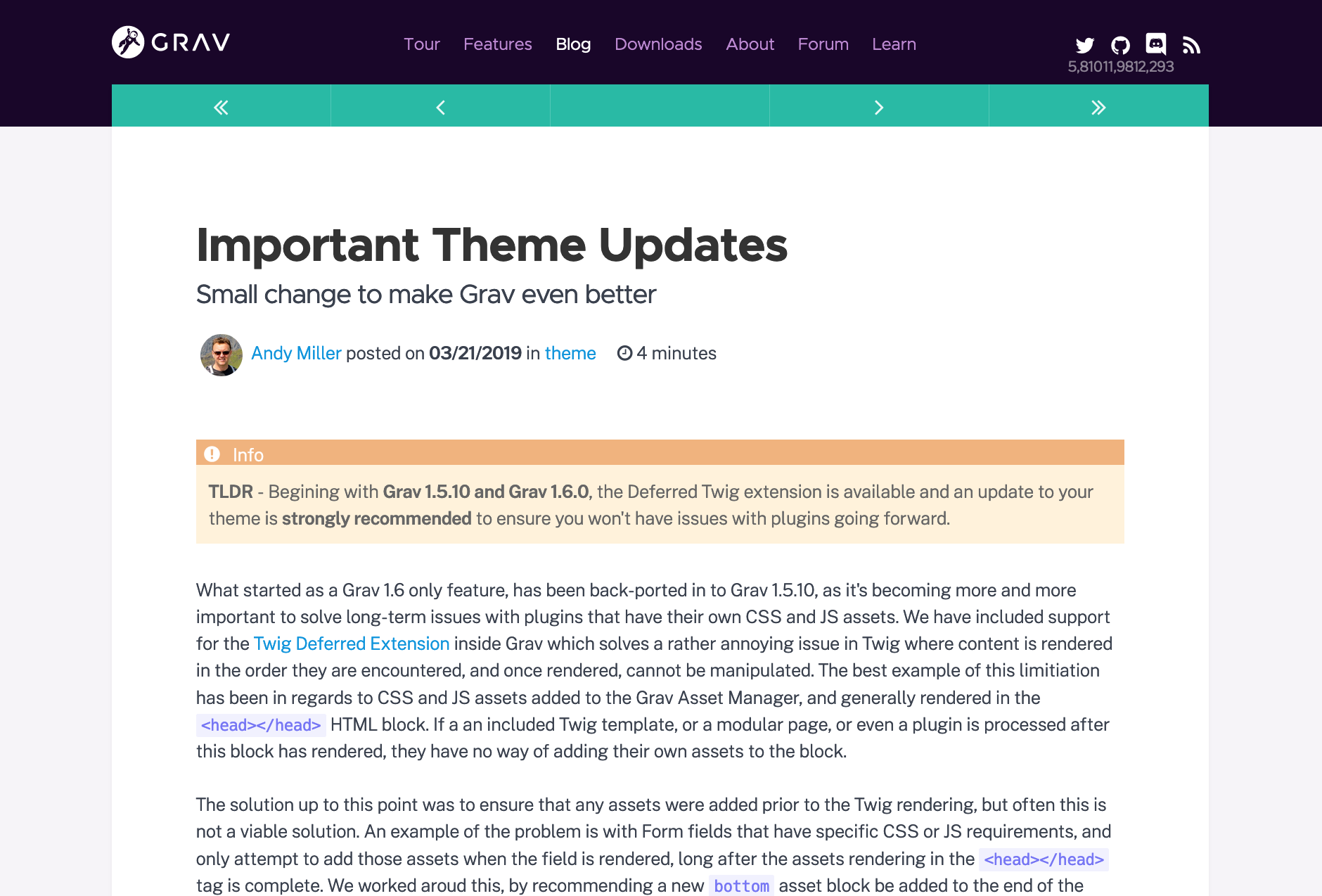
Screenshot 2020-05-20 at 4.37.11 PM|690x467

I tried to install the "Antimatter" theme to replicate this but face some problem:

  1. How to remove the side bar in the article page.
  2. How to frame the content into a center aligned box with auto flex to 1300px. (Just like how Grav Blog does it)

What do I need to change to achieve that same wide display layout?

Any advise is much appreciated.

Thanks a lot!
Sam

6 years ago

Hi Sam,
you will be able to do that by looking at the templates to remove the sidebar, and at the css to frame the content.

I haven't used the antimatter theme but there will be a template related to a blog page (often "item.html.twig) and within that there will be a call to include the sidebar.html.twig - just comment it out or remove it.
For the content you should look at the css - you can make a custom css file that will override the default, rather than changing the theme files. Hope this helps.

6 years ago Solution

@sam2020, To give you a tad more explicit solution...

  • First, if not already, create an inherited theme. If you don't, you will risk loosing all changes when you refresh Antimatter, or install an update.
    Let's presume you have created an inherited theme called 'mytheme'.
  • To remove the sidebar from the main blog page:
    • Copy file 'user/themes/antimatter/templates/blog.html.twig' into folder '/user/themes/mytheme/templates'
    • Open file 'user/themes/mytheme/templates/blog.html.twig'
    • Remove or comment out lines 30-32
  • To remove the sidebar from a blog item:
    • Copy file '/user/theme/antimatter/templates/item.html.twig' into folder '/user/themes/mytheme/templates/'.
    • Open file '/user/theme/mytheme/templates/item.html.twig'
    • Remove or comment out lines 12-14
  • To keep the content at a max width of ~1100px + ~150px padding:
    • Create file 'user/themes/mytheme/css/custom.css'
    • Add the following to 'custom.css':
      CSS
      @media (min-width: 1300px) {
      .padding-horiz,
      .fullwidth #header,
      .fullwidth #breadcrumbs,
      .fullwidth .blog-header,
      .fullwidth .blog-content-item,
      .fullwidth .content-wrapper,
      .fullwidth ul.pagination,
      .fullwidth #body > .modular-row,
      #body,
      #header,
      #footer {
      padding-left: calc((100vw - 1300px) / 2 + 7rem);
      padding-right: calc((100vw - 1300px) / 2 + 7rem);
      }
      }
      

      The above css will maximise the width of the content to ~1000px plus ~150px (7rem) of space at each site. Below 1300px it will follow the default layout of Antimatter.

Hope the above creates what you are looking for...

👍 2
last edited 05/21/20 by pamtbaau
6 years ago

Hi Pamtbaau,

Thanks a lot for the steps.
That works.
Really appreciated it.

Regards,
Sam

Suggested topics

Topic Participants Replies Views Activity
Themes & Styling · by Pedro M, 2 months ago
4 193 2 months ago
Themes & Styling · by Ian, 2 months ago
3 91 2 months ago
Themes & Styling · by Norbert, 2 years ago
11 451 3 months ago
Themes & Styling · by Lukáš Findeis, 3 months ago
0 45 3 months ago
Themes & Styling · by Sebadamus, 4 months ago
5 125 3 months ago