Skip to content
Grav 2.0 is officially stable. Read the announcement →
Themes & Styling

Getting new template to appear

Started by Lee Underwood 5 years ago · 11 replies · 603 views
5 years ago

I have just installed Grav and I added a couple themes. One of them is "Bootstrap" but for some reason the index page looks the same as before. In the directory at /user/config/themes I have a bootstrap.yaml but all it has in it is "dropdown: enabled: false". Any suggestions?

last edited 11/16/21 by Lee Underwood
5 years ago

Did you activate your theme on Admin Themes section or manually in system.yaml config?

5 years ago

Yes. I have also tried different ones and all I get is a return to the default theme or, in one case, all I get is coding.

5 years ago

@LeeUnder, Many themes are old, very old.... And Grav 1.7 introduced breaking changes.

See Most common Issues point 1.

5 years ago

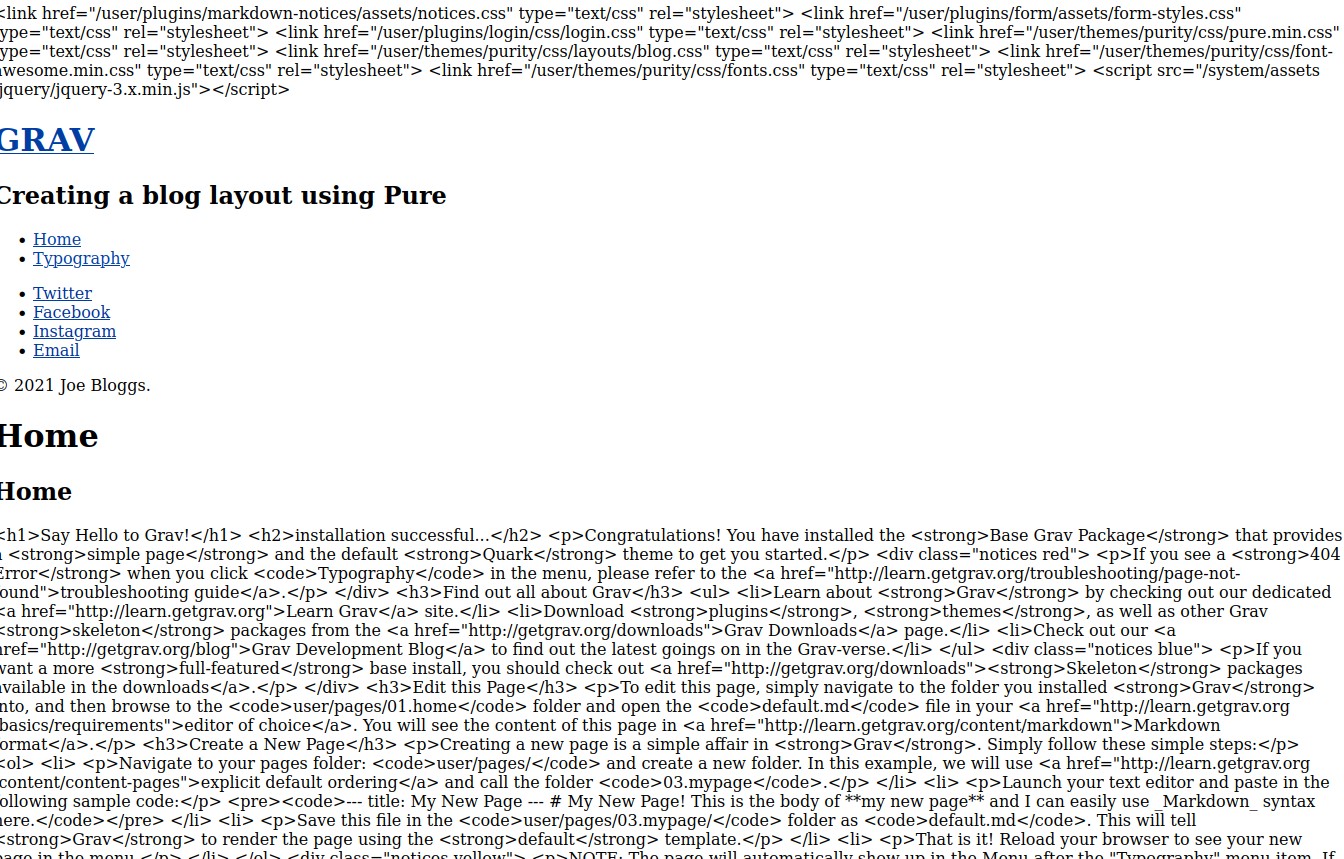
Thank you very much! I managed to get the "Purity" theme working. I guess the thing to do is just try a theme at a time (though I am satisfied w/the above).

I just added the "Markdown Typography v1.0" and I now can't display my site, not even the admin page.

I am beginning to think I need to select another program!

last edited 11/17/21 by Lee Underwood
5 years ago

Nevermind. Thanks again for the help but it's just to hard to know when a plugin, etc, was last updated. I'll try another system. Thanks again.

5 years ago

@LeeUnder, If Grav does not meet your needs, it's useless to stick around. I agree with you on that.

However, I would like to know what is causing the issue you are experiencing.

I have installed theme Purity on a fresh Grav installation, fixed the auto-escape issue and installed plugin "Markdown Typography". The site is working fine as well as Admin.

Would you mind elaborating on the issue you are experiencing?

5 years ago

I have reinstalled it again (through Cpanel), did the autoescape thing, installed Purity, and it works fine now. I'm backing it up now and then will try a few plugins and I'll check back.

Before, I had installed several plugins and the screen was blank. I couldn't see anything but a while page, no text. I'm concerned that I have to deal with out-of-date items, i.e., themes, plugins, etc. Is that going to be a problem?

(BTW, thanks for replying. I do like the program.)

[Edit: How do I get posts to appear on homepage?]

last edited 11/19/21 by Lee Underwood
5 years ago

@LeeUnder,

I’m concerned that I have to deal with out-of-date items, i.e., themes, plugins, etc. Is that going to be a problem?

That concern is valid, whether it is a problem depends on your personality traits, skills, background, project requirements, etc.

How do I get posts to appear on homepage?

That depends on the page-type of your homepage. It is different for a single-page (modular) or a blog page (listing). See docs Basic Tutorial and Content.

A few suggestions:

  • Read the docs!
  • Stick to the default Grav installation, with its default theme Quark, for a while, until you have a good understanding of Grav.
    Quark is build by the team and therefor the best maintained one.
  • Install two extra skeleton (= example) sites to get a feel of blog sites and single-page sites: "Blog Site" resp. "One-Page Site".
    Both are based on Quark.
5 years ago

Thanks. This isn't my first rodeo. I done much of that already. But the 'manual' can be a bit confusing, for instance, "Simply find the /blog page, obtain it's children, order them by date in a descending order," I have looked all through my site and I can't find a "/blog" anywhere. The manual seems like it was for a previous version that no longer exists.

In addition, some of the 'manual' pages have been removed, e.g., they no longer exist, or else the link leads to a non-working domain. Can't they be cleaned out? That's what I mean. You don't know if something is outdated until it's installed, if that doesn't mess up the rest of the program. I have never dealt with that kind of 'sloppiness'. Sorry, but I don't know what else to called it

last edited 11/19/21 by Lee Underwood
5 years ago

I have looked all through my site and I can’t find a “/blog” anywhere.

That's just funny... I'm afraid you've mistaken concepts for instructions...

In addition, some ​of the ‘manual’ pages have been removed, e.g., they no longer exist, or else the link leads to a non-working domain.

Yes, flaws may arise overtime. It's a small core team of designers/developers and there is no separate staff for documentation.

Can’t they be cleaned out?

Yes, you can clean them out... It is a free OS CMS and anyone who is willing to contribute can "clean out" issues by creating a PR to fix any broken links, or make other corrections.

As I said before: That concern is valid, whether it is a problem depends on your personality traits, skills, background, project requirements, etc.

Everyone has his/her own checklist to decide whether there is a fit or not...
last edited 11/20/21 by pamtbaau

Suggested topics

Topic Participants Replies Views Activity
Themes & Styling · by Pedro M, 2 months ago
4 226 2 months ago
Themes & Styling · by Ian, 2 months ago
3 119 2 months ago
Themes & Styling · by Norbert, 2 years ago
11 483 3 months ago
Themes & Styling · by Lukáš Findeis, 3 months ago
0 73 3 months ago
Themes & Styling · by Sebadamus, 4 months ago
5 152 3 months ago