Hi again
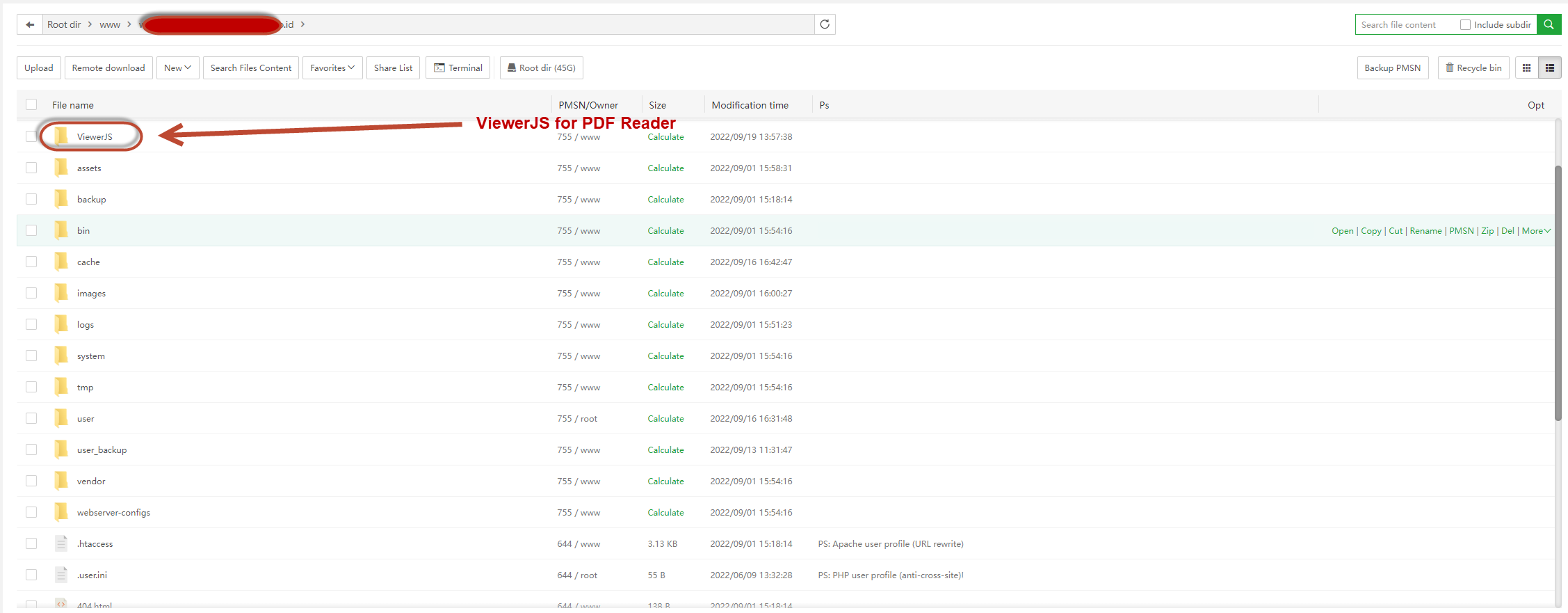
I want to using ViewerJS library, but instalation i must access via Url, examples my sites
https://web.persahabatan.co.id/ViewerJS/#../{{ path_file }}
How to handle ViewerJS Folder in my grav site?
like below, it's good?
Thanks.
Solved by desta View solution
Hi again
I want to using ViewerJS library, but instalation i must access via Url, examples my sites
https://web.persahabatan.co.id/ViewerJS/#../{{ path_file }}
How to handle ViewerJS Folder in my grav site?
like below, it's good?
Thanks.
I believe you should edit .htaccess rules.
Also there's Ignore folders option in system.yaml I think, but not sure what it does
it's must use .htaccess rules? can you provide some details? i'm using apache.
Yes, it's have options ignore_folders but default like
  ignore_files:
    - .DS_Store
  ignore_folders:
    - .git
    - .idea
btw, ViewerJS inside user folder or in outside userfolder?
In my case i'm using
<iframe src="{{ base_url_simple }}/ViewerJS/#..{{ url }}" width="100%" height="800"></iframe>
it's working, but... i'm asking for security reason. it's good approach like thats?
Wait, are you using it in the same Grav site? I thought you wanted it to be accessed from outside. So why can't you put it to your theme and use like {{ url('theme://ViewerJS/#..{{ url }}') }}?
it's not work.
ViewerJS need root folder, can i secure this, cz Grav Site in root folder too. how handle security with it?
Oke, Everthing is done and Running well in Production Server, App Grav Is more secure now! this is my step.
grav ~ resource 1, in my case it's like this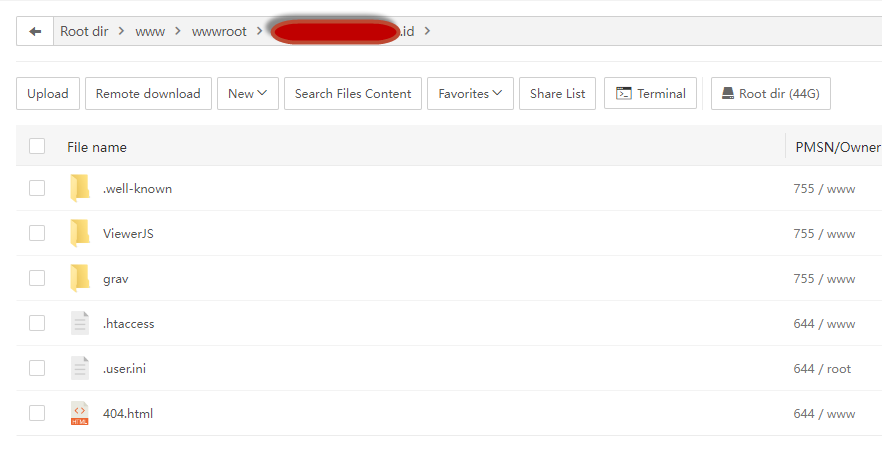
gravfolder is my grav site andViewerJSis other app need my grav site to operated.
Follow instruction in link before, in resource 1.
Custom .htaccess for you apache config like below ~ resource 2
<IfModule mod_rewrite.c>

RewriteEngine On
RewriteRule ^(ViewerJS)($|/) - [L]
RewriteCond %{REQUEST_URI} !^/grav/
RewriteRule ^(.*)$ /grav/$1

</IfModule>

# Begin - Prevent Browsing and Set Default Resources
Options -Indexes
DirectoryIndex index.php index.html index.htm
# End - Prevent Browsing and Set Default Resources
Big thanks to @Karmalakas for long discussion and make me more creative search the problem.
Log in to reply.
| Topic | Participants | Replies | Views | Activity |
|---|---|---|---|---|
| 4 | 488 | 3 weeks ago | ||
| 1 | 811 | 3 weeks ago | ||
| 3 | 669 | 2 months ago | ||
| 5 | 688 | 2 months ago | ||
| 1 | 651 | 3 months ago |