I'm an absolute newbie with grav and I'm in the process of setting up a website with it. I found the "timeline" plugin which does exactly what I wanted. However, once I've chosen the timeline page, the quark theme menu is gone. Is there any configuration or option that can be chosen to keep the menu so I don't need to hardcode links back to the main page?
The Timeline-template, and its underlying Event-template, is standalone, and as such does not by default integrate any theme-elements. However, the Timeline-template exposes both a header and a footer template-partial that you can use for this purpose.
For example, in the header-template, which you can copy into your own theme, you could add
TWIG
{% import 'macros/macros.html.twig' as macros %}

<ul {{ tree ? 'class="tree"' : '' }}>
    {{ macros.nav_loop(pages) }}
</ul>
which is what Quark uses to construct the menu.
I'm assuming I'm doing something incorrectly. I've created my own theme which inherits everything from Quark (as per the grav docs) and then copied the " timeline_header.html.twig" into ...grav/user/themes/mytheme/templates/partials.
With my custom theme and the timeline_header.html.twig with the above content, it looks like this in the timeline page:

Is there something obvious I might be doing wrong?
Are you expecting it to render or style differently? The timeline_header.html.twig-partial would need to include the necessary styles, as the plugin itself only registers its own styles by default. You'll also want to register them to the bottom-group, eg. {% do assets.addCss('theme://css/mycss.css', {'group': 'bottom'}) %}.
Well, I'm hoping I can get it to render differently. The timeline page is one of several pages on my web site. On other pages the menu renders like this:

The screenshot snippet from my earlier post is what it looks like after I added the code suggested by you in the first reply. Before that, no menu whatsoever was displayed on the page where I'm using your plugin.
As stated, the Timeline-plugin's template is not coupled to any theme, and as such will not render any particular theme's menu or other components by default. However, it doesn't take much to render a theme's elements. Using Quark as the example, create user/themes/mytheme/templates/partials/timeline_header.html.twig, with this content:
TWIG
{% set compress = theme_var('production-mode') ? '.min.css' : '.css' %}
{% if block("header", "partials/base.html.twig") is defined %}
  {{ block("header", "partials/base.html.twig") }}
{% endif %}
{% if block("stylesheets", "partials/base.html.twig") is defined %}
  {{ block("stylesheets", "partials/base.html.twig") }}
{% endif %}
{% if block("javascripts", "partials/base.html.twig") is defined %}
  {{ block("javascripts", "partials/base.html.twig") }}
{% endif %}
{% if block("assets", "partials/base.html.twig") is defined %}
  {{ block("assets", "partials/base.html.twig") }}
{% endif %}

{{ assets.css()|raw }}
{{ assets.js()|raw }}
Which will:
- Set the
compress-variable that Quark uses. - Render the
header-block from Quark. - Render the
stylesheets-block from Quark. - Render the
javascripts-block from Quark. - Render Quark's assets.
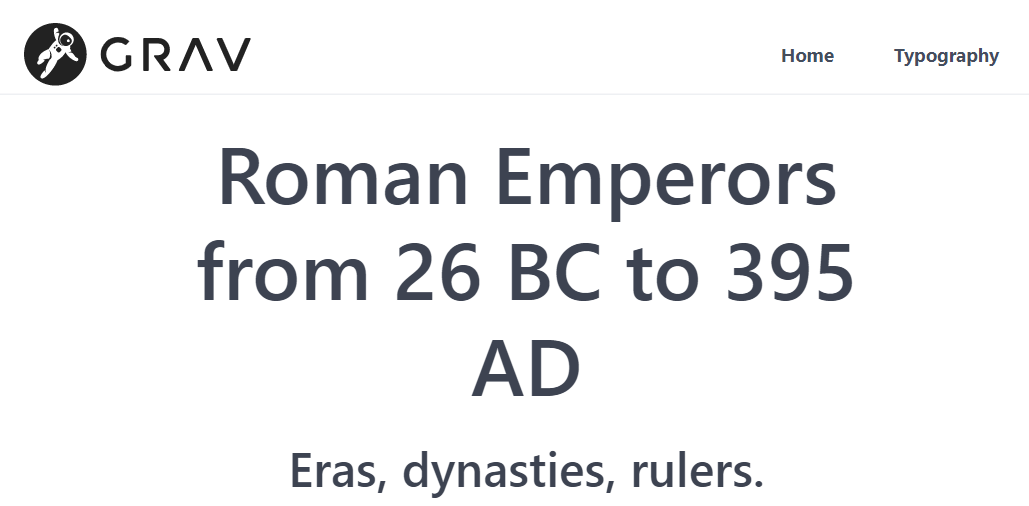
We now have the HTML-structure Quark uses for its header, as well as any and all assets necessary. So we'll be using the regular timeline.md with timeline.html.twig, but the plugin will also load what's necessary to render the menu:
Log in to reply.
Suggested topics
| Topic | Participants | Replies | Views | Activity |
|---|---|---|---|---|
| 4 | 160 | 7 days ago | ||
| 2 | 140 | 1 week ago | ||
| 5 | 371 | 2 weeks ago | ||
| 5 | 565 | 2 weeks ago | ||
| 6 | 348 | 3 weeks ago |