Skip to content
Grav 2.0 is officially stable. Read the announcement →
Support

Sharect.js in Grav CMS

Solved by pamtbaau View solution

Started by Bartek 5 years ago · 13 replies · 832 views
5 years ago

Hi there!

I would like to add to my page nindyki.pl little script called Sharect. I've tried to load it via Custom JS plugin, like this:

HTML
</script>
<script src="https://unpkg.com/[email protected]/dist/sharect.js"></script>
<script>
  Sharect.config({
    facebook: true,
    twitter: true,
    twitterUsername: 'PanNindyk',
    backgroundColor: '#C53364',
    iconColor: '#fff'
  }).init();
</script>

Unfortunately, the plugin on website is not working and in console I can see such error:

Uncaught TypeError: Cannot read properties of null (reading 'appendChild')
at sharect.js:1
at Object.init (sharect.js:1)
at urban-flow-wywiad:131

(for article https://nindyki.pl/urban-flow-wywiad)

Any idea how to fix it?
5 years ago

@bwanot, Internally, the script calls document.body.appendChild(r). However, because your script is running in <head> element <body> does not exist yet.

5 years ago

@pamtbaau Okay, so do you have any idea how to fix it?

5 years ago

@bwanot, Try moving the script in which Sharect is being initialized, to the bottom of <body>

5 years ago

@pamtbaau Yeah, that should do the trick? But how can I move it when using Custom JS plugin?

5 years ago

@bwanot, By changing the plugin's config file and change the group from 'head' to 'bottom'. That will move the script to the bottom of <body>.

The documentation of the plugin is not that optimal... Seems more like a plugin designed for private use instead of a community.

5 years ago

@pamtbaau Well, I've tried and it doesn't work - it's still in the head, although I've change group to 'bottom' in plugin's options via Admin Panel 😕 Maybe there is a chance to put that Sharect script on my website the other way?

last edited 11/04/21 by Bartek
5 years ago

@bwanot, It sure worked for me...

To be sure, I even installed the plugin again:

  • starting with 'head', saving, testing -> snippet is in head
  • replacing 'head' with 'bottom', saving, testing -> snipped is at bottom

Did you force the browser to refresh the page?
Maybe a cache refresh might help?

Alternative:

  • You could add the scripts in the Twig template of the page yourself and ditch the plugin.
last edited 11/04/21 by pamtbaau
5 years ago

@pamtbaau Can you paste here your's plugin config file? Becuase I don't know mine is only with enable: true...

5 years ago

@bwanot, No I can't paste my config file since I've already cleaned up my test.

Are you perhaps confusing /user/plugins/custom-js/custom-js.yaml with /user/config/plugins/custom-js.yaml?

5 years ago

@pamtbaau In both cases I've got only one parameter - enable: true...

Okay, I will uninstall plugin, clear cache in Grav and reinstall it - will see what will happen.

5 years ago

Strange...

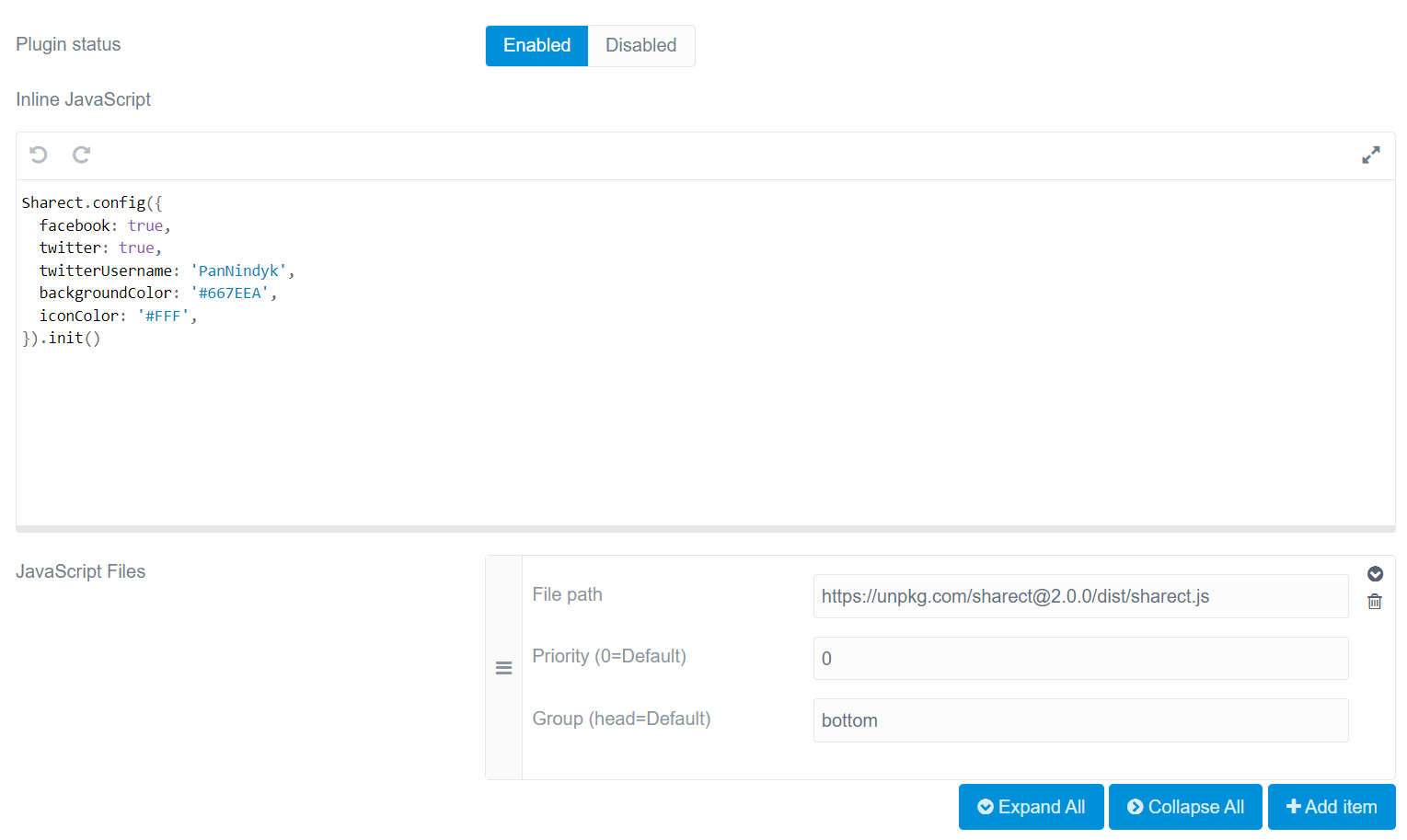
So this is my config for plugin in Admin Panel:
image|690x412

That user/plugins/custom-js/custom-js.yaml shows only enable: true
There is no /user/config/plugins/custom-js.yaml file.

And in the code of my website code is still in the head so there is an error in console.

So maybe I should try to put that script in twig file? But it's new to me so maybe you could help me and write how to do it, please?

5 years ago Solution

@bwanot, Ouch... :man_facepalming:

I've added *.js files instead of inline scripts.... Sorry for the confusion.

Hm, the plugin does not offer an option to load inline scripts at the bottom. That's an omission, because oftentimes, inline scripts must wait until a library has been loaded.

Clearly, the developer of the plugin did not have non-developers in mind. On the other hand, developers would probably not use the plugin, but edit the relevant Twig file and load the lib and script themselves.

Anyway...

The following snippet will also be executed in <head> but the Sharect initialization will not be executed until the DOM has been loaded.

JS
document.addEventListener("DOMContentLoaded",  () => {
  Sharect.config({
      facebook: true,
      twitter: true,
      twitterUsername: 'PanNindyk',
      backgroundColor: '#C53364',
      iconColor: '#fff'
    }).init();
});
5 years ago

And it works like a charm! Thank you @pamtbaau for your help. 🙇

Suggested topics

Topic Participants Replies Views Activity
Support · by Thomas, 1 week ago
3 101 7 hours ago
Support · by Anna, 3 days ago
2 98 1 day ago
Support · by Justin Young, 1 day ago
1 66 1 day ago
Support · by Duc , 1 week ago
2 101 6 days ago
Support · by Colin Hume, 1 week ago
2 94 6 days ago