Skip to content
Grav 2.0 is officially stable. Read the announcement →

Community guidelines

Please keep discussions civil and on-topic. Repeated violations may lead to a temporary ban.

Support

Quark bricklayer showing wrong number of columns

theme

Solved by Joel Marks View solution

Started by Joel Marks 6 years ago · 5 replies · 759 views
6 years ago

I am deving the site on my local machine https://grav1.test/ and uploading to my host over rsync.

Locally my blog shows the nice default 3 column bricklayer (normal).

On the host the blog degrades to a 2 column bricklayer as if the screen size was smaller. However I am viewing them both on the same browser. Tried in FF and Chrome, same results.

This was not the case when I first started the blog, and I have made no changes that would affect the bricklayer... this must be a result of an update.

I find the two columns ugly given the screen size is large enough to accommodate three columns. Does anyone know any way to fix this?
–thanks in advance 🙂

This topic is similar to another posted /forum/themes-styling/3-column-content-on-blog-page-with-quark-theme-t8650
However everything was working fine six or seven weeks ago and I haven't changed anything. I have attempted the fix mentioned by placing the css snippet in my theme's custom.css but it had no effect.


6 years ago

This is hard to analyze, without having seen the site.
Just my 2 cents:
Have you cleared the cache on both sites as well as your browser cache?
Is there any error in your browser's devtools console ?

6 years ago

@joel-marks, I do not recall the blog page in theme Quark ever had 3 columns...

Also, the post from Aug '18 you are referring to, shows an image with 2 columns and OP wanted 3 columns instead...

So I'm not sure which column count is 'wrong'.

Anyway, I have no idea why two sites show different column counts, but setting the media query in 'themes/mytheme/css/custom.css' still works:

CSS
@media screen and (min-width: 980px) {
    .bricklayer-column-sizer {
        width: 33.3%;
    }
}
6 years ago

Sorry: My description was faulty. To clarify...
On my laptop it looks like this (how it should look):
Screenshot 2020-02-17 at 19.37.39|690x89

But on the internet it looks like this:
Screenshot 2020-02-17 at 19.37.59|690x84

The size of the viewing window is the same.
I cleared the cache with no effect.
I also deleted the entire site from the server, checked that it was gone by attempting to view it in browser, then uploaded the site again and viewed it using a private window to avoid any potential use of the cache.

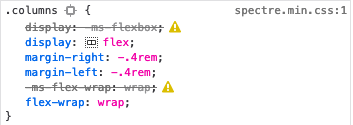
Inspector shows some errors in the css but they don't seem related as they appear on the local site that is rendering properly. I am not a developer so I don't really know.
Screenshot 2020-02-17 at 19.44.04|353x125

6 years ago

@joel-marks, Ok, so the bricklayer shows blog items in 2 columns on laptop and in 1 column on the server. Right?

What could be happening is that a blog item contains an element that forces the entire column to be wider that 50%. In that case, bricklayer cannot fit 2 columns next to each other and can only show 1 column.

But that would then apply to both sites if all blog items are the same... Are they?

Please share a link to your site so we can have a look at it in its entirety.

last edited 02/17/20 by pamtbaau
6 years ago Solution

Huge thanks to @pamtbaau for suggesting the following solutions:

You could try to delay the execution of the inline scripts, by wrapping the code with an event listener that waits for the document to be finished.

JS
document.addEventListener('DOMContentLoaded', (event) => {
    // The script to run
});

Also, you could try to not allow Grav to bundle all javascripts. Your site is using HTTP/2 and can load in parallel. That might be faster that loading a single large js file.

YAML
// /user/config/system.yaml
assets:
  js_pipeline: false

I changed the js_pipeline value to false and that immediately solved the rendering issue by giving the js time to load.

Suggested topics

Topic Participants Replies Views Activity
Support · by Thomas, 1 week ago
2 54 12 hours ago
Support · by Anna, 3 days ago
2 60 15 hours ago
Support · by Justin Young, 16 hours ago
1 30 15 hours ago
Support · by Duc , 1 week ago
2 65 5 days ago
Support · by Colin Hume, 1 week ago
2 57 5 days ago