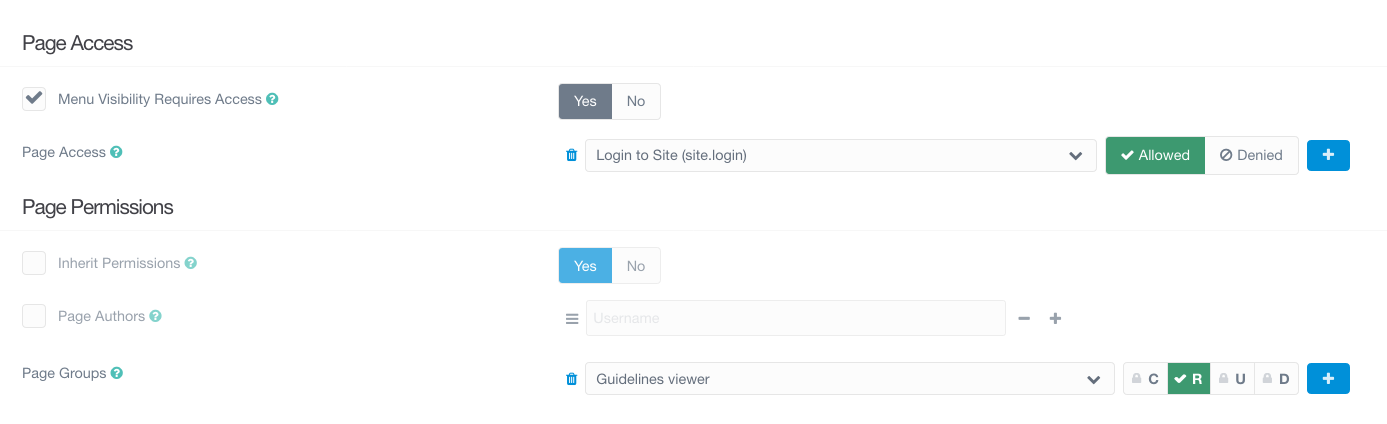
Hey community, I'm confused with the access control of Grav.
I have a set of pages that I want to be visible only to me, while I edit them. Therefore, I don't want them to appear in the navigation menu of non Admin users.
What I've tried:
- On the top level page, I set Security->PageAccess->"Menu Visibility Requires Access" to Yes and Page Access to
admin.login - On children pages, I set "Inherit permissions" in Security->PagePermissions
As a result, it works in a way that only I, the admin, can see the pages. Yet all users, including non-loggedin users, can see my pages titles in the navigation menu. I need them hidden.
If I Disable Visible in the Advanced menu of the top level page, then the page is hidden from the navigation menu for all users, including the admin.
Is it a bug? If I refer to https://learn.getgrav.org/17/admin-panel/page/security, the sentence is clear "Set to Yes if page should be shown in menus only if user can access them.", yet it is shown in menus.
Grav and Theme: latest versions, Admin and Login plugins, Quark