Skip to content
Grav 2.0 is officially stable. Read the announcement →
Support

Newbie issue - Change social media links (Deliver skeleton)

theme

Solved by Marcelo Wagner Silva Domingues View solution

Started by Marcelo Wagner Silva Domingues 6 years ago · 1 replies · 624 views
6 years ago

Hi, I installed GRAV 2 days ago using Deliver skeleton.
Now I'm trying to configure the website to a local astronomy event, but some things seems "misterious" to me.

For example, in the top of main page, we have 3 social media icons. Captura de Tela 2020-11-15 às 03.35.48|234x88
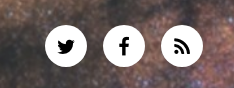
How to change this icons (I want to use Facebook and Instagram icons) and how to change the social media URL in this icons?

I searched all the files on the site and found no references to change it. After expend more than 4 hours opening files, I don't found any way to make this changes. 🙂

Does anyone know how to do this?

PS: website address:
http://www.2020.enast.com.br/grav/
Thanks

Suggested topics

Topic Participants Replies Views Activity
Support · by Water Science, 3 weeks ago
11 165 4 hours ago
Support · by Duc , 19 hours ago
1 43 19 hours ago
Support · by Thomas, 1 week ago
3 116 1 day ago
Support · by Anna, 4 days ago
2 109 2 days ago
Support · by Justin Young, 2 days ago
1 86 2 days ago