Skip to content
Grav 2.0 is officially stable. Read the announcement →

Community guidelines

Please keep discussions civil and on-topic. Repeated violations may lead to a temporary ban.

Support

Gantry 5 Helium, Multi-Language URL

Solved by Pedro M View solution

Started by Stefan 4 years ago · 12 replies · 623 views
4 years ago

Hello,
does anyone here know how I can build a multilingual website with Gantry 5 and the Helium template so that the URL is displayed in the respective language?
In Grav I get the 2nd language done with the "SLUG" but then Gantry can't map the template because of the changed URL.

Does anyone know a solution?

Thank you for your help!

Greetings
Stefan
4 years ago

Hi @Kaepsele

After you have configured your languages in admin, you have to save the pages in that languages. Each page must be saved with the menu, title and content translated.

In Gantry, you have to duplicate an outline, for example, home outline. Each outline can be assigned to a specific language in Assignments tab.

You can do that with the page particle, for example, to show a page in different languages.

👍 1
4 years ago

Thank you for your help!
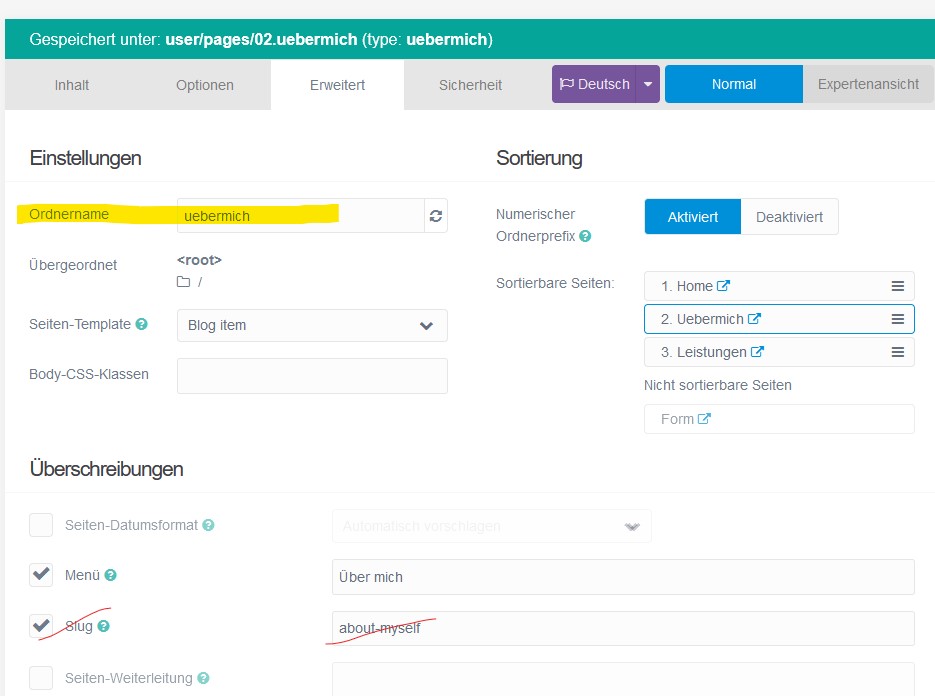
The page works in the 2 languages German and English, but I have to leave the URL in the main language German, because the Gantry menu references it.
If I enter a "Slug" in the 2nd language English so that the URL is in English, then Gantry will no longer find a reference to the template.
I hope I could explain it halfway understandable?

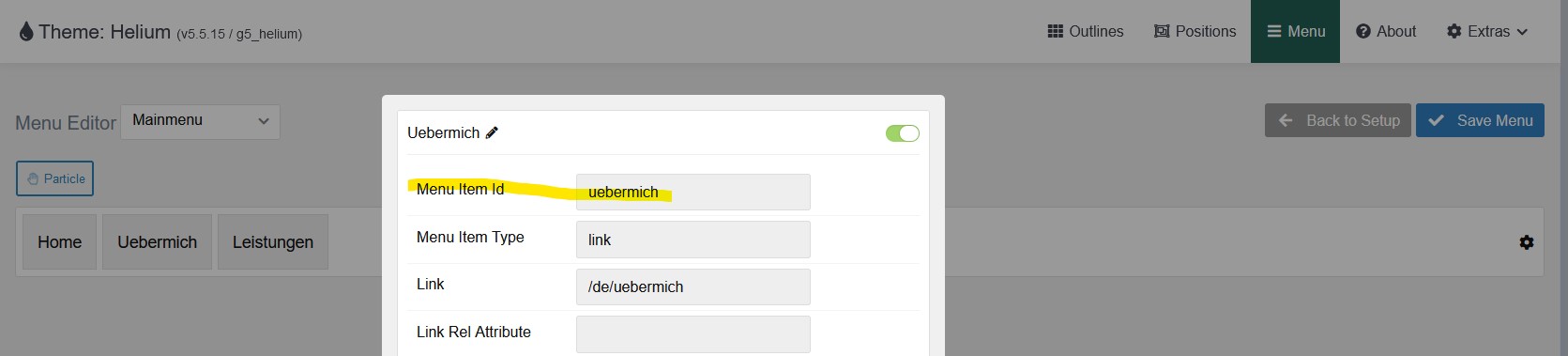
uebermich|690x156
about-myself|671x499

4 years ago Solution

Hi @Kaepsele
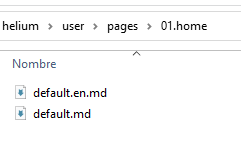
I guess you will have two pages in the folder 02.uebermich, one with .en.md extension and another (the one in German) with .md only.

folder_pages|241x145

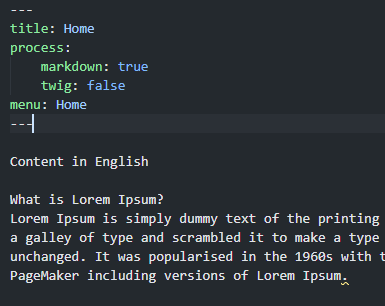
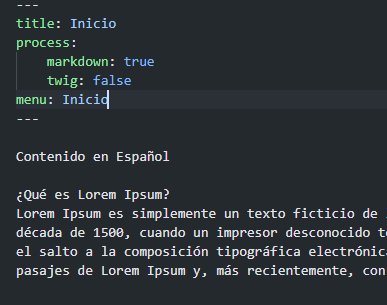
I don't use the slug option for this. You have to translate only, title, menu option and content.

page_english|385x306

page_spanish|387x305

In Gantry you have to duplicate de page you want to translate. For example, in my case, the homepage in Spanish is "Inicio" and in English is "home".

folder|104x50

In user\data\gantry5\themes\helium\config\home\assignments.yaml I have:

TXT
page:
  -
    home: true
language:
  -
    en: true
type: {  }

In user\data\gantry5\themes\helium\config\inicio\assignments.yaml I have:

TXT
page:
  -
    home: true
language:
  -
    es: true
type: {  }

That's all. This should work Gantry in two languages.

👍 1
4 years ago

Thank you for your explanation and assistance!

Can you please make me a screenshot of your URL in English and Spanish?

4 years ago

Hi @Kaepsele

Take a look at this page. I have made a Spanish-English translation of the home page.

👍 1
4 years ago

Thank you for your demo page.
Can you please make a 2nd menu item, e.g. "About myself" or "Contact", or...?

4 years ago

Have you tried to set the slug option in English page with "about_me" (without white spaces).

Take a look again to demostration page.

👍 1
4 years ago

Yes, exactly, thank you! Great!
Now I just have to figure out what I'm doing wrong....

4 years ago

Sorry, I had not yet replied to your guess whether I had written "about_myself" without hyphen.
No, with underscore, that was not the problem, but I could now finally solve the problem, thanks to your great help. 🙂

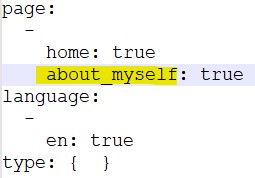
The solution was that in the " In user\data\gantry5\themes\helium\config\inicio\assignments.yaml in the English version was "uebermich", instead of "about_myself".

about|255x178

After I adjusted this, and set the SLUG back to "about_myself", it worked. 🙂

It's amazing, no sooner do you get it right, it works.

Thanks for your effort and especially for your patience with you. If I had read your hints more attentively, I should have figured it out earlier.

Thank you! Thank you!

4 years ago

Hello @Kaepsele.
I am very happy to have helped you and that together we will make this forum a source of knowledge about Grav and everything that surrounds it (Gantry, Twig, Markdown, PHP, etc)

Suggested topics

Topic Participants Replies Views Activity
Support · by Thomas, 1 week ago
2 56 13 hours ago
Support · by Anna, 3 days ago
2 61 16 hours ago
Support · by Justin Young, 17 hours ago
1 32 17 hours ago
Support · by Duc , 1 week ago
2 66 5 days ago
Support · by Colin Hume, 1 week ago
2 59 5 days ago