Source: https://learn.getgrav.org/16/forms/forms/example-form
After i submit, i can not see email come!
i new user, i from vietnam! (i know littel english! please say details)
please help me!
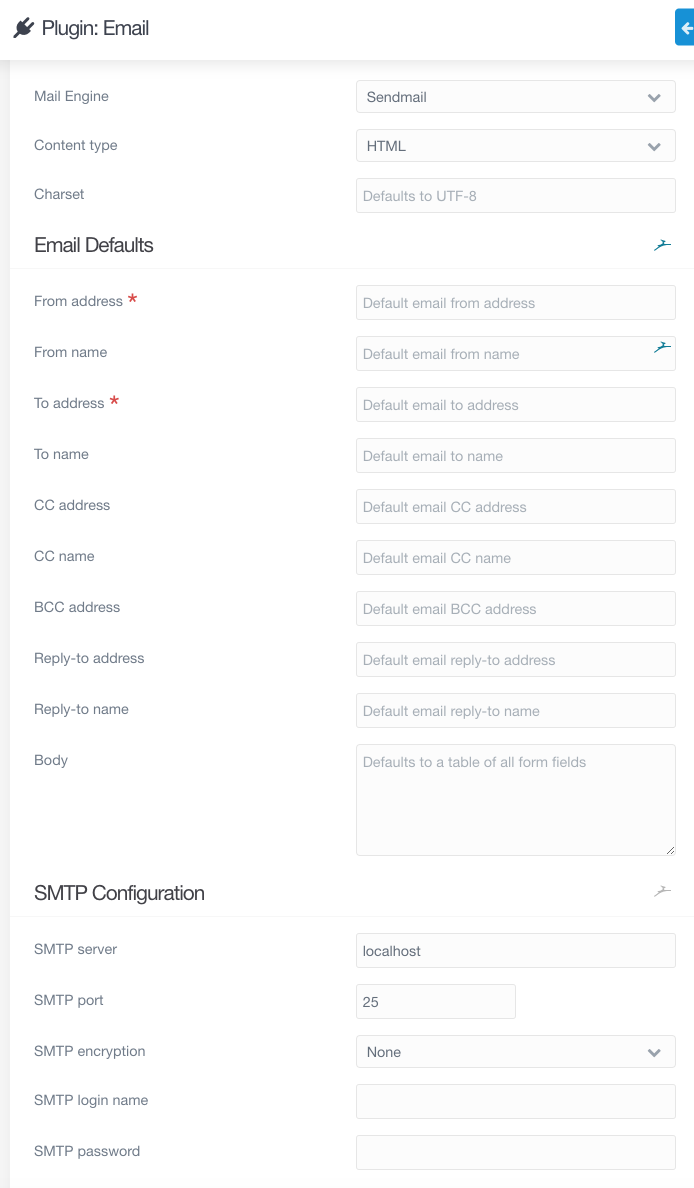
Make sure you configured the Email plugin to ensure it has the correct configuration in order to send email successfully.
Welcome to Grav community 😀
I already configed! you can see! if wrong you can fixx give me!
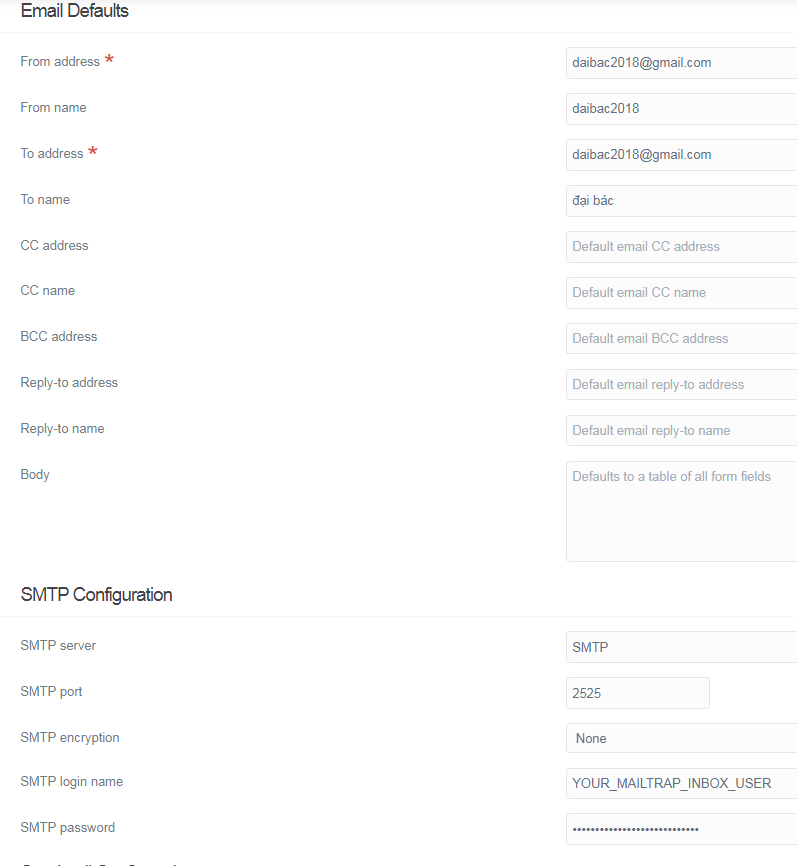
check your SMTP configuration with your provider, test it, you will get error message if something wrong (username, password..)
Hello,
I've had this problem before.
For me it was because Gmail had a protection and refused to send mail without my consent.
I had to change some parameter in gmail or in my google account, I don't really remember to be honest... but it's a lead.
@AmauryH for gmail it's probably due to Control access to less secure apps
https://support.google.com/a/answer/6260879?hl=en
but i that case it seems this is not gmail the SMTP but Mailtrap, for gmail tou have to change the SMTP configuration (server, port etc)
Hello,
I would also change the from email adresse. By default when you use the grav form the sender = the email of the person trying to reach you. This will not work since your web server may not be allow to send email on behalf of youre web visitors (you won't be in their dns spf record).
For this I would recommend to change this in the form (in expert mode on the grav page referring to your form)
I would change this:
TWIGfrom: '{{ form.value.email }}'
By :
TWIGfrom: '{{ config.plugins.email.from }}'
This will make the sender = the value that you have enter in the email plugin
Good luck !
@AmauryH:
I had to change some parameter in gmail or in my google account, I don’t really remember to be honest… but it’s a lead.
you can take a photo! i understant! please!
i can change where?
i can't link folder/file!
you can talk about more!
thank!
@dimitrilongo:
but i that case it seems this is not gmail the SMTP but Mailtrap, for gmail tou have to change the SMTP configuration (server, port etc)
you con give me see : the SMTP configuration (server, port etc)!
I have configuration !
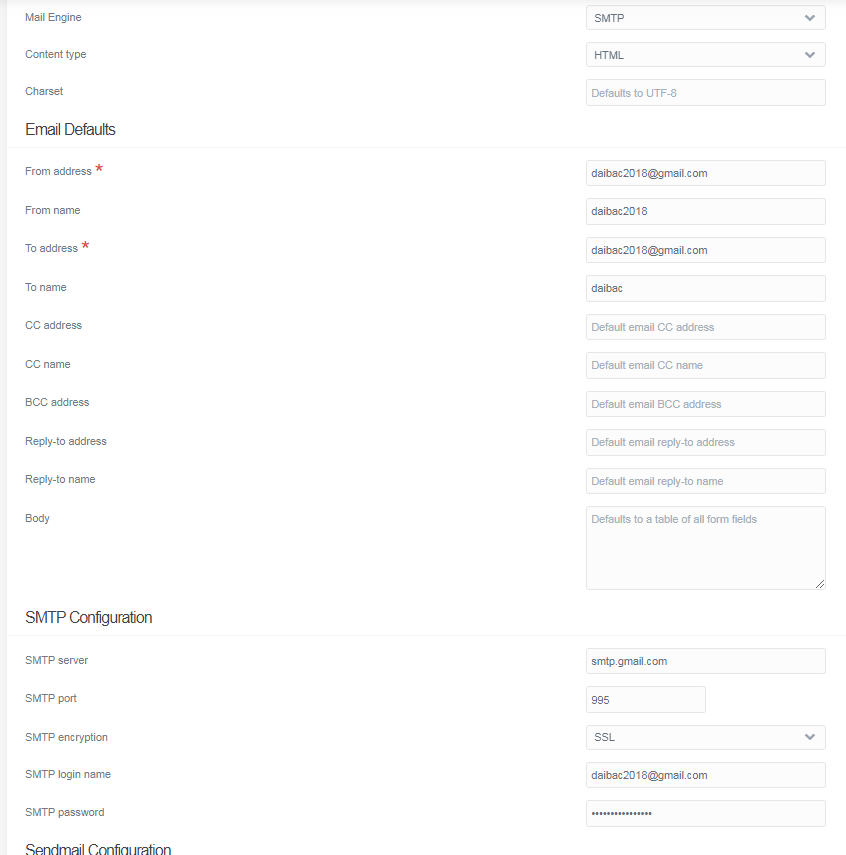
where i need change?
thank you so much!
Hello,
gmail smtp ports are those from google search
- Gmail SMTP port (TLS): 587.
- Gmail SMTP port (SSL): 465.
Maybe this will work better.
Bye
in addition to @bougui comment, sometimes you have to Control access to less secure apps in Gmail
Log in to reply.
Suggested topics
| Topic | Participants | Replies | Views | Activity |
|---|---|---|---|---|
| 4 | 145 | 6 days ago | ||
| 2 | 126 | 1 week ago | ||
| 5 | 364 | 2 weeks ago | ||
| 5 | 556 | 2 weeks ago | ||
| 6 | 344 | 3 weeks ago |