
With Grav 2.0 getting closer, I've been living inside the new Admin2 for months now while we build it out, and a handful of features have completely changed how I work on my sites day to day. Admin2 is a ground-up rewrite of the Grav admin as a modern single-page app talking to the new Grav API, and that foundation has let us build things the old admin simply couldn't do. I thought it'd be a good time to walk through the ones I keep reaching for. So let's jump right in!
Real-time Collaborative Editing
This is the one that still makes me grin. Open a page in Admin2, have a colleague open the same page, and you both edit it at the same time and watch each other type character by character, with named cursors in the content and live presence avatars up in the topbar. It works in both the built-in Markdown editor and Editor Pro, so it doesn't matter which one you prefer.
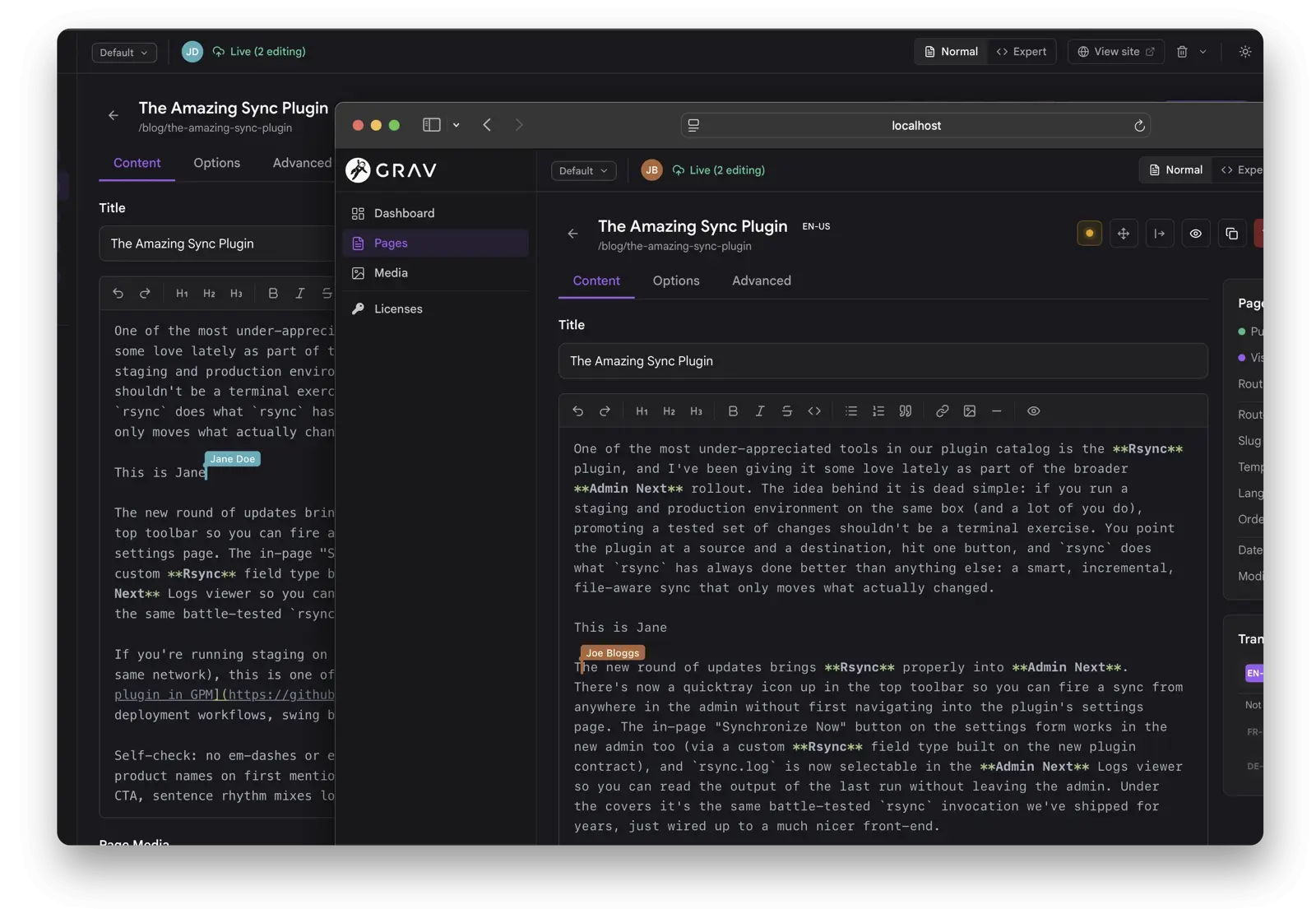
It's not just the body text either. The whole page blueprint is mirrored into a shared document, so concurrent edits to the title, taxonomy, and any options-tab field all merge cleanly per field. Under the covers the transport prefers Mercure for sub-100ms updates and falls back to a one-second poll when there's no hub, so it works everywhere. Install the Sync plugin and it's on by default. No hidden preference to flip.
Compare that to the old admin, where two people editing the same page meant last-save-wins and somebody quietly lost their work. If two editors join with different editor types in the same session, the first one in keeps the pen and the later joiner gets a live read-only view, so you never split-brain the content.
An Environment Selector That Actually Mimics Your Environments
The environment dropdown in the topbar now does what you always wanted it to do: it controls which environment you're looking at. Pick staging and the entire admin shows you staging's configuration. Pick the base and you're back on the defaults. When you save, you save to the environment you're in, if that environment exists.
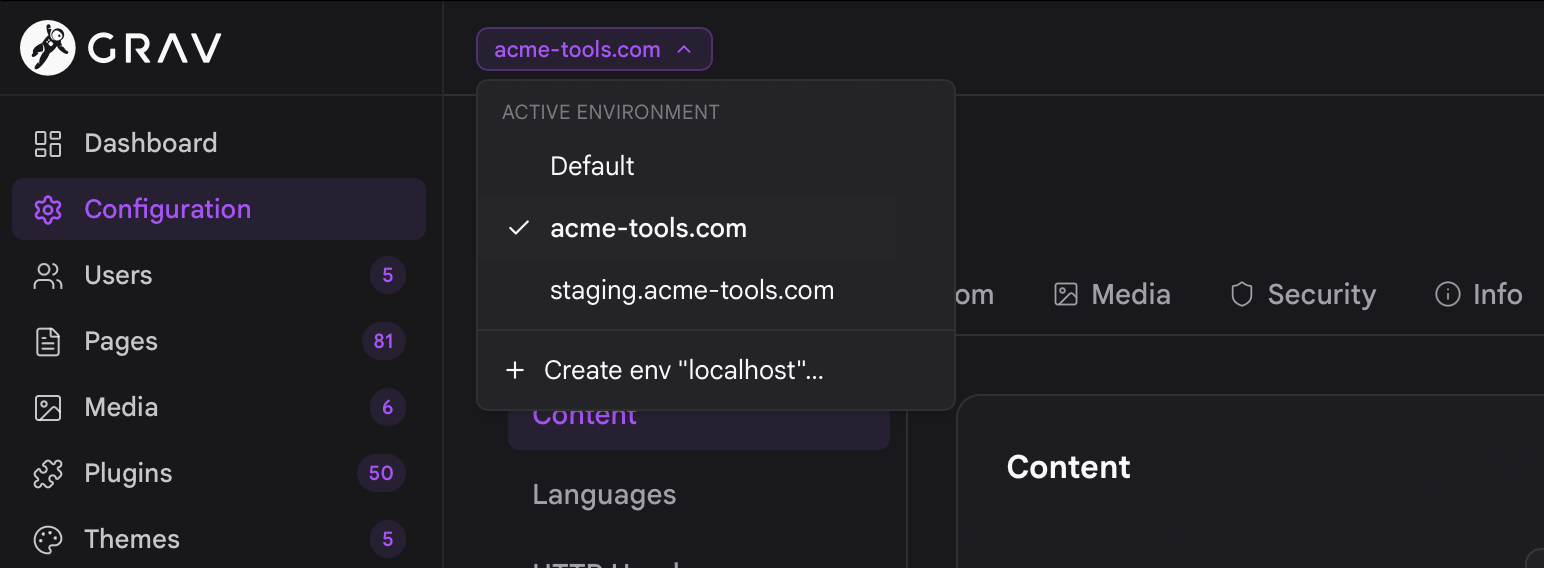
You can create new environment folders right from the UI, and we never create them behind your back. In the old admin there was no environment awareness at all: config edits always wrote to the base user/config, and managing per-environment overrides meant hand-editing user/env/... folders and hoping you got it right.
Configuration That Saves the Way You'd Hand-Edit It
Two changes here that go hand in hand, and together they fix one of my biggest long-standing gripes with admin-classic.
First, differential saving. Admin2 now writes only what actually differs from the parent file, instead of forking a full defaulted copy. The resolution chain is exactly what you'd expect: an environment file layers on top of user/config, which layers on top of the shipped defaults (system/config for core, the plugin's own yaml for plugins, the theme's own yaml for themes). Your config files stay small and readable, holding just the deltas. As a bonus, this kills the classic admin bug where shortening a list silently merged the removed entries right back in.
Second, one-click revert. Any field that overrides an inherited default now shows a small revert icon, with the default value right there in its tooltip, and a Reset overrides button clears every override for that scope at once.
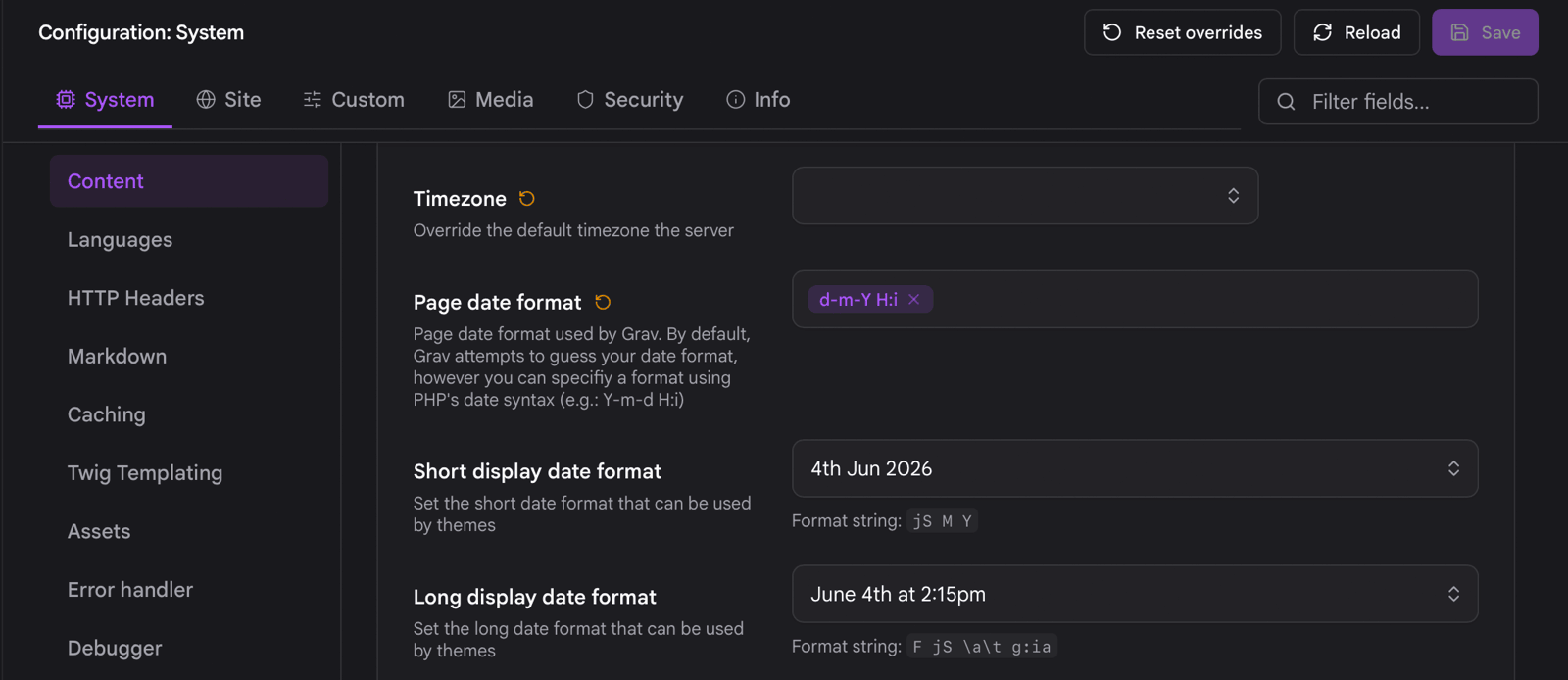
The fallback is smart about where you are. When you're in an environment, reverting falls back to the base configuration. When you're on the base, it falls back to the system or plugin/theme default. It works across the config sections, plugin settings, and theme settings.
Invite Users by Email
Creating accounts and handing out passwords is a pain, so now you can invite a user by email instead. Pre-set their permissions and groups, send a time-limited invite link, and they choose their own username, name, and password when they accept. They can never grant themselves more access than you set, so it's safe to delegate.
Find the Right User Fast
If you've ever needed to answer "who has admin access here?" you'll appreciate this one. The Users area can now be filtered by permission or group with a type-ahead picker, so finding every admin (or everyone in a given group) takes a couple of clicks.
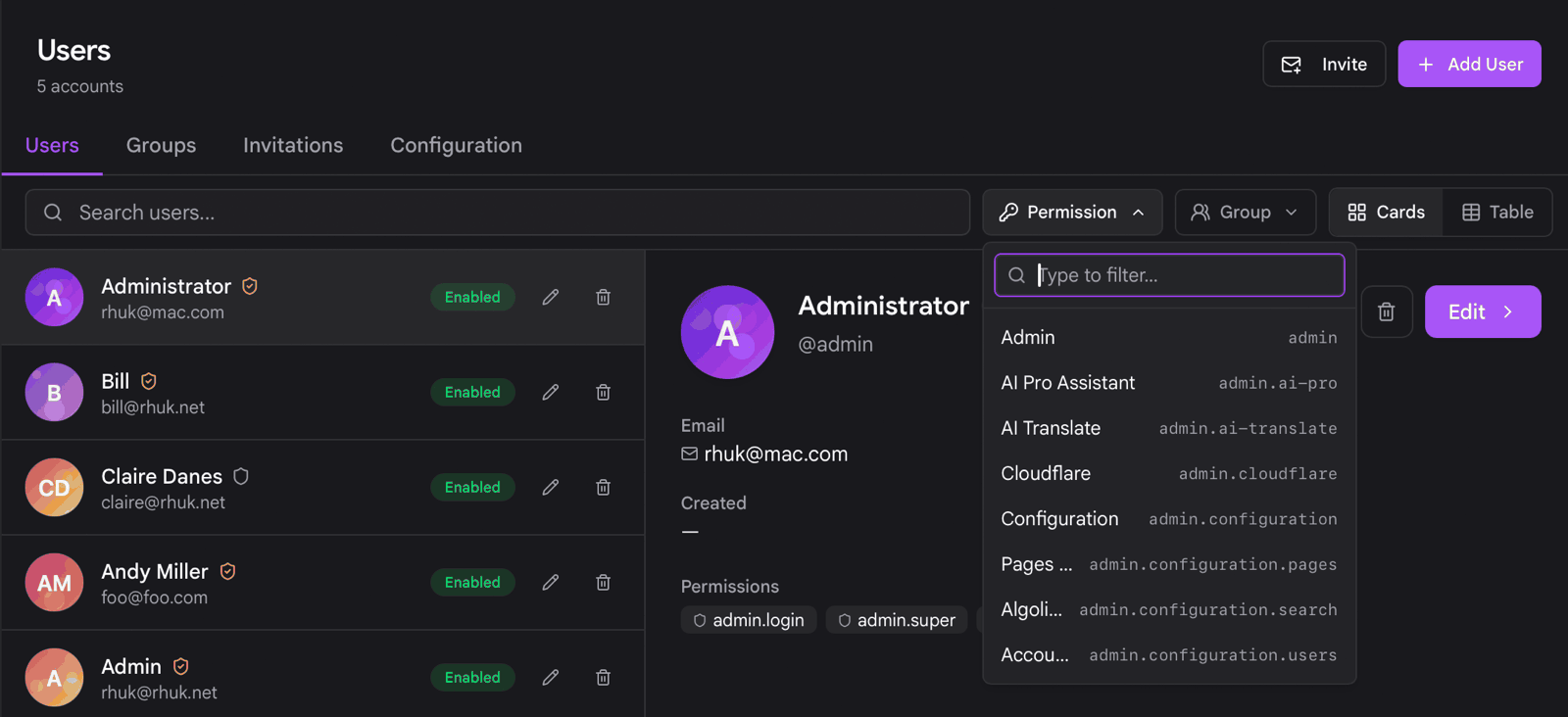
The table view gained a Permissions column, and both the table and cards views flag accounts that have backend access, with super admins called out separately. Open a user and you'll see their group memberships, and clicking any permission or group filters the whole list by it.
Quick Actions and Views Everywhere
A couple of smaller things that add up to a lot less clicking:
Card and table views
Users, plugins, and themes all have both card and table views, and you can set the default landing layout per list type in Settings rather than per device.
Inline actions on every list
The common actions are now reachable directly from every list view, without drilling into a detail screen. Toggle a page between published and unpublished by clicking its status dot. Enable or disable a user inline. Activate or delete a theme, including switching themes with a single click. Enable or delete a plugin. Anything destructive still goes through the standard confirm dialog, so nothing happens by accident.
There's More Where That Came From
These are the features I reach for, but there's plenty more in the Admin2 changelog as we close in on Grav 2.0. If you're trying any of this out and run into trouble, or you just want to show off your collaborative editing session, come find us on Discord.
Enjoy!
Andy