How to properly set links for other language in Agency Theme?
Originaly, I have links for default language in site.yaml file.
Solved by Gez View solution
idk about the theme but to store things for different languages would this work?
https://github.com/trilbymedia/grav-plugin-translation-strings
Thanks, I’ll give it try.
I get stuck in using this plugin properly.
I changed original navigation.html.twig:
TXT
<li><a class="page-scroll" href="{{ domain }}{{ link.url }}" {% if link.url | contains('http') %}target="_blank"{% endif %}>{{ link.title }}</a></li>
to this:
TXT
<li><a class="page-scroll" href="{{ domain }}{{ 'MY_PLUGIN.URL'|t }}" {% if link.url | contains('http') %}target="_blank"{% endif %}>{{ 'MY_PLUGIN.TITLE'|t }}</a></li>
Navigation originally takes titles and urls from site.yaml in a specific order. I made a translations using a translation-strings.yaml placed in user/config/plugins in this format:
YAML
enabled: true
languages:
  -
    code: cz
    content: |
      MY_PLUGIN:
        TITLE: Reference
        URL: 'home#reference'
  -
    code: cz
    content: |
      MY_PLUGIN:
        TITLE: Kontakt
        URL: 'home#kontakt'
The problem I have is that it gets only last translation title and url and display it 9 times (originally there are 9 different links and urls).
your code looks different from this
YAML
languages:
  - code: en
    content: |
      MY_PLUGIN:
        GREETING: "Hello"
        CTA: "Read More"
lets first make them exactly same format before trying things. yours have "-" character single in lines
also if you didnt add those 9 languages for website, you may add them via admin plugin.
pls share anything that troubles you after trying these.
if you solve it, pls share how did you do that too :)
JAVASCRIPT
  - code: cs
    content: |
      MY_PLUGIN:
        TITLE: "Reference"
        URL: "home#reference"

  - code: cs
    content: |
      MY_PLUGIN:
        TITLE: "Kontakt"
        URL: "home#kontakt"
Hi Gin, I did it the correct way with the same result I reported before. I translated all 9 links with titles. Website display last (ninth) translation string TITLE 9 times in a row with the same URL.
i just tried it and it works nicely
here is what i have after installing it via admin plugin
- i added another language to website so i have en and tr languages now
- i edited plugin via admin plugin by adding tr language and translate same vars
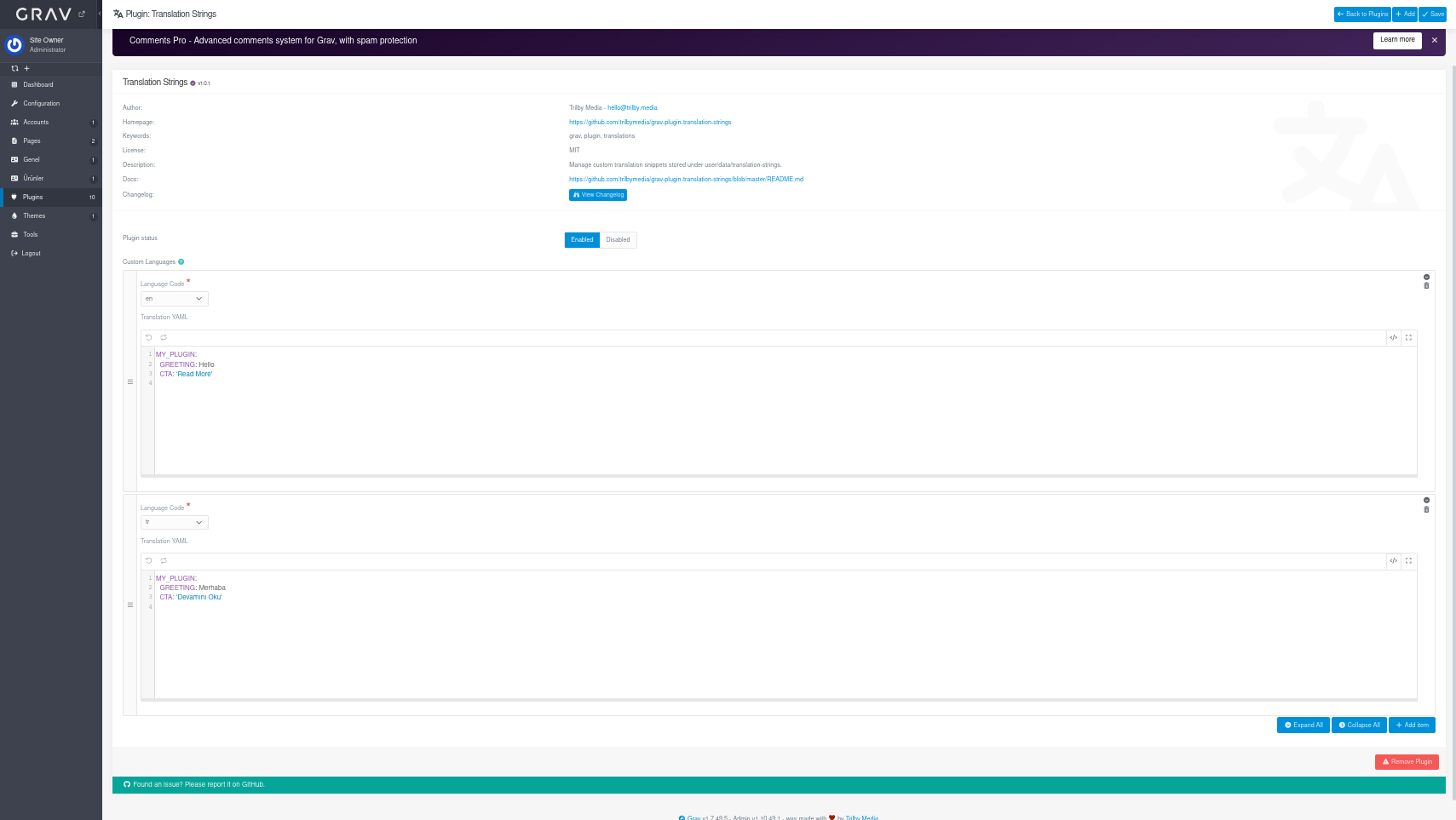
- added this line to my twig file at my theme's template
TWIG
{{ 'MY_PLUGIN.GREETING'|t }}
thats all
when language is en it shows Hello
when language is tr it shows Merhaba
I have a different problem. I use Agency Theme for modular website where there are 9 titled links on top of the web. These links are defined in site.yaml in a form:
YAML
links:
  -
    title: Služby
    url: 'home#sluzby'
  -
    title: Astrálne cestovanie
    url: 'home#astralne-cestovanie'
  -
    title: Šamanizmus
    url: 'home#samanizmus'
  -
    title: Liečenie
    url: 'home#liecenie'
  -
    title: Očista
    url: 'home#ocista'
  -
    title: O nás
    url: 'home#onas'
  -
    title: Referencie
    url: 'home#referencie'
  -
    title: Kontakt
    url: 'home#kontakt'
  -
    title: Kurzy
    url: '/kurzy'
These 9 urls are correctly displayed in a default language through navigation.html.twig
TXT
<!-- Navigation -->
<nav class="navbar navbar-default navbar-fixed-top">
    <div class="container">
        <!-- Brand and toggle get grouped for better mobile display -->
        <div class="navbar-header page-scroll">
            <button type="button" class="navbar-toggle" data-toggle="collapse" data-target="#bs-example-navbar-collapse-1">
                <span class="sr-only">Toggle navigation</span>
                <span class="icon-bar"></span>
                <span class="icon-bar"></span>
                <span class="icon-bar"></span>
            </button>
            <a class="navbar-brand page-scroll" href="{{ base_url_absolute }}/home">
                <img src="{{ theme_url }}/img/logo_text_dlouhe_barva_na cerne.png"
                     style="display: flex"
                     alt="{{ site.title }}" />
            </a>
        </div>

        <!-- Collect the nav links, forms, and other content for toggling -->
        <div class="collapse navbar-collapse" id="bs-example-navbar-collapse-1">
            <ul class="nav navbar-nav navbar-right">
                <li class="hidden">
                    <a href="#page-top"></a>
                </li>
                {% for link in site.links %}
                    {% if link.url | contains('http') %}
                        {% set domain = '' %}
                            {% elseif link.url | contains('#') %}
                            {% set domain = '' %}
                                {% else %}
                                {% set domain = base_url_absolute %}
                                {% endif %}
                                <li><a class="page-scroll" href="{{ domain }}{{ link.url }}" {% if link.url | contains('http') %}target="_blank"{% endif %}>{{ link.title }}</a></li>
                            {% endfor %}
                        </ul>
                    </div>
                    <!-- /.navbar-collapse -->
                </div>
                <!-- /.container-fluid -->
            </nav>
The change I did in navigation.html.twig file is:
TXT
<li><a class="page-scroll" href="{{ domain }}{{ 'MY_PLUGIN.URL'|t }}" {% if link.url | contains('http') %}target="_blank"{% endif %}>{{ 'MY_PLUGIN.TITLE'|t }}</a></li>
Unfortunately, this change displays only last URL with TITLE “Kurzy” 9 times in both languages. I need help to change navigation.html.twig the way it could display all translated links correctly.

I added to translation-strings both sk (default) and cs languages.
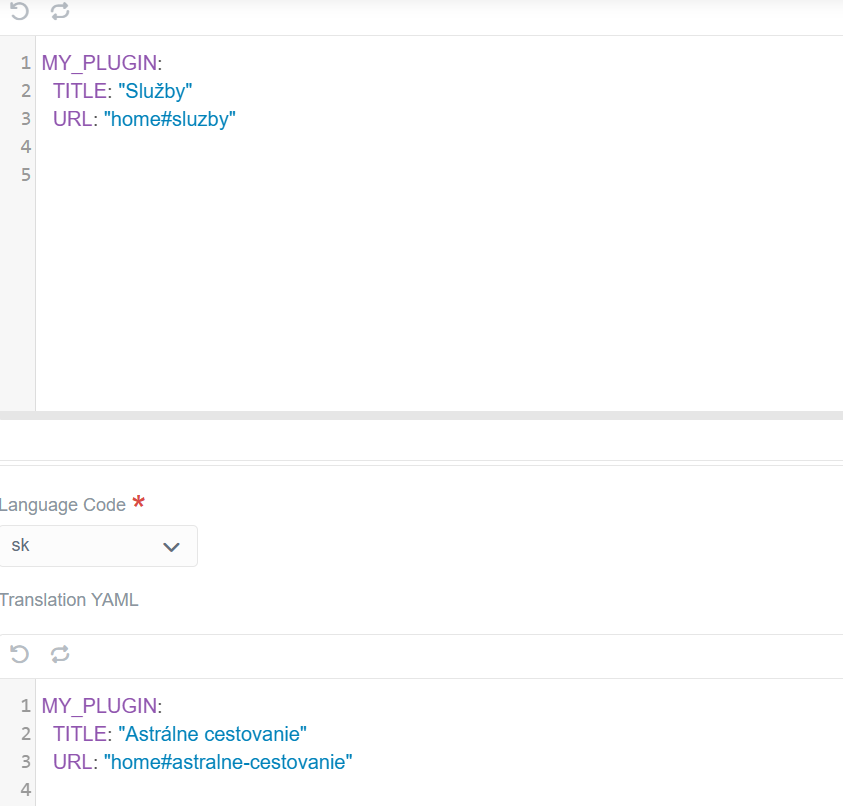
last edited 10/08/25 by Peter Simkovic
how do you navigate to other languages at your website?
im not sure if i understood right how your URL works
My live website is in default language only. In navigation, 8 out of 9 links are linked on a home page (e.g. https://www.whitewolfsix.sk/home#sluzby or https://www.whitewolfsix.sk/home#onas) and the last one https://www.whitewolfsix.sk/kurzy redirect to events plugin page.
Recently, I am preparing Czech version of the website, everything works fine offline but navigation links. I need to translate titles and urls to properly navigate throughout my website.

This is how my navigation links look like on a live website.
so is it another website?
im not sure im following but let me clear something
at normal case when we show content for another language we add /cz or /fr to web adress like www.whitewolfsix.sk/cz, www.whitewolfsix.sk/en etc.
i dont see that on your website. so im not sure how you navigate to other languages.
can you show your Czech version of the website even if it is not complate?
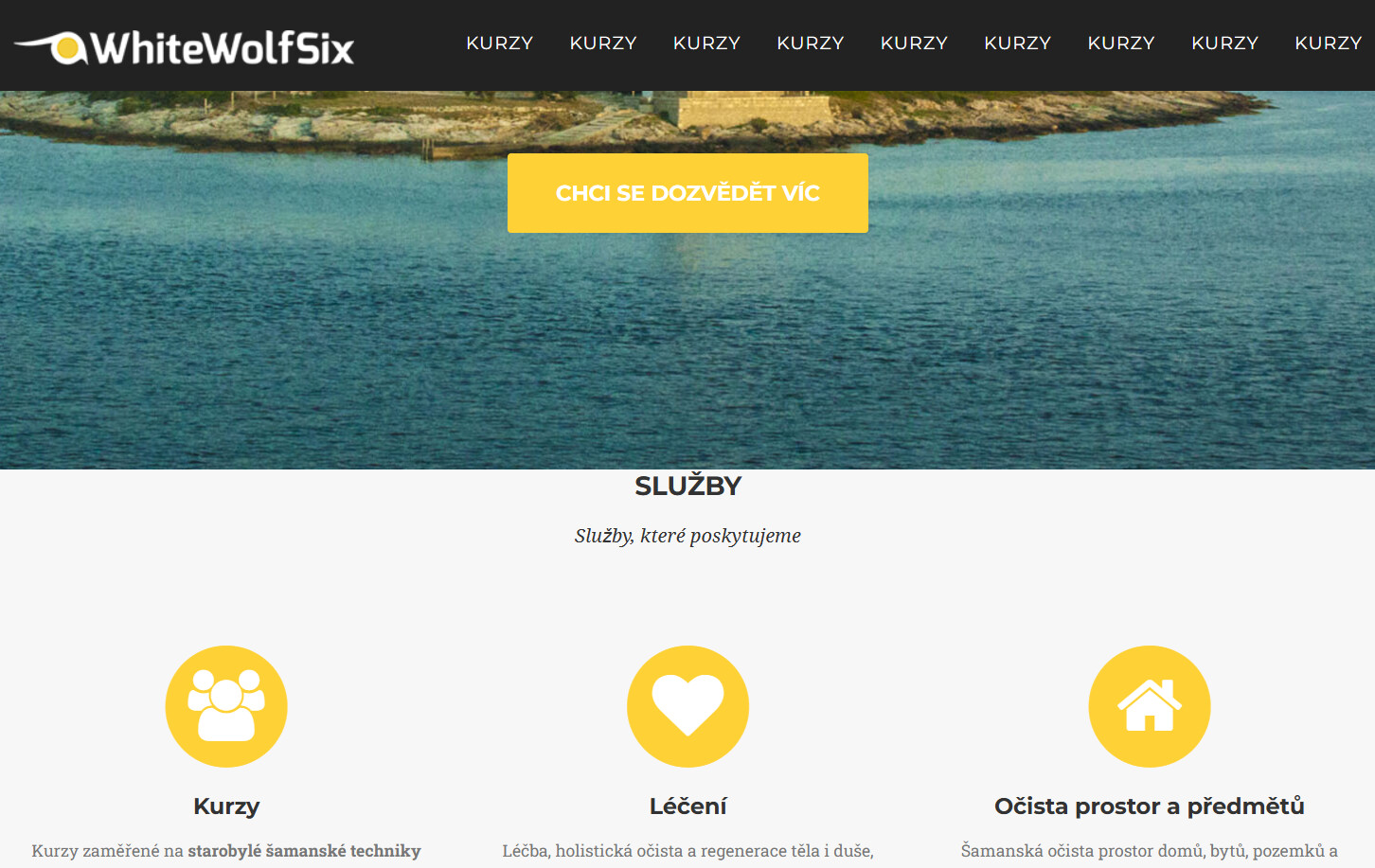
This is how it looks in Czech language offline on my WampServer when /cs is added to web address.
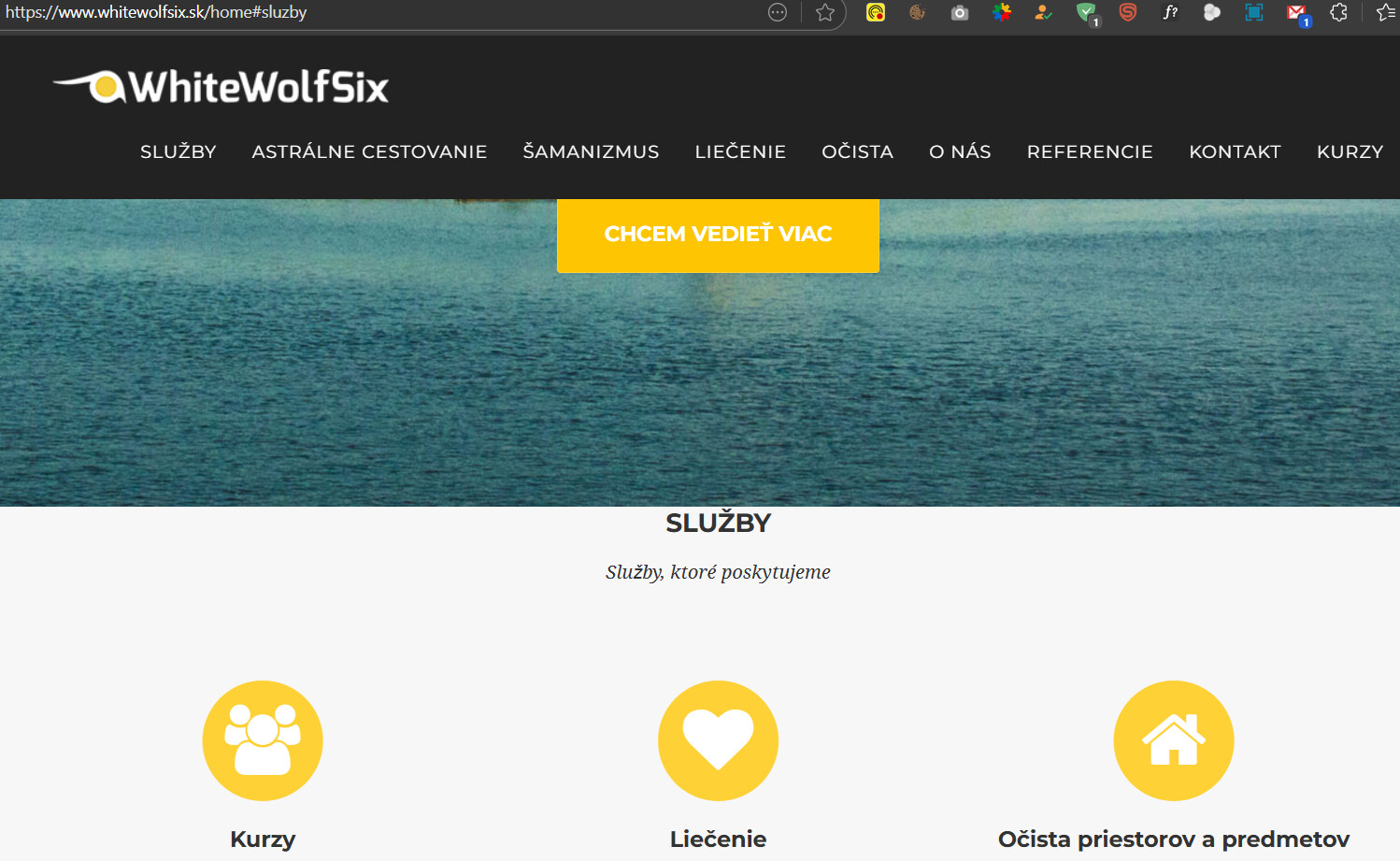
This is how it looks in Slovak (default) language online where there is no multi-language settings.
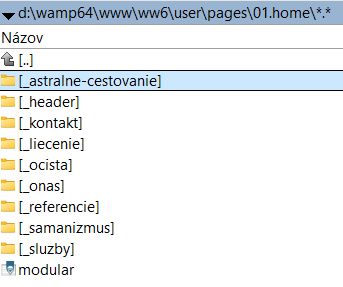
Above is a structure of the modular site pages and below is a structure inside of a particular folder showing translation of pages for both SK and CS languages. Of course files are header.cs.md and and header.sk.md

last edited 10/09/25 by Peter Simkovic
i dont see "KURZY" or other texts that needs to be translated at plugin's settings like this one
@WhiteWolfSix:
we need all 9 links in that plugin as both title and url for both languages
if you have that, can you share screenshot?
Here is a content of translation-strings.yaml located in user/config/plugins
YAML
enabled: true
languages:
  - code: sk
    content: |
      MY_PLUGIN:
        TITLE: "Služby"
        URL: "home#sluzby"

  - code: sk
    content: |
      MY_PLUGIN:
        TITLE: "Astrálne cestovanie"
        URL: "home#astralne-cestovanie"

  - code: sk
    content: |
      MY_PLUGIN:
        TITLE: "Šamanizmus"
        URL: "home#samanizmus"

  - code: sk
    content: |
      MY_PLUGIN:
        TITLE: "Liečenie"
        URL: "home#liecenie"

  - code: sk
    content: |
      MY_PLUGIN:
        TITLE: "Očista"
        URL: "home#ocista"

  - code: sk
    content: |
      MY_PLUGIN:
        TITLE: "O nás"
        URL: "home#onas"

  - code: sk
    content: |
      MY_PLUGIN:
        TITLE: "Reference"
        URL: "home#reference"

  - code: sk
    content: |
      MY_PLUGIN:
        TITLE: "Kontakt"
        URL: "home#kontakt"

  - code: sk
    content: |
      MY_PLUGIN:
        TITLE: "Kurzy"
        URL: "/kurzy"

  - code: cs
    content: |
      MY_PLUGIN:
        TITLE: "Služby"
        URL: "home#sluzby"

  - code: cs
    content: |
      MY_PLUGIN:
        TITLE: "Astrální cestování"
        URL: "home#astralni-cestovani"

  - code: cs
    content: |
      MY_PLUGIN:
        TITLE: "Šamanismus"
        URL: "home#samanismus"

  - code: cs
    content: |
      MY_PLUGIN:
        TITLE: "Léčení"
        URL: "home#leceni"

  - code: cs
    content: |
      MY_PLUGIN:
        TITLE: "Očista"
        URL: "home#ocista"

  - code: cs
    content: |
      MY_PLUGIN:
        TITLE: "O nás"
        URL: "home#onas"

  - code: cs
    content: |
      MY_PLUGIN:
        TITLE: "Reference"
        URL: "home#reference"

  - code: cs
    content: |
      MY_PLUGIN:
        TITLE: "Kontakt"
        URL: "home#kontakt"

  - code: cs
    content: |
      MY_PLUGIN:
        TITLE: "Kurzy"
        URL: "/kurzy"
i use yaml a lot because i use flex a lot but not with "-" so it bugs me a little since i dont have much experience with it.
from what we see at result, it looks like last one repeats instate of others. so it is like it overwrites others.
instate of repeating like
@WhiteWolfSix:
YAML- code: cs content: | MY_PLUGIN: TITLE: "Reference" URL: "home#reference" - code: cs content: | MY_PLUGIN: TITLE: "Kontakt" URL: "home#kontakt"
can you merge them like
YAML
  - code: cs
    content: |
      nav1:
        TITLE: "Reference"
        URL: "home#reference"
      nav2:
        TITLE: "Kontakt"
        URL: "home#kontakt"
      .
      .
      .
and prepare twig code for that
I merged them this way:
YAML
enabled: true
languages:
  - code: sk
    content: |
      NAV1:
        TITLE: "Služby"
        URL: "home#sluzby"
      NAV2:
        TITLE: "Astrálne cestovanie"
        URL: "home#astralne-cestovanie"
      NAV3:
        TITLE: "Šamanizmus"
        URL: "home#samanizmus"
      NAV4:
        TITLE: "Liečenie"
        URL: "home#liecenie"
      NAV5:
        TITLE: "Očista"
        URL: "home#ocista"
      NAV6:
        TITLE: "O nás"
        URL: "home#onas"
      NAV7:
        TITLE: "Reference"
        URL: "home#reference"
      NAV8:
        TITLE: "Kontakt"
        URL: "home#kontakt"
      NAV9:
        TITLE: "Kurzy"
        URL: "/kurzy"

  - code: cs
    content: |
      NAV1:
        TITLE: "Služby"
        URL: "home#sluzby"
      NAV2:
        TITLE: "Astrální cestování"
        URL: "home#astralni-cestovani"
      NAV3:
        TITLE: "Šamanismus"
        URL: "home#samanismus"
      NAV4:
        TITLE: "Léčení"
        URL: "home#leceni"
      NAV5:
        TITLE: "Očista"
        URL: "home#ocista"
      NAV6:
        TITLE: "O nás"
        URL: "home#onas"
      NAV7:
        TITLE: "Reference"
        URL: "home#reference"
      NAV8:
        TITLE: "Kontakt"
        URL: "home#kontakt"
      NAV9:
        TITLE: "Kurzy"
        URL: "/kurzy"
TXT
<!-- Navigation -->
<nav class="navbar navbar-default navbar-fixed-top">
    <div class="container">
        <!-- Brand and toggle get grouped for better mobile display -->
        <div class="navbar-header page-scroll">
            <button type="button" class="navbar-toggle" data-toggle="collapse" data-target="#bs-example-navbar-collapse-1">
                <span class="sr-only">Toggle navigation</span>
                <span class="icon-bar"></span>
                <span class="icon-bar"></span>
                <span class="icon-bar"></span>
            </button>
            <a class="navbar-brand page-scroll" href="{{ base_url_absolute }}/home">
                <img src="{{ theme_url }}/img/logo_text_dlouhe_barva_na cerne.png"
                     style="display: flex"
                     alt="{{ site.title }}" />
            </a>
        </div>

        <!-- Collect the nav links, forms, and other content for toggling -->
        <div class="collapse navbar-collapse" id="bs-example-navbar-collapse-1">
            <ul class="nav navbar-nav navbar-right">
                <li class="hidden">
                    <a href="#page-top"></a>
                </li>
                {% for link in site.links %}
                    {% if link.url | contains('http') %}
                        {% set domain = '' %}
                            {% elseif link.url | contains('#') %}
                            {% set domain = '' %}
                                {% else %}
                                {% set domain = base_url_absolute %}
                                {% endif %}
                                <li><a class="page-scroll" href="{{ domain }}{{ 'NAV.URL'|t }}" {% if link.url | contains('http') %}target="_blank"{% endif %}>{{ 'NAV.TITLE'|t }}</a></li>
                            {% endfor %}
                        </ul>
                    </div>
                    <!-- /.navbar-collapse -->
                </div>
                <!-- /.container-fluid -->
            </nav>
I am not sure if this format “{{ ‘NAV.TITLE’|t }}” is correct in navigation.html.twig above to parse titles correct way as it gives me this output:

@WhiteWolfSix:
{{ ‘NAV.TITLE’|t }}
this is not correct because there is no "NAV.TITLE". there is "NAV1.TITLE" and "NAV2.TITLE" etc.
ofc we can loop to ignore NAV1, NAV2, NAV3 ... because we dont need their names but lets first use simply NAV1.TITLE" and "NAV2.TITLE" etc. instate of looping to learn how things work.
Log in to reply.
Suggested topics
| Topic | Participants | Replies | Views | Activity |
|---|---|---|---|---|
| 4 | 558 | 4 weeks ago | ||
| 1 | 871 | 1 month ago | ||
| 3 | 731 | 2 months ago | ||
| 5 | 752 | 3 months ago | ||
| 1 | 701 | 3 months ago |