Skip to content
Grav 2.0 is officially stable. Read the announcement →
Premium / Editor Pro
Premium Plugin · v2.0.11

Editor Pro

Modern WYSIWYM Block Editor for Grav

A powerful modern block editor built on TipTap/ProseMirror that provides an intuitive WYSIWYM environment for Grav. Unlike traditional editors, Editor Pro preserves Markdown structure while supporting HTML blocks, Grav Shortcodes, and Twig templates as visual blocks. Features real-time preview, smart content preservation, and extensible plugin architecture for seamless integration with your Grav workflow.

Grav 1.7+

Everything you need. Nothing you don’t.

Over 18 distinct features and integrations, out of the box.

01
Modern WYSIWYM block editor built on TipTap/ProseMirror
02
Preserves Markdown structure wihtout loosing HTML while providing visual editing
03
Grav Media support - Works with Grav images and links
04
Light & Dark Editor Modes to align with your preferences
05
Visual blocks for Shortcodes and Raw Code (HTML, TWIG)
06
GitHub Alerts support (note, tip, important, warning, caution)
07
Smart Typography with automatic text transformations
08
Table editor with row/column management
09
Syntax-highlighted code blocks with language selection
10
Drag-and-drop image insertion with automatic path resolution
11
Keyboard shortcuts for all major functions
12
Undo/Redo history with keyboard support
13
Extensible plugin architecture for custom integrations
14
Live preview for shortcodes (with shortcode-core)
15
No framework dependencies - pure vanilla JavaScript
16
Drag Handle mode - to allow easy blog reordering
17
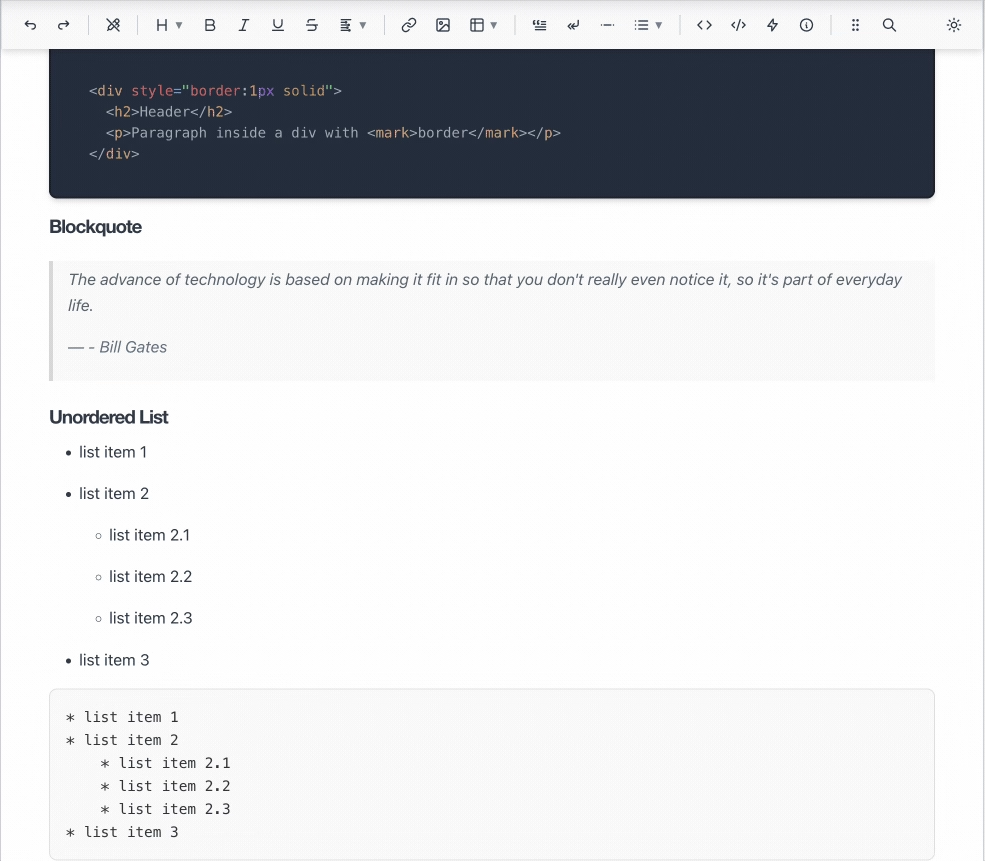
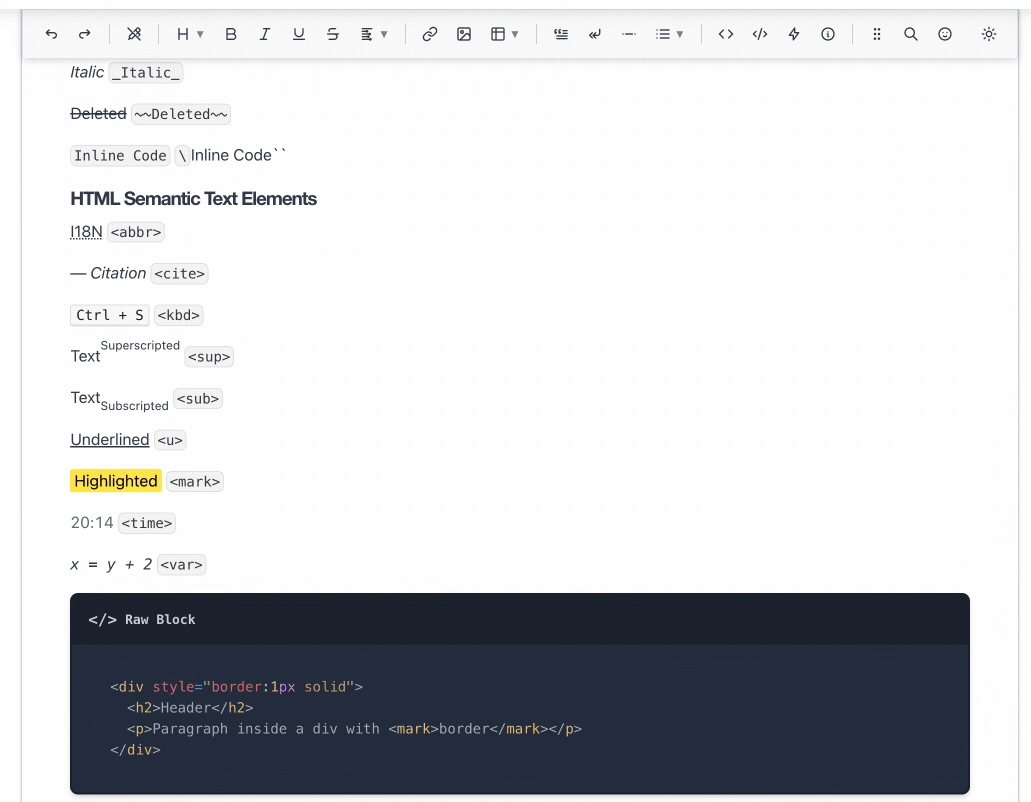
Inline HTML functionality - supports inline HTML tags such as abbreviation, cite, highlight, superscript, subscript, keyboard, etc.
18
High Performance - optimized for large documents with lazy rendering and efficient updates
Visual Block Editing

Visual Block Editing

Editor Pro revolutionizes content editing with its visual block system. HTML and Twig code are preserved as raw embed code blocks that prevent corruption while maintaining syntax highlighted mini editors. Green blocks for shortcodes - each type is instantly recognizable and safely preserved during editing.

This unique approach lets you easily visualize complex shortcut structures without fear of breaking your markup. Just works even if you use custom shortcodes that don't have full Editor-pro integration. Full undo/redo capabilities along with format cleanup ensure your content remains clean and consistent.

Modern Markdown Editor

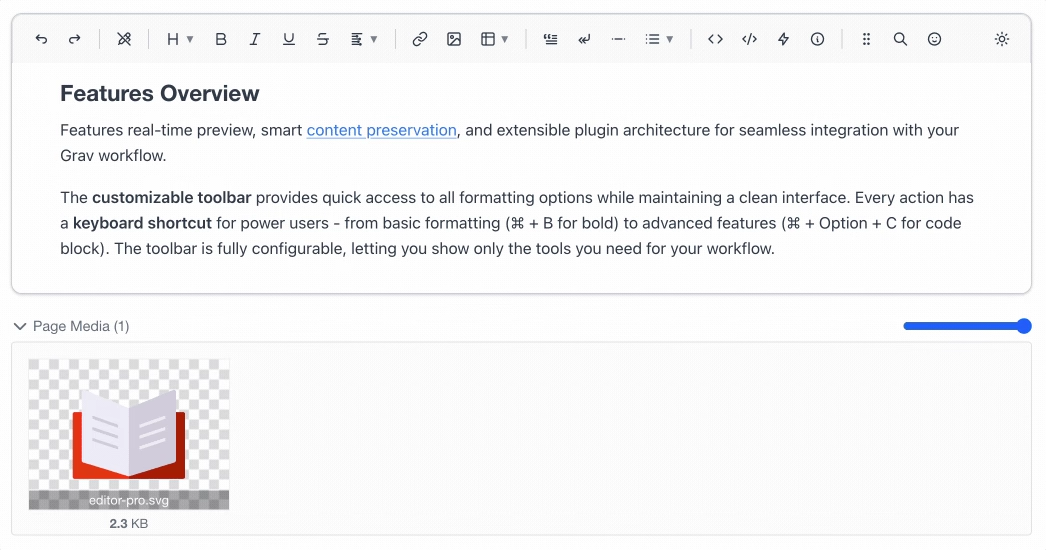
The editor servers as a fully functional Markdown editor with a clean, distraction-free interface. Write in plain text with real-time formatting as you type. Toolbar buttons and keyboard shortcuts make it easy to apply styles, insert links and images, create lists, and more. The editor works directly with your markdown files without converting to HTML, ensuring your content remains portable and compatible.
Modern Markdown Editor
GitHub-Style Alerts

GitHub-Style Alerts

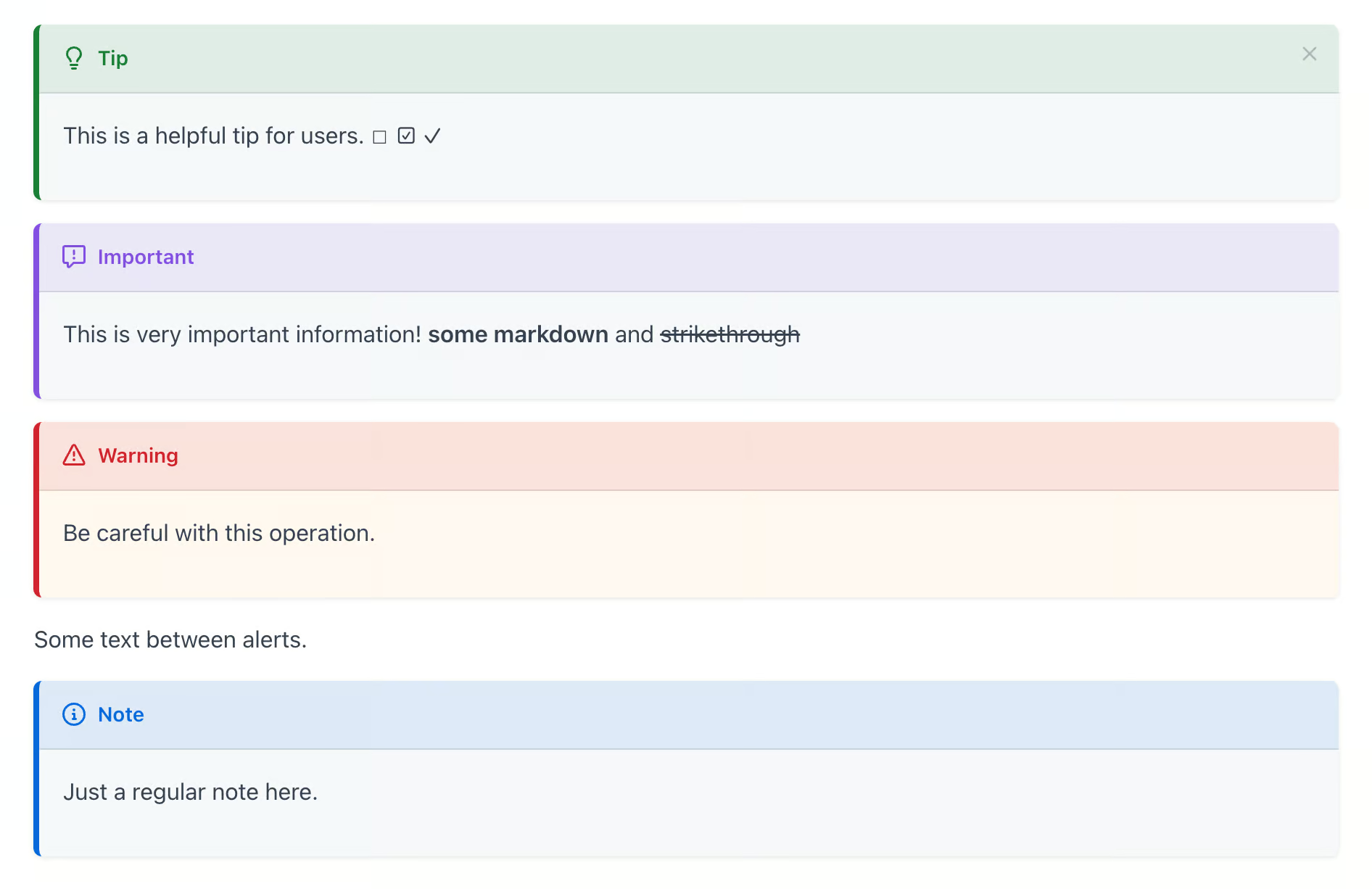
Native support for GitHub-style alert blocks brings modern documentation capabilities to your content. Create note, tip, important, warning, and caution alerts with proper styling and icons. These alerts are rendered beautifully in both the editor and on your published site, making it easy to highlight important information for your readers.

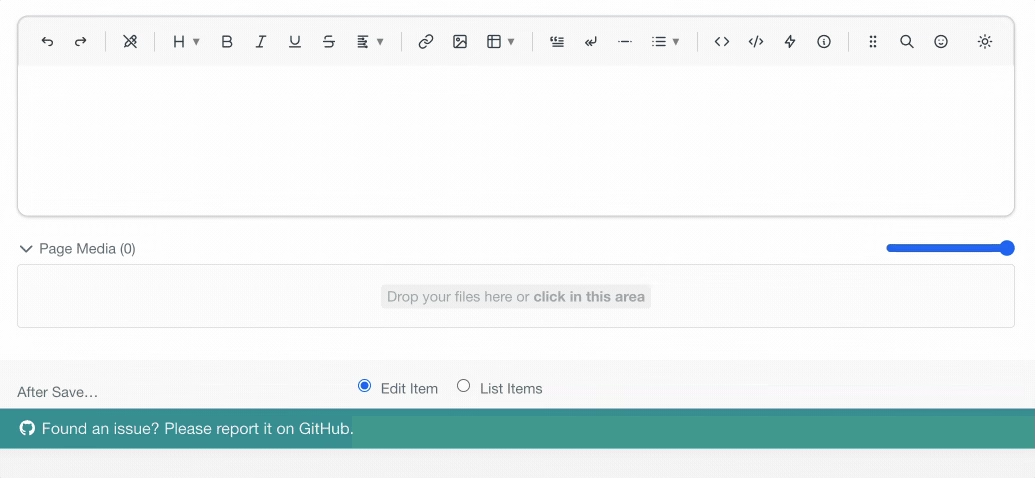
Advanced Table Editing

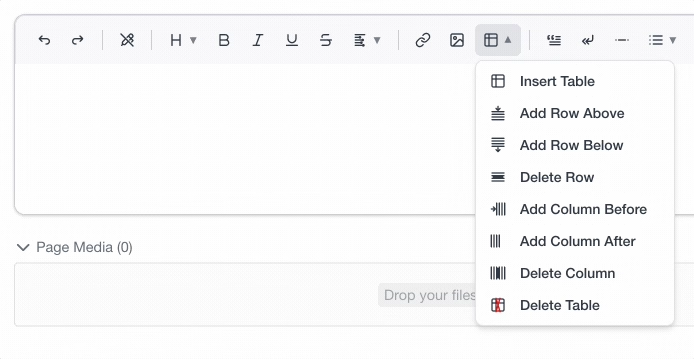
Creating and editing tables has never been easier. The visual table editor provides intuitive controls for adding/removing rows and columns, merging cells, and setting headers. A context menu allows you to see your changes in real-time. Tables are saved as clean Markdown, ensuring compatibility across your entire Grav ecosystem.
Advanced Table Editing
Shortcode Integration

Shortcode Integration

When paired with the shortcode-core plugin, Editor Pro becomes a visual shortcode builder. Insert shortcodes through a searchable interface, configure parameters through dynamic forms, and see live previews of the rendered output. Complex nested shortcodes are fully supported with proper parent-child relationships and visual hierarchy.

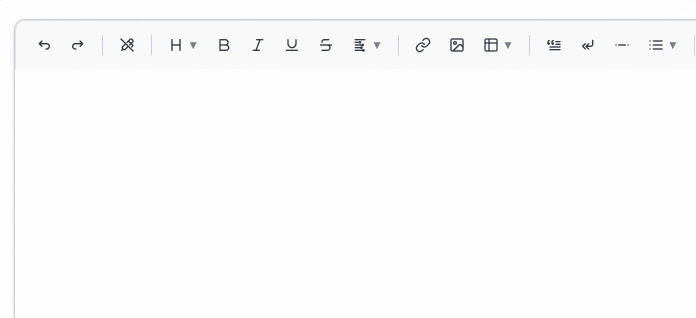
Smart Typography

Automatic text transformations make your content more professional without extra effort. Type -> to get →, 1/2 to get ½, or :) to get 😊. Create custom transformations for your specific needs. Smart quotes, em-dashes, and other typographic enhancements happen automatically as you type, with full control over which transformations are active. Create your own too!
Smart Typography
Light / Dark Mode

Light / Dark Mode

Choose between light and dark editor themes to match your preferences or admin theme. The dark mode reduces eye strain during long editing sessions, while the light mode provides a clean, bright workspace. The editor automatically detects your system preference but can be toggled manually at any time.

Frequently Asked Questions

Frequently asked questions about the Editor Pro plugin

What makes Editor Pro different from other Grav editors?

Editor Pro is built on modern web technologies (TipTap/ProseMirror) providing superior performance and reliability compared to older editors. Key differentiators include:

  • Visual block preservation for HTML, Shortcodes, and Twig
  • No framework dependencies - pure vanilla JavaScript
  • Direct markdown editing without HTML conversion
  • GitHub Alerts support out of the box
  • Modern architecture allowing for easy extension
  • Superior performance with large documents
  • Better keyboard navigation and accessibility
Does Editor Pro work with my existing plugins?

Editor Pro is designed to work with the Grav ecosystem:

  • Full compatibility with shortcode-core and shortcode-ui plugins
  • Event system integration for custom functionality
  • Blueprint support for custom page types
  • Simple migration path for existing integrations
What browsers are supported?

Editor Pro supports all modern browsers:

  • Chrome 80+ (recommended)
  • Firefox 78+
  • Safari 13+
  • Edge 80+
  • Opera 67+

Older browsers may work but are not officially supported. For the best experience, we recommend using the latest version of Chrome or Firefox.

Can I customize Editor Pro for my workflow?

Absolutely! Editor Pro is highly customizable:

  • Toolbar configuration - show only the tools you need
  • Custom transformations - create your own text replacements
  • Plugin extensions - add custom functionality
  • Blueprint integration - use in specific page types
  • Per-page configuration - enable/disable features per page
  • CSS customization - style the editor to match your admin theme
How does the licensing work?

Editor Pro follows the standard Grav Premium licensing model:

  • One license per site (development, staging, and production of the same site counts as one)
  • Licenses are perpetual - pay once, use forever, update forever
  • Volume discounts available for multiple licenses
What's the performance like with large documents?

Editor Pro is optimized for performance at every level:

  • Lazy rendering - only visible content is rendered
  • Efficient updates - ProseMirror's virtual DOM minimizes redraws
  • No conversion overhead - works directly with markdown
  • Optimized bundle - tree-shaken and minified JavaScript
  • High Performance - tested with markdown pages with over 10,000 words
Is there a demo or trial available?

While we don't offer trials for premium plugins, we provide:

  • Comprehensive documentation with screenshots and videos
  • 30-day money-back guarantee if you're not satisfied
  • Active community support to answer pre-purchase questions
  • Regular updates and feature additions
  • Migration assistance from other editors
Is this a free upgrade from NextGen Editor?

Unfortunately due to a change in the underlying CKEditor license, we were unable to continue the sale and development of NextGen Editor.

Editor Pro is a completely new editor, rebuilt from the ground up using modern opensource web technologies (TipTap/ProseMirror) and does not share any code with NextGen Editor. However, we have made every effort to ensure that Editor Pro is a superior product in every way, and we are confident that you will find it to be a powerful and flexible editor for your Grav sites. As such, it's not possible to upgrade from NextGen Editor to Editor Pro for free.

$75 Buy Now

Editor Pro Changelog

v2.0.11

4 days ago

    • Shortcodes that take no content are now recognised when they are written without a closing slash, so they show as shortcodes in the editor instead of plain text (getgrav/grav-premium-issues#614).
    • A web address inside a shortcode parameter is no longer turned into a link when you switch to the editor, which used to rewrite the parameter and break the shortcode.

v2.0.10

2 weeks ago

    • Inserting an image whose filename contains spaces now saves valid Markdown so it renders on the site instead of showing the raw Markdown. Fixes getgrav/grav#4197.

v2.0.9

1 month ago

    • The image toolbar button now opens a picker to insert one of the page's images, with its saved alt text, or an image URL, instead of a blank URL form (getgrav/grav-plugin-admin2#114).
    • The image picker can now browse the new admin's site media library by folder and insert a chosen image as a media:// link (getgrav/grav-plugin-admin2#114).
    • The new admin's page media "+" button now inserts the image at the editor's cursor (getgrav/grav-plugin-admin2#114).
    • The editor now fetches its configuration, shortcodes, and plugin scripts in a single request when it opens in the new admin, instead of three separate ones.

v2.0.8

2 months ago

    • Markdown Mode now follows the admin dark theme instead of always rendering on a light background in admin-next.
    • Shift+Return inserts a newline in Markdown Mode, matching the gesture from the regular editor.

v2.0.7

2 months ago

    • The collaborative editing channel auth callback now uses regular page permissions (api.pages.read / api.pages.write) instead of the separate api.collab.* permission, matching the change in grav-plugin-sync. Fixes getgrav/grav-plugin-admin2#24.
    • Editor Pro once again opens from the classic admin panel, instead of throwing a Twig error about an unknown admin_nonce function.

v2.0.6

3 months ago

    • RTL writing support for the WYSIWYG content area. The TipTap editor surface now carries a dir attribute that follows window.__GRAV_I18N.dir in admin-next (LTR otherwise), so caret movement, selection, IME composition, and image alignment behave correctly when the admin language is Arabic or Hebrew. The editor subscribes to admin-next's i18n bridge and re-applies the direction live when the user switches language without a hard reload.
    • Blockquotes, GitHub alerts, code shortcodes, and Yjs collaborator cursors all mirror in RTL. Border-and-padding pairs that used physical border-left / padding-left are now border-inline-start / padding-inline-start, so the gutter-side decoration always sits on the leading edge of the block regardless of language. The peer-cursor label also mirrors its notched corner.
    • Drag handle now hangs in the leading-edge gutter. Previously hardcoded at left: -1.5rem, it now uses inset-inline-start so it appears on the right in RTL.
    • CodeMirror (raw markdown source) is pinned LTR in RTL admin languages. Without this, the line-number gutter inherited dir="rtl" from <html> and ended up on the wrong side with caret movement reversed inside source code, which is never what you want for markdown.
    • Enter key now works in Markdown Mode. Pressing Return in the raw markdown source view did nothing — typing was fine, but you couldn't start a new line. Standard editing keys (Enter, undo/redo, tab indent) are now wired up.
    • Pages opened in the editor now automatically register their collaborative-edit room with explicit api.collab.* + api.pages.* permission gating, so only authorized users can read or push edits to a page's CRDT channel. Wires up via the new onSyncBeforeCrdtChannelRegistered event in grav-plugin-sync ≥ 1.1.1; when sync is absent, editor-pro continues to work as a non-collab editor with no behavior change.
    • Image and link dialogs no longer mark the page dirty just by opening. createModal fires its OK callback via a 10ms setTimeout "for initialization", which meant editImage and insertLink were unconditionally re-dispatching their ProseMirror transactions the moment the dialog opened, tripping the dirty flag with no user interaction. Mutating callbacks now bail early on the init fire via an isInit flag, while shortcode and Edit-Link form callbacks still get their init hook. Same treatment landed on the Delete Block confirmation dialog, which had the same latent issue (grav-plugin-admin2#8).

v2.0.4

3 months ago

    • Editor Pro no longer fights with admin-next's light/dark toggle. The editor used to ship its own theme system (a toolbar Toggle Theme button plus an on-mount theme initializer that wrote to its own setting), and in admin-next both ended up writing to the same class on the page that admin-next manages — so a single click on admin-next's toggle could need two or three follow-up clicks before everything matched. The admin-next build now removes the redundant theme button and skips the initializer, leaving admin-next as the sole owner of light/dark in that context. Admin-classic behavior is unchanged.

v2.0.3

3 months ago

    • Editor Pro no longer rewrites ancestor overflow: hidden styles when initialising in admin-next. The destructive walk was breaking the host app's flex shell, causing the sidebar and top bar to scroll away with the page content on long pages. The sticky-toolbar code already detects hidden ancestors and falls back to JS-driven fixed positioning, so the overflow rewrite was unneeded.

v2.0.2

3 months ago

    • Added replaceContent(markdown) method on the admin-next web component for explicit content replacement (e.g. AI Assistant "Replace"). The plain value setter still bails out under collaborative mode so routine prop syncs can't wipe peer edits, but replaceContent always runs _reloadContent — TipTap's setContent transaction propagates through y-prosemirror to all peers. Hosts should prefer this method when overwriting content programmatically.

v2.0.1

4 months ago

    • Real-time collaborative editing in the admin-next field via y-prosemirror. The editor now accepts a Yjs XmlFragment + Awareness from the host (admin-next's page editor) and routes ProseMirror's document state through ySyncPlugin / yCursorPlugin, so multiple users editing the same page see each other's changes character-by-character along with named cursors. Yjs and y-protocols/awareness are externalized in the build (build-admin-next.mjs) and resolve at runtime to admin-next's instances on window.__GRAV_YJS__ — sharing class identities is mandatory because y-prosemirror's instanceof Y.XmlFragment check would otherwise reject a fragment created by a different copy of Yjs. The web component wrapper picks up yFragment / yAwareness / yUser properties before connectedCallback so EditorProClass can wire the collab extension at construction time; the initial markdown content seeds an empty Yjs fragment so the first peer's content propagates to later joiners. Backwards-compatible — when no yFragment is provided the editor behaves exactly as before. Requires grav-admin-next ≥ beta.13 (which sets window.__GRAV_YJS__) and grav-plugin-sync.
    • Cmd-Z / Cmd-Y / the toolbar undo+redo buttons no longer roll back peer edits when collaborative editing is active. TipTap's StarterKit history extension is now disabled when this.collab.fragment is set (its keymap walked the full ProseMirror transaction stack, which includes remote edits applied via ySyncPlugin); the new TiptapCollaboration extension binds Mod-Z / Mod-Y / Mod-Shift-Z to y-prosemirror's yUndo / yRedo via addKeyboardShortcuts, and the toolbar undo/redo buttons branch on collab to call window.TiptapYjs.yUndo / yRedo instead of editor.commands.undo. y-prosemirror's yUndoPlugin already scopes the underlying Y.UndoManager to ySyncPluginKey origin, so only edits that originated from the local ySyncPlugin are undoable.
    • Heading shortcodes ([h1][h6]) no longer save with their content on a separate line, which previously caused the markdown engine to wrap the inner text in a <p> and produced invalid HTML like <h2><p>My Heading</p></h2> on the frontend. The shortcode-block serializer now emits headings on a single line ([h2]My Heading[/h2]) regardless of their block-level classification, since heading elements can't legally contain block-level children. Fixes getgrav/grav-premium-issues#569.