YetiSearch Pro
YetiSearch Pro provides Grav with the fastest search engine via a powerful local search, without requiring any external services or fees. Built on the new YetiSearch PHP library, it provides lightning-fast file-backed search with fuzzy matching, chunked indexing, geospatial queries, and smart change detection.
Already a customer? Sign in to your licenses
Everything you need. Nothing you don’t.
Over 30 distinct features and integrations, out of the box.
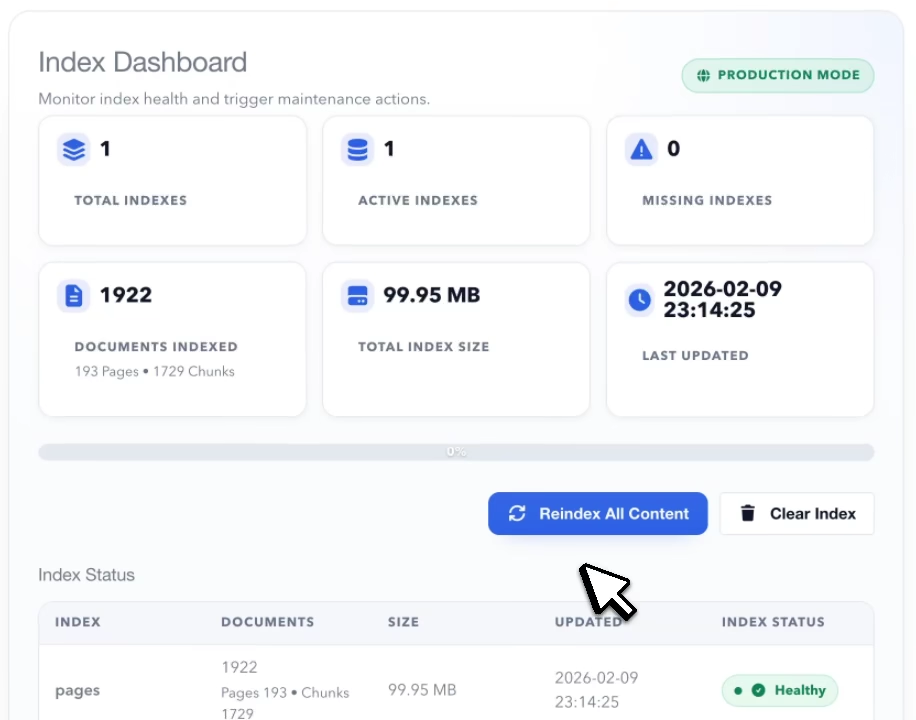
Smart Indexing
YetiSearch Pro features Smart Indexing with fingerprint-based change detection. When you update content, only the changed portions are re-indexed - not the entire site. Combined with chunked indexing that splits pages into smaller segments, you get precise search results that link directly to the relevant section. This makes indexing fast and keeps your search results highly relevant.
Two Beautiful Modal Designs
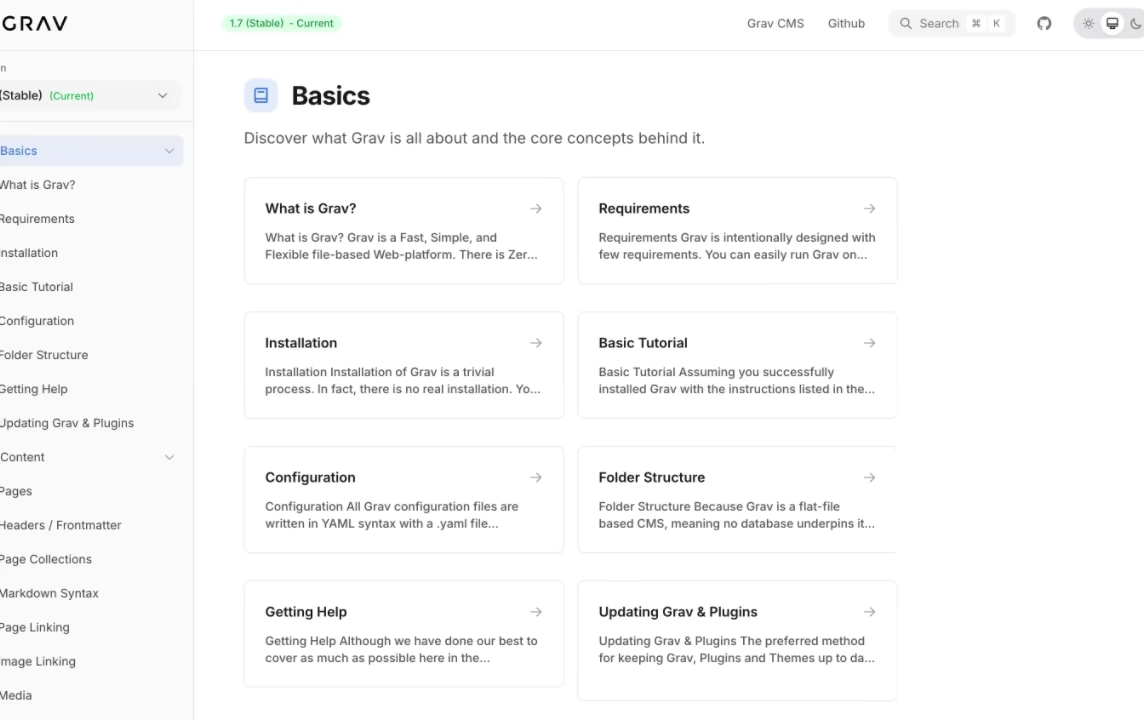
Choose between two search modal designs based on your needs. Full Modal provides a two-panel design with results on the left and a live preview on the right, including pagination, filter controls, breadcrumbs, and On This Page sections - perfect for documentation sites. Simple Modal offers a lightweight typeahead design with grouped results, clean and fast, ideal for blogs and general websites.
Powerful CLI
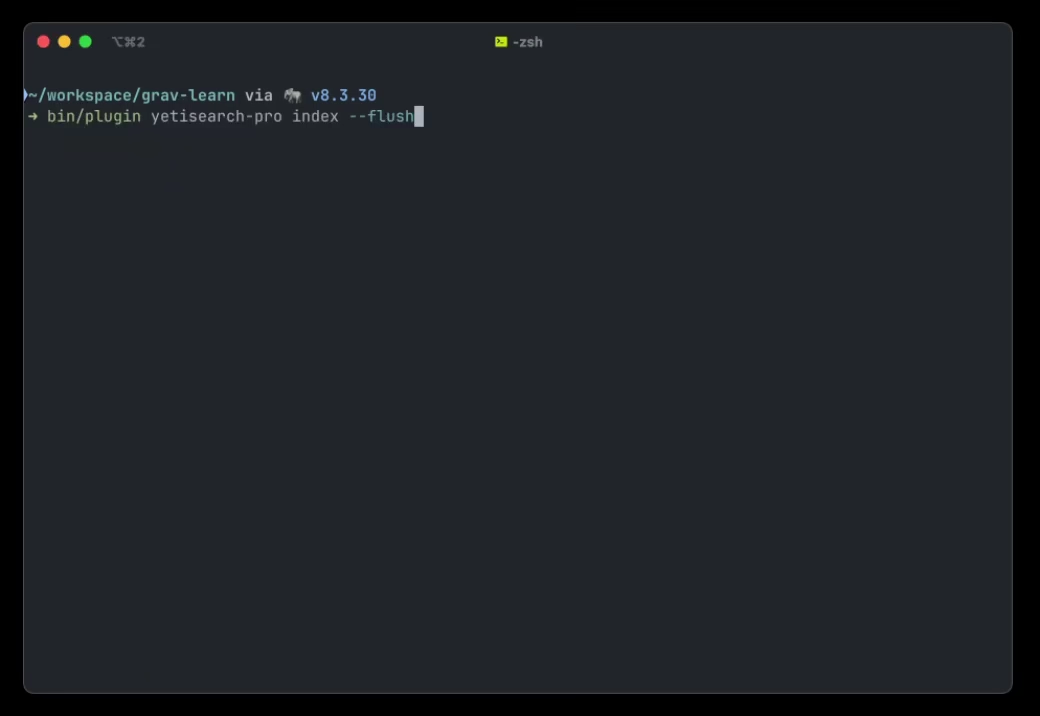
Full command-line interface for development, testing, and automation. Index your entire site or specific languages with progress bars. Query with filters, sorting, fuzzy search, and pagination. Manage cache with stats, monitoring, warming, and purging. Run scheduled tasks for automated maintenance. Supports JSON output for scripting and CI/CD integration.
Powerful Admin Interface
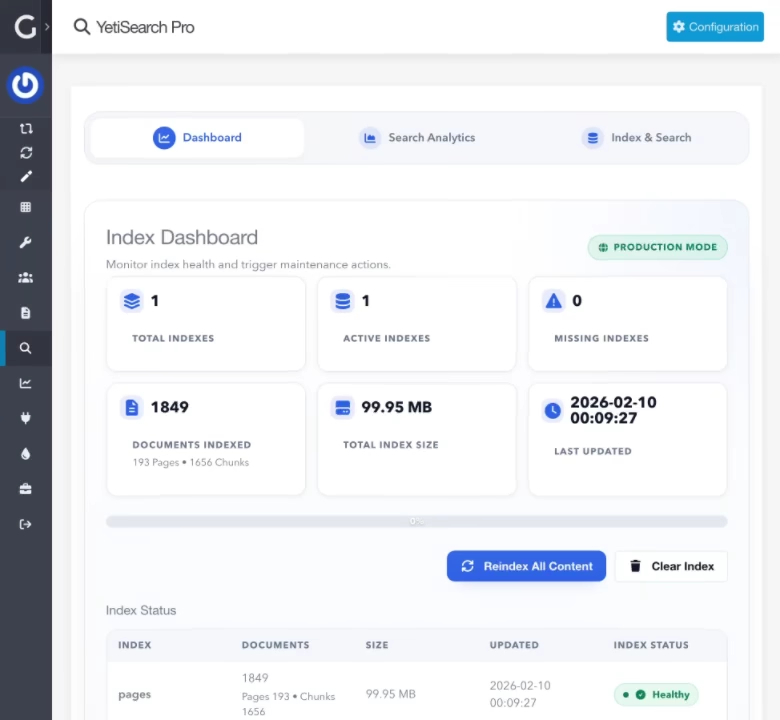
YetiSearch Pro includes a comprehensive Admin Dashboard for managing every aspect of your search. Monitor index health with document counts, index sizes, and timestamps, then trigger a full reindex with real-time progress tracking. The built-in Search Analytics panel tracks popular queries, top clicks, zero-result searches, and average response times - helping you identify content gaps. An Index Browser lets you inspect, search, and even edit individual documents, view debug statistics, and optimize indexes directly from the admin.
Smart Fuzzy Queries
YetiSearch Pro delivers highly relevant results through a multi-layered ranking system. Configurable field boosting lets you weight titles, headers, tags, and content independently, while a re-ranking engine applies bonuses for exact matches, prefix matches, and word matches in key fields. Enable fuzzy search with tunable typo tolerance so users find what they need even with misspellings, and "Did you mean" suggestions automatically guide users toward better queries when results come up empty.
Frequently Asked Questions
The most commonly asked questions about YetiSearch Pro
How does YetiSearch Pro compare to Algolia Pro?
Both are excellent search solutions with different approaches:
- Algolia Pro uses Algolia's cloud infrastructure - Fast, AI-powered, but requires an Algolia account and has usage-based pricing
- YetiSearch Pro runs entirely locally on your server - Incredible fast due to network latency, no external services, no API costs, no usage limits, and your data never leaves your infrastructure
Choose Algolia Pro for massive scale and AI features. Choose YetiSearch Pro for privacy, simplicity, and zero recurring costs.
Do I need any external services?
No! YetiSearch Pro is completely self-contained. The search index is stored as files in your user/data/yetisearch-pro directory. There are no API keys to configure, no external services to maintain, and no usage limits to worry about. The one exception is optional semantic search, which needs an embedding API if you choose to turn it on.
What is semantic search?
Keyword search finds pages that contain the words a visitor typed. Semantic search also finds pages that mean the same thing, so "can't log in" finds your password reset page and "hire an advisor" finds your consulting page. YetiSearch Pro runs both and merges the results, so pages that match on keywords and meaning rank first.
It's optional and off by default. To understand meaning it uses an embedding model through an API:
- OpenAI or OpenRouter with
text-embedding-3-small, which costs a couple of cents per million words, so a typical site costs well under a dollar to set up - Your own Ollama server, if you'd rather keep everything in-house
- Any other service that offers the OpenAI embeddings API
Only new or changed pages are sent to the API, and the search modal shows keyword results instantly while typing, then refines them by meaning once the visitor pauses. If the API is down, search falls back to keywords. And gibberish like "asdf" returns nothing: from version 2.1.1, YetiSearch Pro measures where nonsense stops and real searches start on your own content, so a small site and a large one each get the right cutoff. Available from version 2.1.0.
Can it search inside PDFs?
Yes, from version 2.2.0. Turn on PDF Indexing in the plugin settings and reindex. Every PDF sitting in an indexed page's folder becomes a search result of its own, and clicking a hit opens the PDF at the page where the words were found.
The text is pulled out by YetiPDF, a PHP library we wrote for the job, so there are no server tools to install and it works on shared hosting. It's quick too: a 3,000 page manual takes about two seconds, and the extracted text is cached so a reindex only reads the PDFs that changed.
- Needs PHP 8.3 or newer. On older PHP versions the setting is ignored and the rest of the plugin works as before
- Scanned PDFs with no text layer can't be read, as there's no OCR
- Limits on file size and page count keep very large PDFs from slowing down indexing
- A PDF follows its page, so an unpublished or excluded page keeps its PDFs out of search
What are the server requirements?
YetiSearch Pro has minimal server requirements:
- PHP 7.4 or higher (PHP 8.0+ recommended)
- SQLite 3.24.0 or higher (3.35.0+ recommended for best performance)
- SQLite FTS5 extension enabled
- PHP extensions:
pdo,sqlite3,mbstring,json - Standard Grav 1.7+ hosting environment
- PHP 8.3 or higher for PDF indexing only. Everything else works on older versions
Check your SQLite version with: php -r "echo SQLite3::version()['versionString'];"
Can I use YetiSearch Pro on multiple sites?
Per the Grav Premium License, you need to have a license for each use.
How do I trigger search updates?
YetiSearch Pro offers multiple ways to keep your index current:
- Real-time - Automatically re-indexes pages when saved or deleted in the Admin
- CLI - Run
bin/plugin yetisearch-pro indexmanually or in scripts - Scheduler - Configure automated indexing via Grav's built-in scheduler
What content can YetiSearch Pro index?
By default, YetiSearch Pro indexes Grav pages including title, content, excerpt, URL, taxonomy tags, and categories. Turn on PDF Indexing and the PDFs in those pages' folders are indexed as well. Using the plugin's events, you can:
- Add custom page header fields
- Index FlexObjects data
- Include any custom content sources
How does geo search work?
Give a page a location, either with geo: { lat: 51.5074, lng: -0.1278 } in its frontmatter or with the Location fields on the page editor's YetiSearch tab. If your pages already keep coordinates under other keys, point YetiSearch Pro at those keys in the plugin settings. A search can then:
- List the nearest pages first, with or without search words
- Keep only the pages within a radius, in kilometers, miles or meters
- Show the distance on every result, such as 1.3 km
Turn on the Near me button in the full modal and visitors can find what's around them. Their location stays in the browser and is sent only with the search, and it's never stored. It's useful for store locators, event listings, real estate sites, and any content with a location. Available from version 2.3.0.
Can a search find other forms of a word?
Yes, with stemming, available from version 2.3.0. A search for "runs" also finds "running", and "configured" finds "configuration". Pages with the word exactly as typed still rank first. It works in English, French, German and Spanish, and on a multi-language site each page is stemmed in its own language.
Stemming is off by default, because it makes indexing slower and the index bigger: on the Helios demo the index grew by about a third. Turning it on or off rebuilds the search index from what's already stored, so there's nothing to reindex by hand. On the Helios demo that took a few hundredths of a second.
Can I exclude specific pages or content from search?
Yes! YetiSearch Pro provides multiple ways to control what gets indexed:
- Page frontmatter - Set
yetisearch-pro.index-page: falseto exclude a page,yetisearch-pro.index-children: falseto exclude its children, oryetisearch-pro.index-pdfs: falseto leave out its PDFs - Ignore shortcode - Wrap content in
[yetisearch=ignore]...[/yetisearch]to keep it visible but exclude from search - Events - Use
onYetisearchPageSkipto programmatically decide which pages to index
Can I extend YetiSearch Pro for custom content?
Absolutely! YetiSearch Pro fires several events for extensibility:
- onYetisearchCollectObjects - Add non-page documents (FlexObjects, custom data) to the index
- onYetisearchBuildDocument - Change a document's fields before it's indexed (add custom frontmatter fields or a location)
- onYetisearchProBeforeSearch - Modify filters or options before queries execute
Does it work with the Helios theme?
Yes! YetiSearch Pro and the Helios documentation theme are designed to work together beautifully. Helios includes built-in YetiSearch Pro integration with the Cmd+K keyboard shortcut pre-configured.